PR Series Balance EN-9
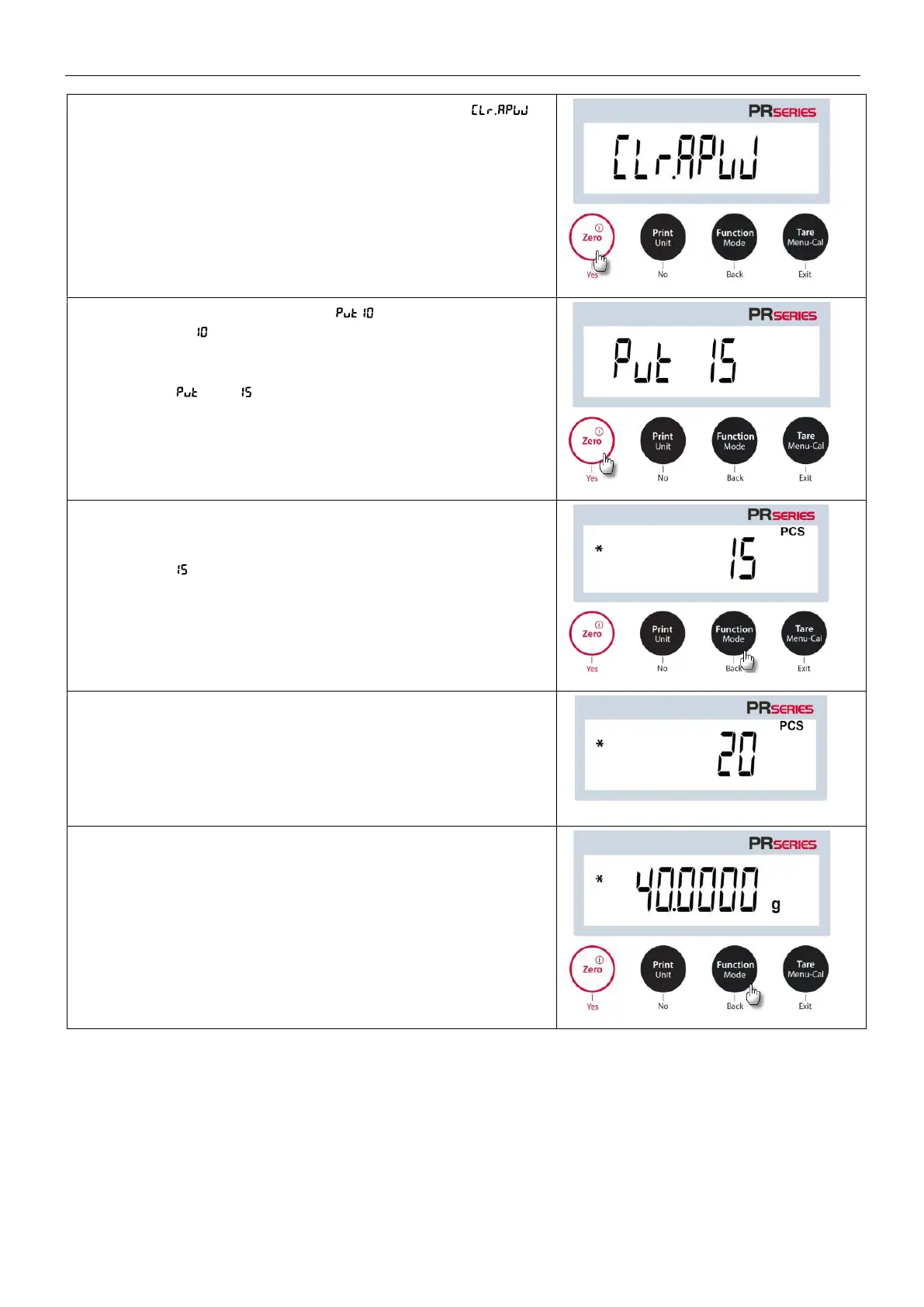
3. After confirmation by pressing Yes, the message
will appear on the screen.
4. Press Yes, and the message will display with the
numeral (default) flashing. The user can press No or
Back to increase or decrease the value.
For instance, to increase the value to 15, please press No.
Then, and will flash simultaneously.
4. Place 15 samples on the pan. Press the Function / Mode
button so that the weight of the 15 samples is used to
establish the average piece weight (APW). The display will
show pieces.
5. Remove the 15 samples from the pan and then place
additional samples on the pan. The corresponding number
of pieces will display on the screen.
6. To view the total weight or the number of pieces of the
objects, press the Function / Mode button.



 To Next Page