APPENDIX C SOFTWARE SERVICE TOOL INSTRUCTIONS
Valor™ 3000 Series Service Manual C-1 Ohaus Corporation www.ohaus.com
APPENDIX C. SOFTWARE SERVICE TOOL INSTRUCTIONS
The Software Service Tool (Part Number 80252509) is required when either a main PC Board
or a Load Cell is replaced in a Valor 3000 scale. It is used to re-configure the scale to its original
parameters in the case of a PCB replacement, or new parameters in the case of a Load Cell
replacement.
C.1 Hardware and Software Setup
1. First, check that the scale’s A-Off feature, under the SETUP menu, is set to OFF.
If this setting is left ON, the scale will shut off during configuration.
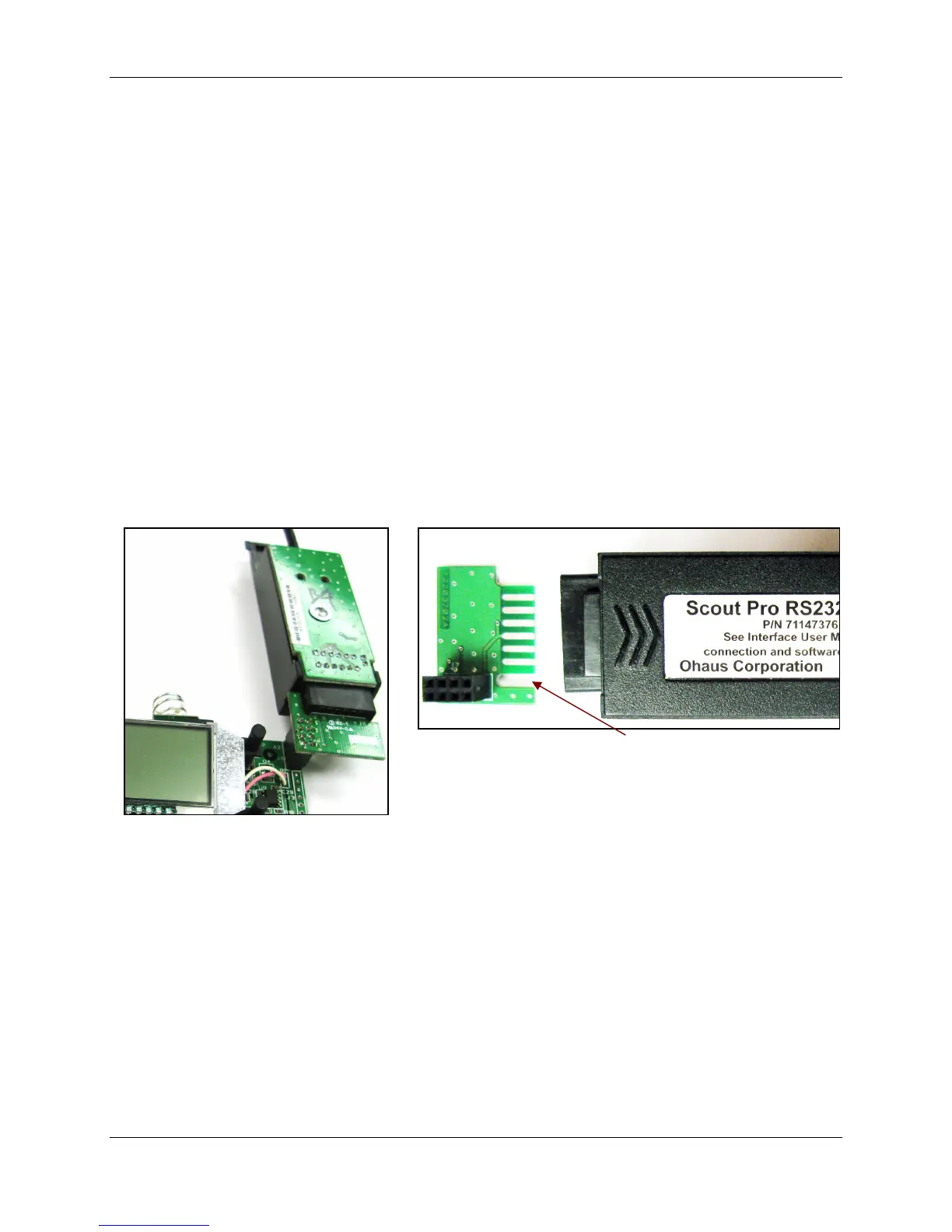
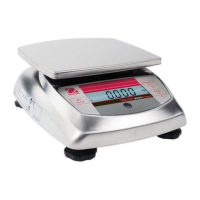
2. To connect the scale to a personal computer, use the hardware interface:
(See Figures C-1 and C-2.)
– RS232 Interface and Cable (PN 71147376 or 72206287)
– A Communications Service Interface (PN 72203450) that attaches to the
RS232 Interface
3. Plug the cable into the PC’s RS232 port.
Figure C-1. RS232 Interface
connected to Service Interface,
connected to the scale’s PCB,
circuit board side up.
Figure C-2. Service Interface fits into the RS232
Interface with the gap on the left side when the label
side is up on the RS232 Interface.
4. Install the software on a Personal Computer running Microsoft Windows NT 4.0 or later,
or Microsoft Windows 98 or later.
5. Run the program Service Tool. (See next page.)




 To Next Page