Maintenance 49
Loading Rear Feed Paper from the Front of the Printer
Note: These instructions assume you do not have ready access
to the back of the printer. If you do, go back to “Loading
Rear Feed Paper from the Rear of the Printer” earlier
in this chapter.
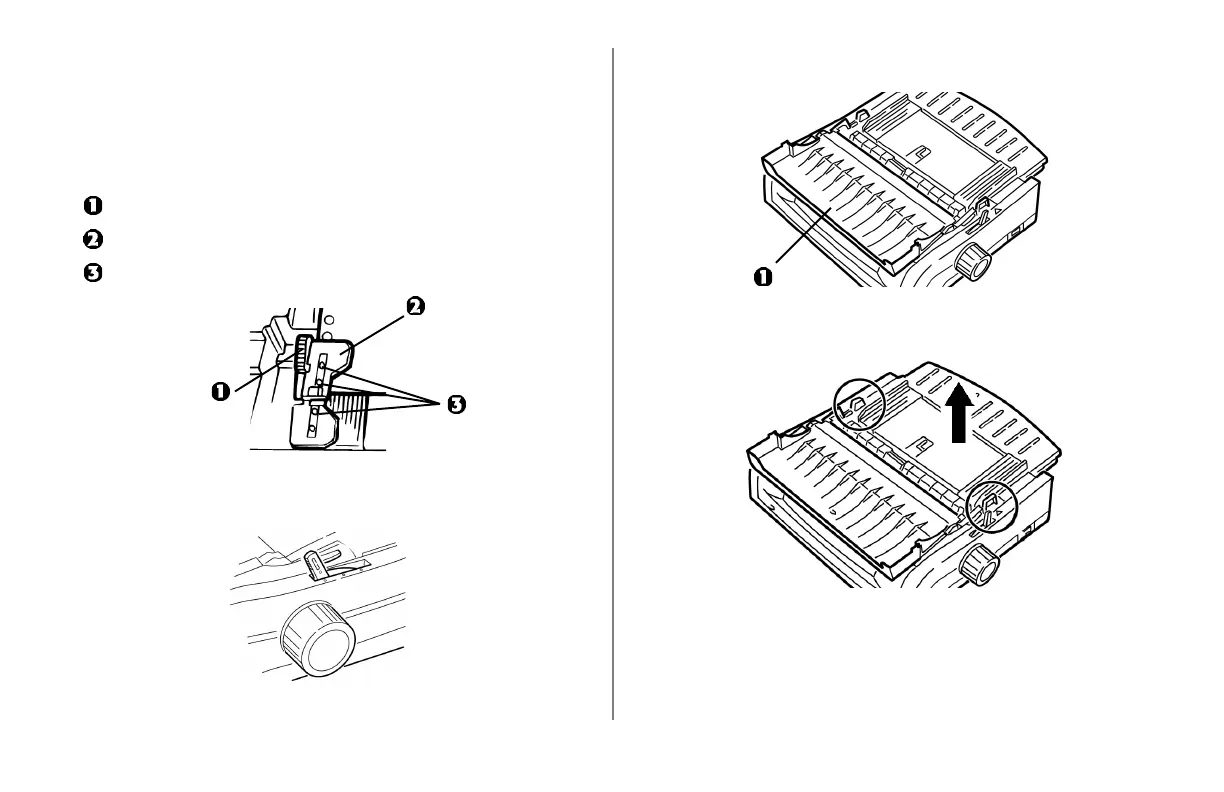
Lock Lever
Upper Tractor Cover
Pins
1 Make sure the paper lever is forward (position marked
“REAR”).
2 Open the access cover (1).
3 Grasp the tabs and lift off the sheet guide.
4 Pull up on the lock levers to release them.




 To Next Page