18 / 36
5.1.1.1 Saving into Memory
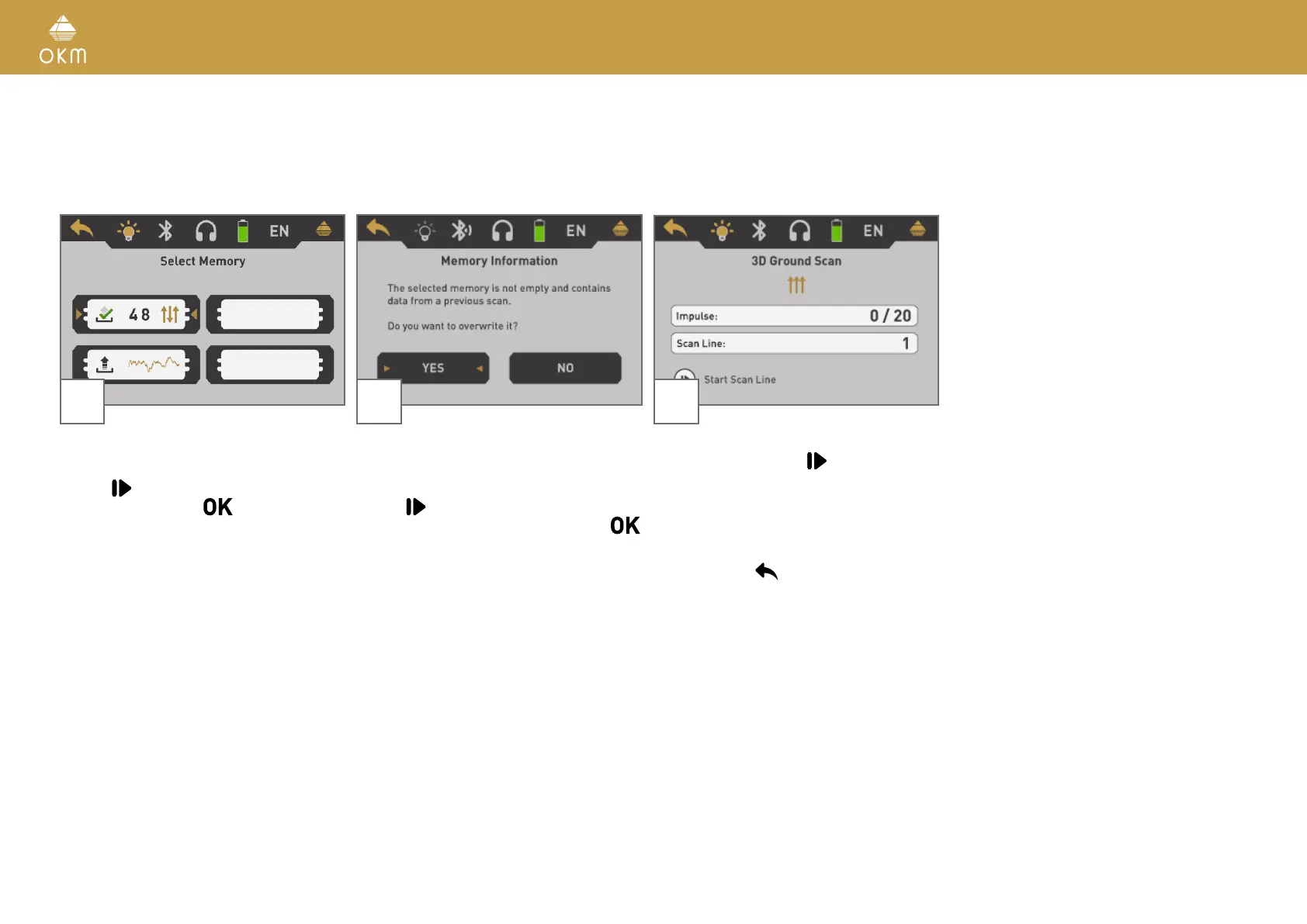
If you have selected "Memory" as transfer mode, you need to select one of the four mem-
ory areas.
7 8
Select one of the four memory areas in which
the new scan data should be stored.
Use the
button to highlight a specific slot
and confirm it with the
button.
In case you selected a memory area that al-
ready contains data from a previous scan, the
shown message appears.
Use the
button to either highlight the "Yes"
or "No" button and confirm it with the
button.
9
Now you can get ready and start your first
scan line by pushing the
button.
Read section „5.1.2 Conducting a 3D Ground
Scan“ on page 20 to learn more about con-
ducting a complete ground scan.
If you are going to cancel this operating mode
simply push the
button.



 To Next Page