33 / 36
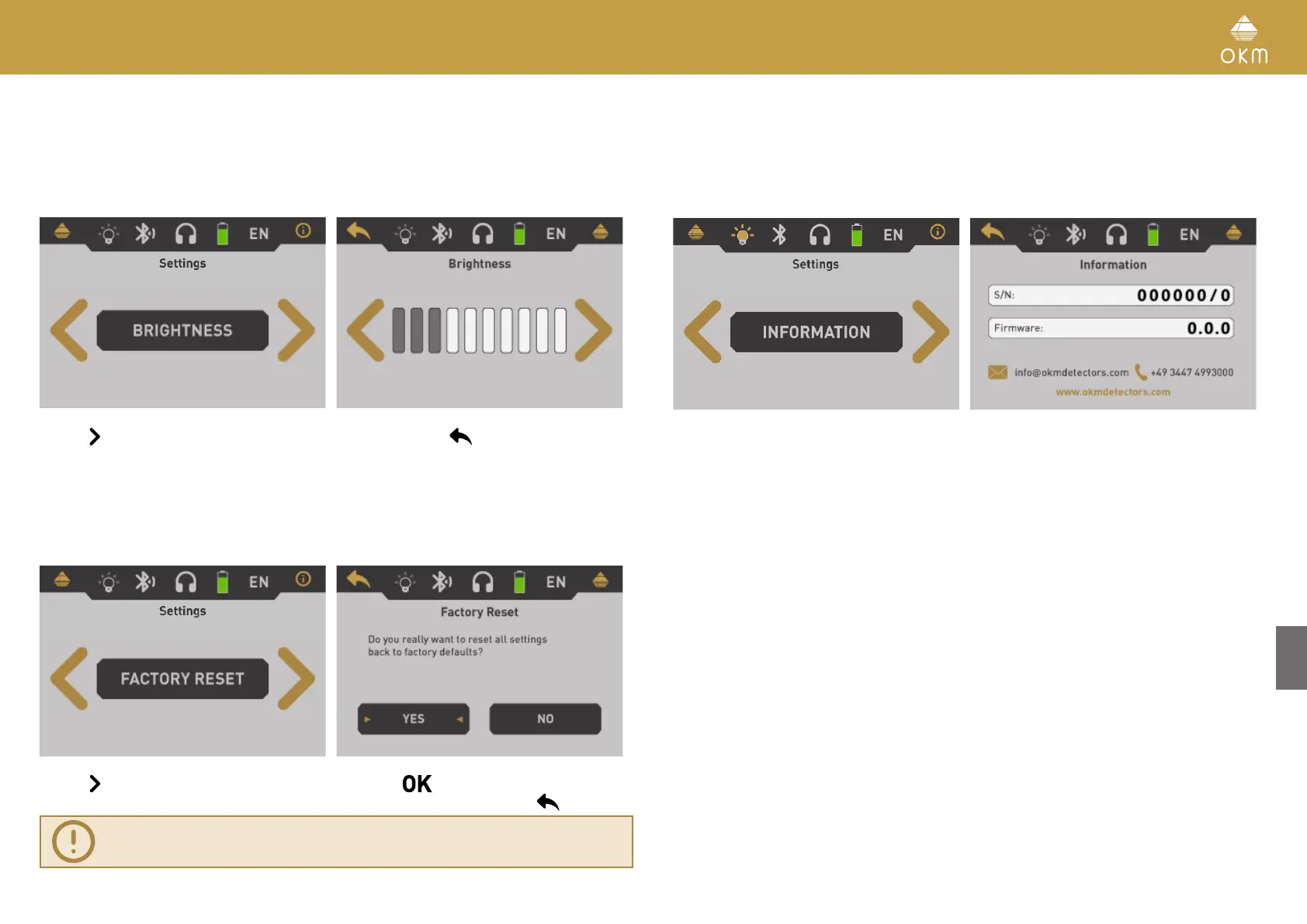
5.6.5 Brightness
The brightness regulates the background light of the display and touchscreen. The brighter the
display, the better you can read it in the sunlight, but the more power it will consume. In dark
environments you can turn the brightness down.
Use the button to change the value and confirm it by pushing the button. This will automat-
ically return to the settings menu.
5.6.6 Factory Reset
This option will reset all configurations back to factory defaults. For safeness purposes an addi-
tional question pops up to avoid accidental factory resets.
Use the button to highlight the “Yes” option and push the button to start the factory reset.
If you do not want to reset your device select the “No” option instead or push the
button.
Factory reset will clear all your personal configuration changes.
5.7 INFORMATION
This option displays information concerning the device's serial number and firmware version.
These
information may be useful if you are contacting your local OKM distributor for additional
support requests.



 To Next Page