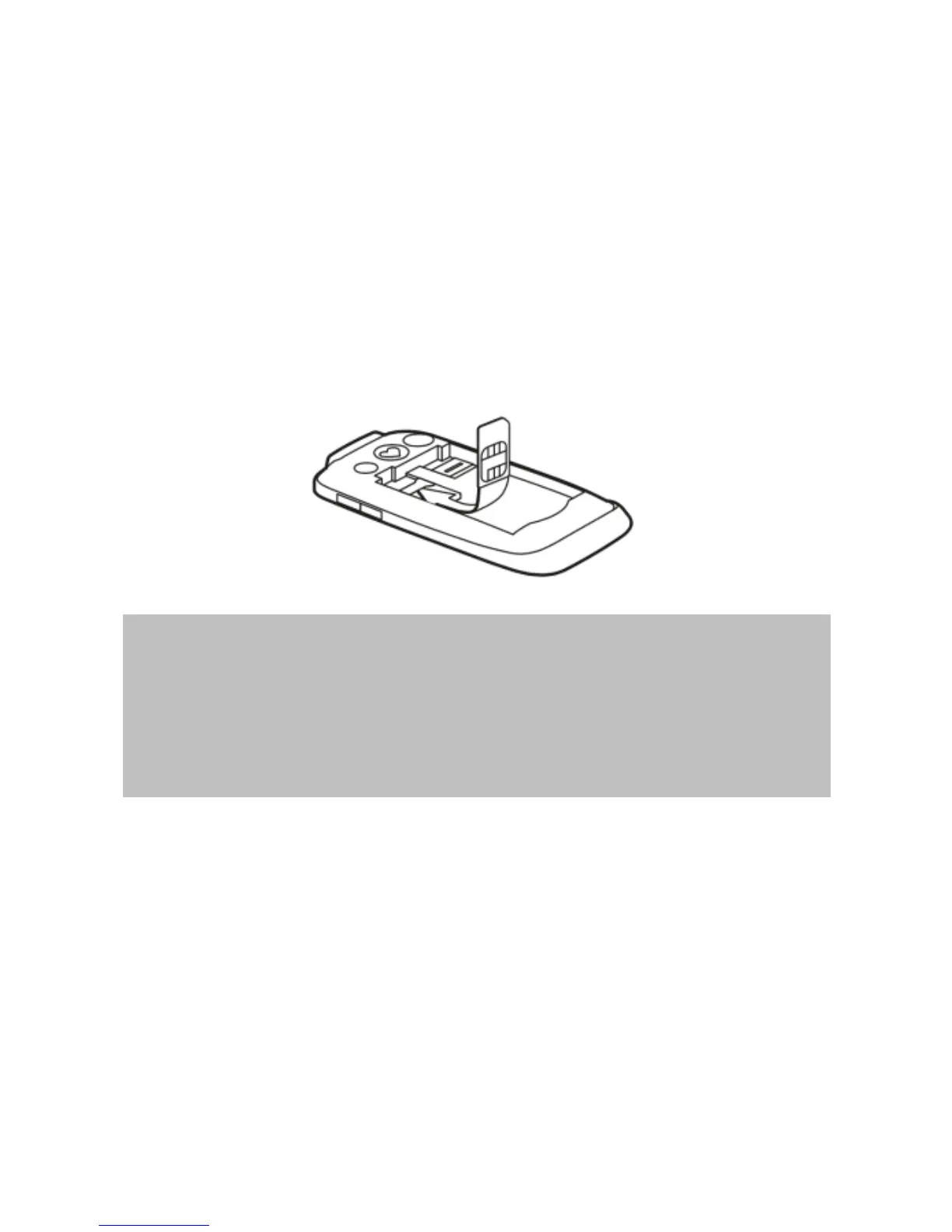
Step 3 - Insert the SIM card (standard
size) with the gold chip facing down,
oblique edge to the bottom right. The
SIM card should be positioned under
the large horizontal silver guard and not
be inserted further then the black
barrier on the upper edge of the SIM
slot.
Please note:
Before replacing the phones back cover
please insert the MicroSD card
(optional) and battery.
MicroSD card/Memory card
(Optional – not provided with phone)
A MicroSD card/memory card can be
inserted into the phone to provide
additional memory for the phone.



 To Next Page