EasyManua.ls Logo

Olivetti d-Copia 2500MF - Page 28

Olivetti d-Copia 2500MF
312 pages
Print Icon
To Next Page IconTo Next Page
To Previous Page IconTo Previous Page
Loading...
Copying Functions
ADVANCED OPERATION GUIDE 1-13
1
2
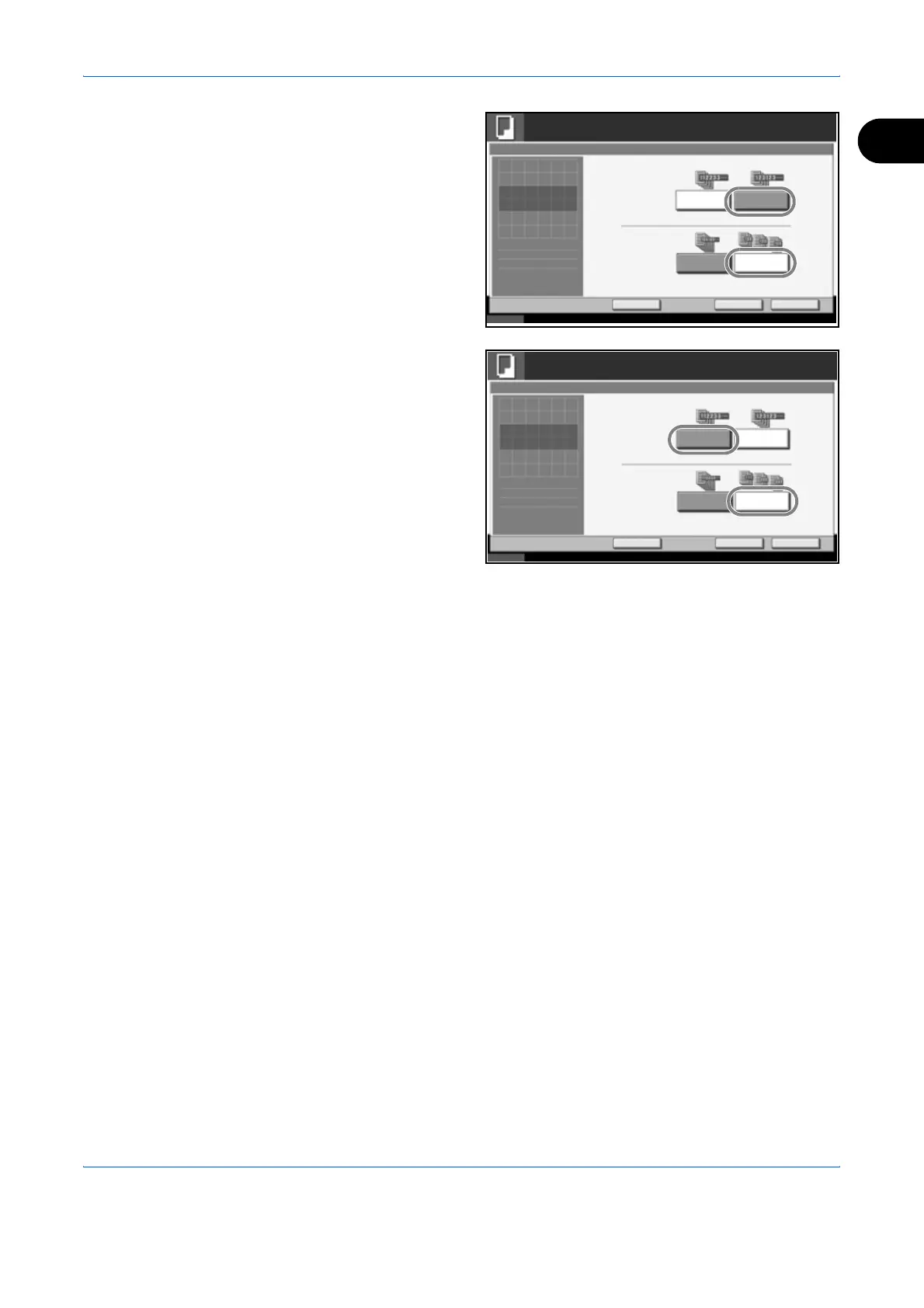
To use collate
copying, press [On]
of Collate.
To use offset
copying, press
[Each Set] of Offset.
Press [OK].
If [Off] is selected for
Collate, press [Off]
or [Each Page] in
Offset.
3
Press [OK].
4
Use the numeric keys to enter the copy quantity.
5
Place the originals and press the Start key. Copying begins.
Status 10/10/2007 10:10
Ready to copy.
Copies
Cancel OK
Collate/Offset
Press [OK] to display
Add Shortcut
Off Each Set
Off On
Collate
Offset
1
the image.
Status 10/10/2007 10:10
Ready to copy.
Copies
Cancel OK
Collate/Offset
Press [OK] to display
Add Shortcut
Off Each Page
Off On
Collate
Offset
1
the image.

Table of Contents