4
FAX Operation (Advanced)
4-13
Printing/Forwarding Received Documents (Memory Forwarding)
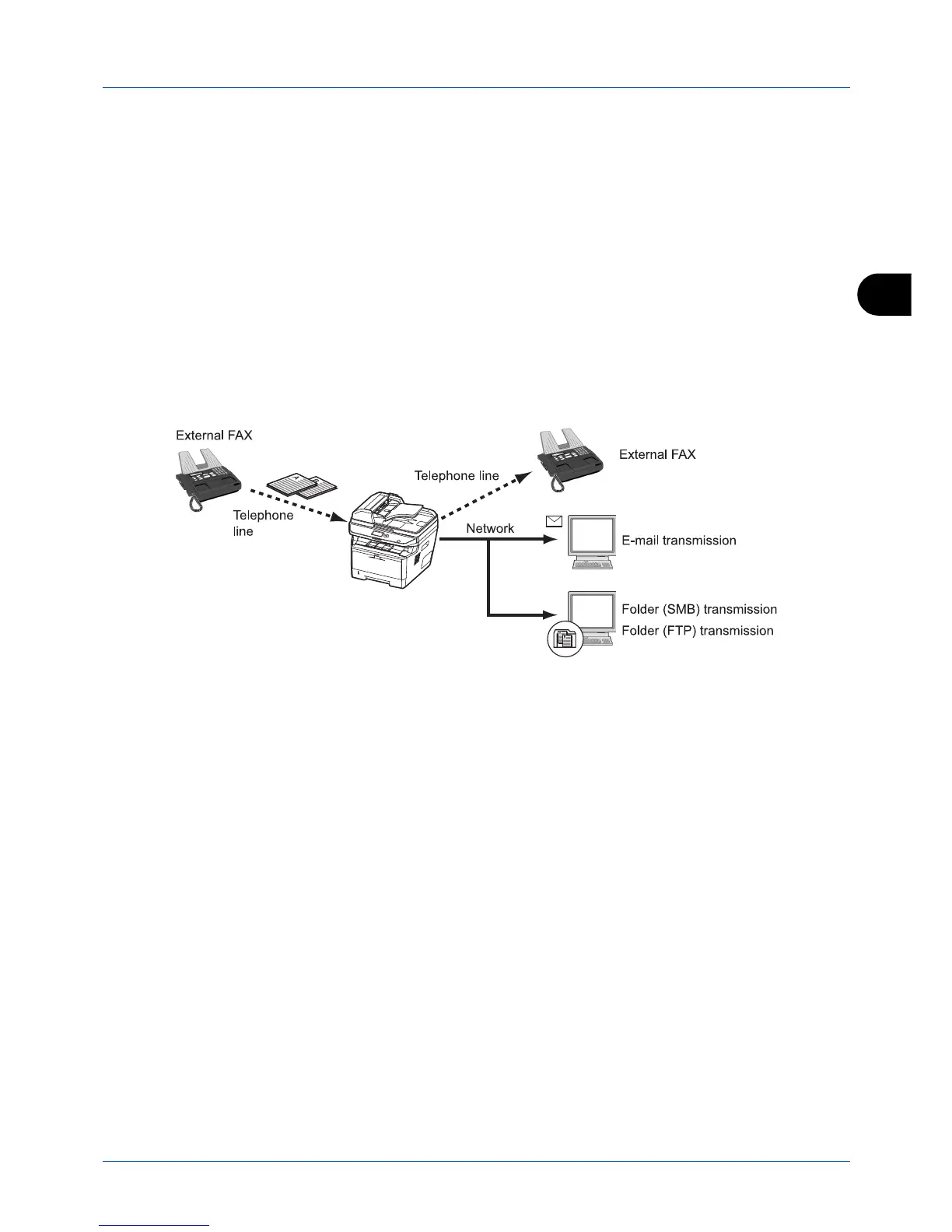
When you have received a fax, you can forward the received image to other fax machines, computers, and Sub
Address Boxes, or print the image.
Type of Forwarding Destination and Forwarding Requirements
Only one forwarding destination can be specified. When forwarding is set to [On], all received documents will be
forwarded to the specified destination.
Type of Forwarding Destination
You can forward the document to other fax machines or Sub Address Boxes, or for e-mail transmission or folder (SMB
or FTP) transmission.




 To Next Page