1-3
1
MAIN FEATURES
The digital multifunction copier is capable of performing a variety of functions. This page shows features related to
the copy function.
● Sort mode See page 1-3
● Group mode See page 1-3
● 2-sided Copy See page 1-3
(When the duplex module is installed.)
● Exposure Adjustments See page 1-3
● Reduction/Enlargement See page 1-4
● XY Zoom See page 1-4
● Margin Shift See page 1-4
● Erase See page 1-4
● Dual Page Copy See page 1-4
● Pamphlet Copy See page 1-4
● Job Build See page 1-5
● Tandem Copy See page 1-5
(Olivetti d-Copia 3501 / d-Copia 4501 version
● Covers/inserts See page 1-5
● Transparency Insert See page 1-5
● Multi Shot See page 1-5
● Book Copy See page 1-5
● Card Shot See page 1-6
● Job programs See page 1-6
● Mirror Image See page 1-6
● B/W Reverse See page 1-6
● Date See page 1-6
● Stamp See page 1-6
● Page numbering See page 1-7
● Text See page 1-7
● Interrupting a copy run See page 1-7
● Offset mode See page 1-7
(When the Finisher or Saddle stitch finisher is installed.)
● Staple sort mode See page 1-7
(When the Finisher or Saddle stitch finisher is installed.)
● Saddle stitch See page 1-7
(When the Saddle stitch finisher is installed.)
● Hole punching See page 1-8
(When the Saddle stitch finisher and Punch
Module are installed.)
● Document filing function See page 1-8
(Olivetti d-Copia 3501/4501 version or when the
document filling function has been added.)
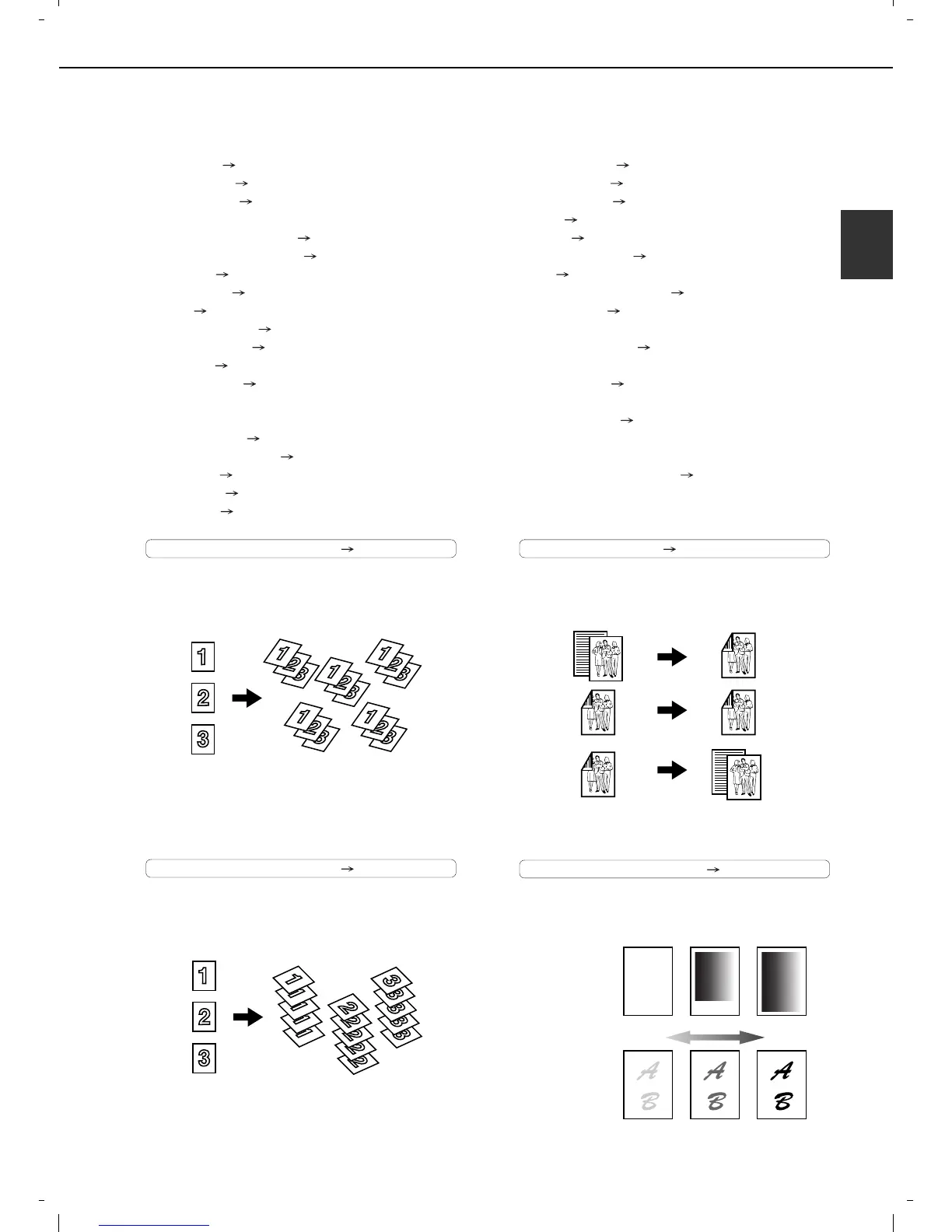
Sort mode See page 4-9
Copies can be collated.
Group mode See page 4-9
Copies can be grouped by page.
2-sided Copy See pages 4-10, 4-13
Copy onto both sides of the paper using the document
glass or the automatic document feeder.
Exposure Adjustments See page 4-14
The desired image type for the original can be
selected.
Original Copy
Original Copy
Original
Copy
* When the duplex module is installed.
Exposure
Text Text/Photo Photo
Resolution
ABCDE
ABCDE
DarkerLighter
or when the document filling function has been added.)














 To Next Page