FINISHER
3-12
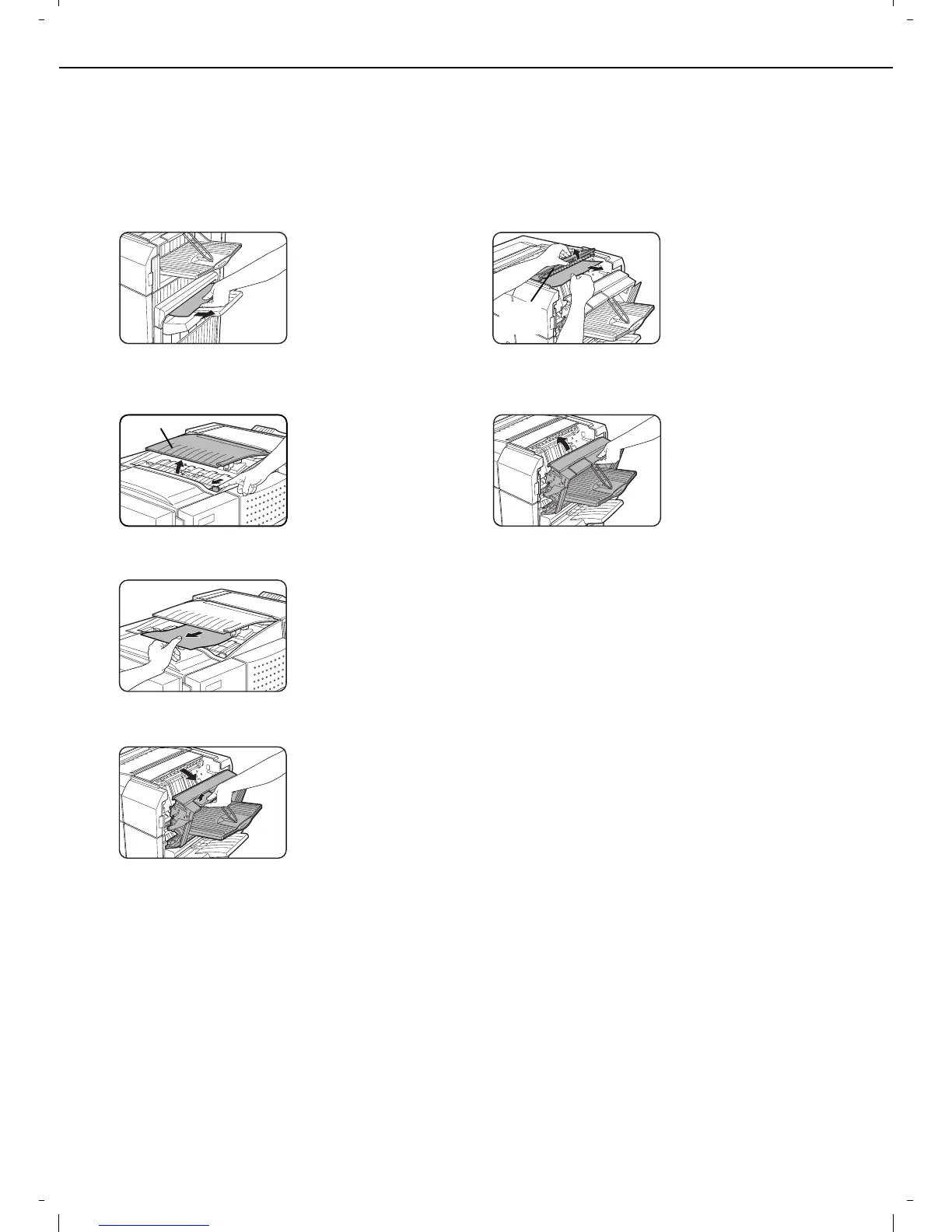
Misfeed in the finisher
When a misfeed occurs in the finisher, remove the misfed paper following the procedure below.
1
Remove the misfed paper from the output
area.
Be careful not to tear the
misfed paper during
removal.
2
Open the finisher top cover.
Move the tab in the
direction of the arrow as
shown in the illustration
to open the top cover.
3
Remove the misfed paper.
Be careful not to tear the
misfed paper during
removal.
After removing the
paper, press down on
the top cover to close it.
4
Open the finisher compiler.
Release the latch to
open the finisher
compiler.
5
Raise the paper guide and remove the
misfed paper.
Be careful not to tear the
misfed paper during
removal.
6
Close the finisher compiler.
Top cover
Paper
guide














 To Next Page