2-11
Installing and Setting up the Machine > Using the Operation Panel
Operation Method
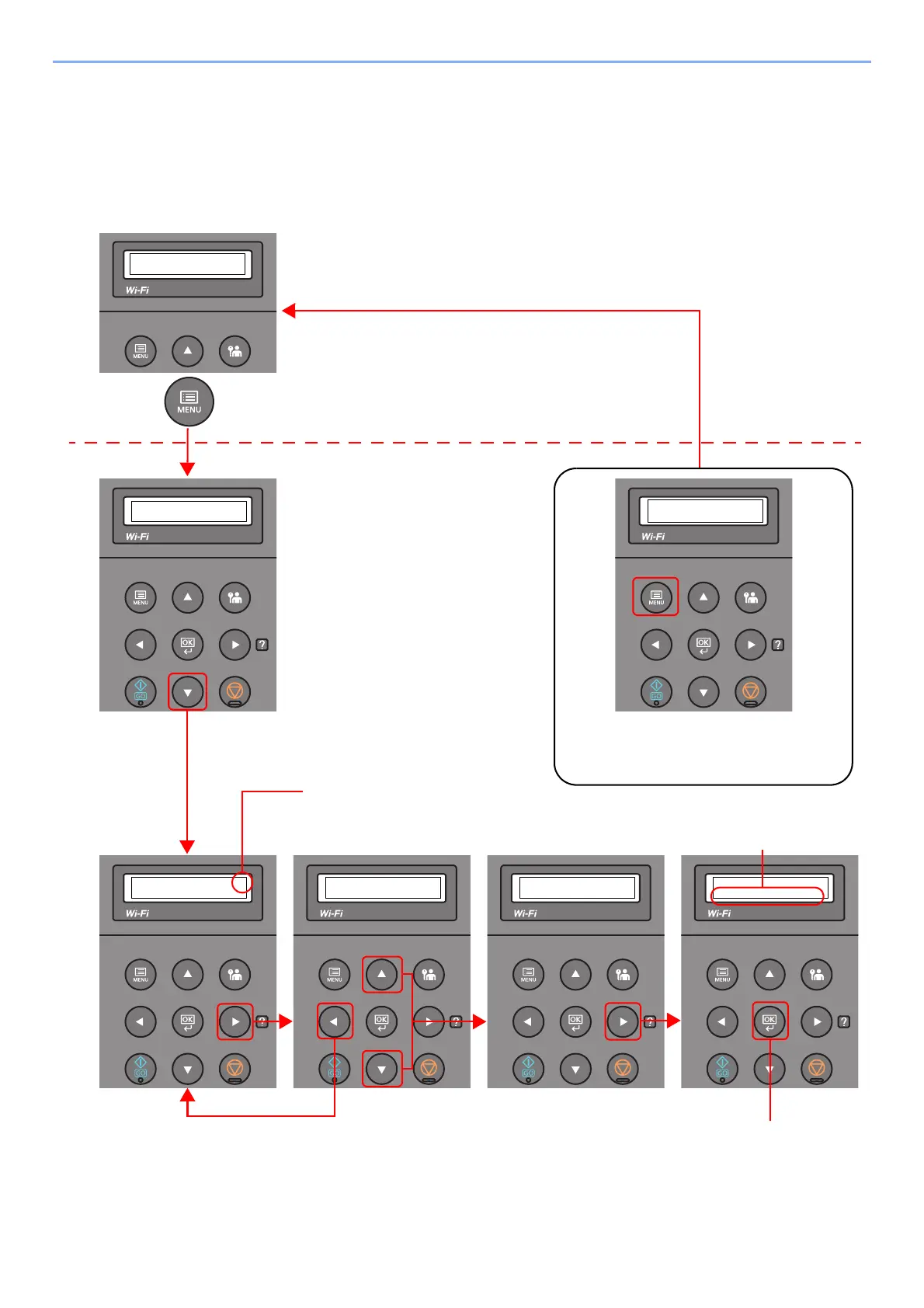
Displaying the Menus and Configuring Settings
Select the [Menu] key to display the setting menus. Select the [▲] key, [▼] key, [◄] key, [►] key, or [OK] key to select a
menu, and perform settings.
Select the [Menu] key to display
the setting menus.
Setting Menus
Normal Screen
When the [▲] or [▼] key is selected,
the selection moves line by line.
When [>] appears, select the [►]
key to display a sub-menu.
Select the [◄] key to return to the
screen one level higher.
When the [▲] or [▼] key is
selected, the selection
moves line by line.
Select the [OK] key to confirm
the selected setting.
Exiting the menu operation
Select the [Menu] key to exit the setting
menu and return to the normal screen.













 To Next Page