4-4
Printing from PC > Printing from PC
Printing from PC
This section provides the printing method using the Printing System Driver.
Printing on Standard Sized Paper
If you loaded a paper size that is included in the print sizes of the machine, select the paper size in the [Basic] tab of
the print settings screen of the Printing System Driver.
1
Display the screen.
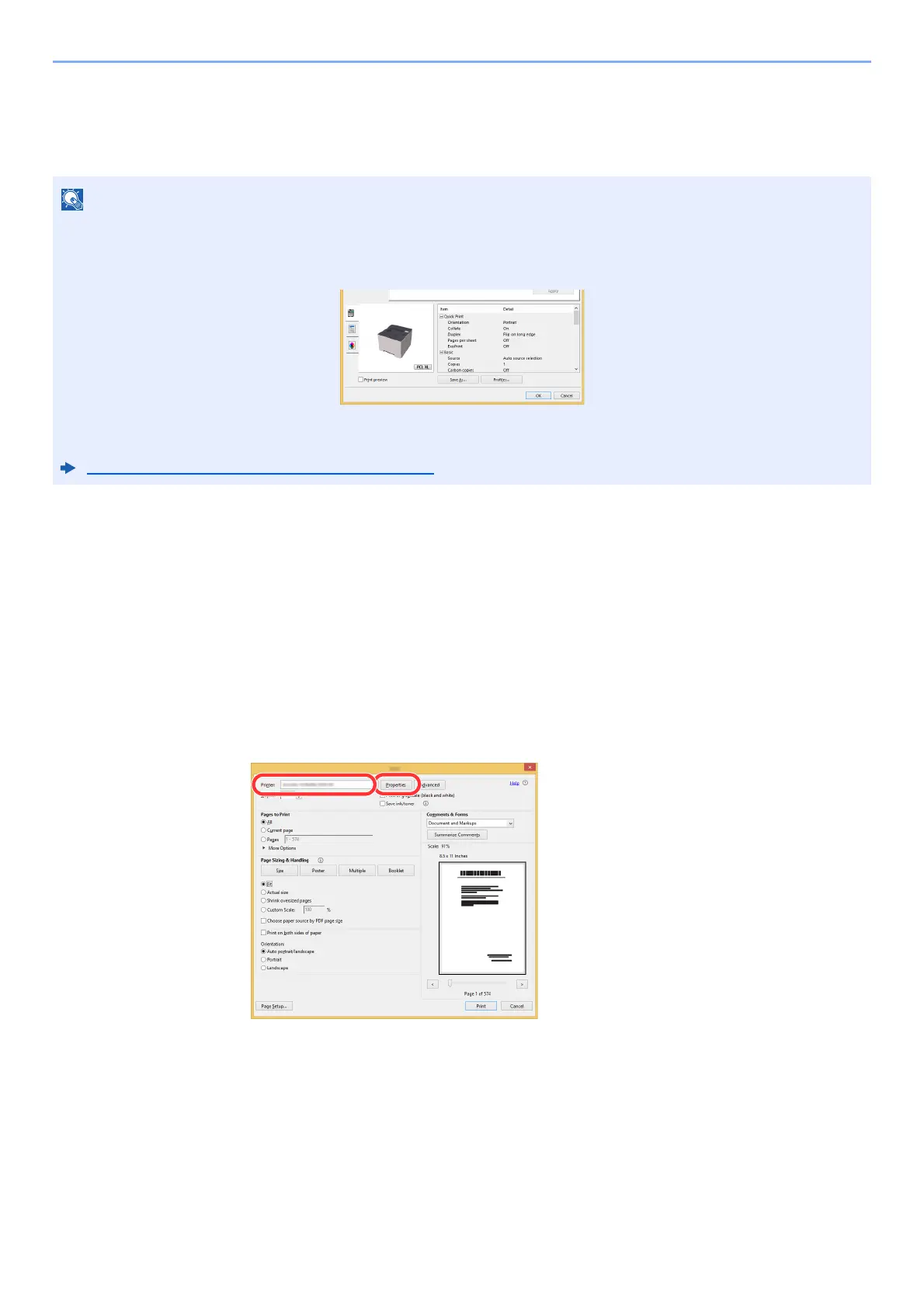
Click [File] and select [Print] in the application.
2
Configure the settings.
1 Select the machine from the "Printer" menu and click the [Properties] button.
•
To print the document from applications, install the Printing System Driver on your computer from the supplied DVD
(Product Library).
•
In some environments, the current settings are displayed at the bottom of the Printing System Driver.
• When printing the cardstock or envelopes, load the cardstock or envelopes in the multipurpose tray before
performing the following procedure.
Loading Paper in the Multipurpose Tray (page 5-2)













 To Next Page