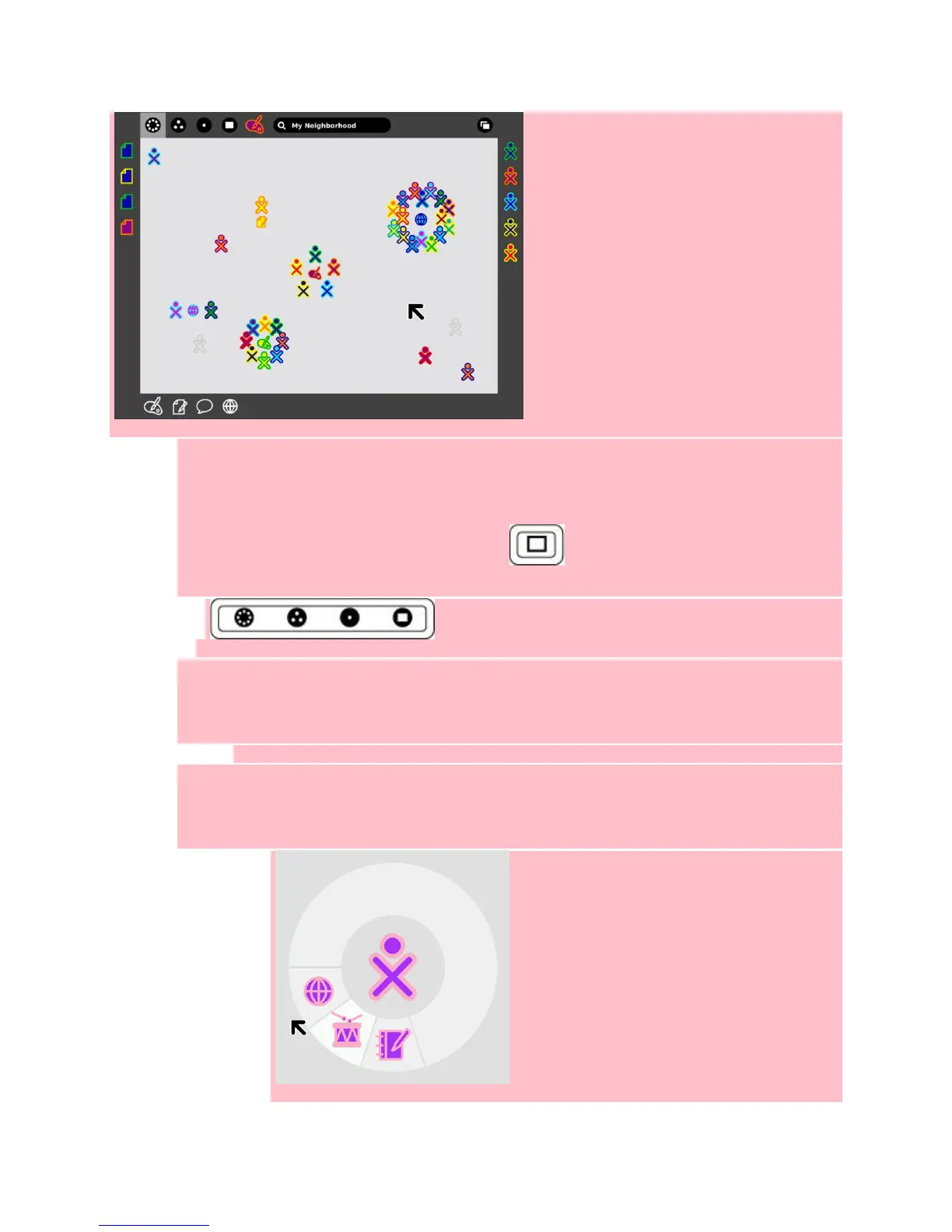
The Frame
The entire XO screen has a dark gray border called the frame. The left, top, and right sides of
the frame represents nouns: persons, places, and things. The bottom of the frame represents
those elements that require action: activities, invitations, and notifications.
Bring the frame onto the screen by pushing the key (an “empty rectangle” on it) on the
upper right-hand corner of the keyboard or by moving the pointer to any corner of the screen
Views (places)
A view is another word for a place. You can open different views (places) by clicking on the
pictures in the top left corner of the frame. The different views are Neighborhood view, Group
view, Home view, and Activity view.
Home View
If you leave the Home View to engage in an Activity, you can return to the Home View at any
time by pressing the Home Key (circle with one dot) on the keyboard or by clicking on the Home
Icon (image), on the frame.
Activity Circle


 To Next Page