EasyManua.ls Logo

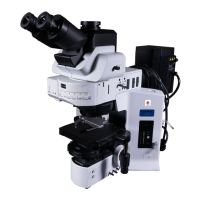
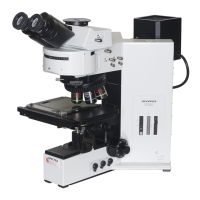
Olympus BX-URA2 - User Manual

Olympus BX-URA2
52 pages
Print Icon
To Next Page IconTo Next Page
Loading...
INSTRUCTIONS
A X 7 6 2 5
BX-URA2
BX-RFA
U-LH100HGAPO
U-LH100HG
Power Supply Unit
U-25ND6-2
U-25ND25-2
U-25ND50-2
U-RSL6
U-RSL6EM
BX-RFSS
U-EXBABG
U-EXBAUB
U-EXBAUG
REFLECTED
FLUORESCENCE
SYSTEM
This instruction manual is for the Olympus Reflected Fluorescence System. To ensure the safety,
obtain optimum performance and to familiarize yourself fully with the use of this system, we recom-
mend that you study this manual thoroughly before operating the microscope. Retain this instruc-
tion manual in an easily accessible place near the work desk for future reference.
This publication is printed on 100% recycled paper

Table of Contents

Questions and Answers

  • V
    virginia18Aug 9, 2025
    What to do if the Olympus BX-URA2 Microscope main switch is on but the mercury burner won't light?
    • W
      William KleinAug 9, 2025
      If the main switch can turn the system ON but the mercury burner won't light, there are several potential causes. First, ensure all connectors are firmly connected. Second, check that the mercury burner is properly attached. Third, verify that the safety device in the lamp housing is correctly set up. Finally, if auto ignition is malfunctioning, try setting the main switch of the power supply unit to “ ” (OFF) then “ I ” (ON) again. This OFF/ON sequence can be repeated.
  • L
    Linda ReyesAug 14, 2025
    Why is the Olympus BX-URA2 burner on, but the light is dark or not visible from the eyepiece?
    • B
      Barbara WilliamsAug 14, 2025
      If the burner is ON but the light cannot be seen from the eyepiece or is dark, check the following: First, open the shutter. Second, remove the ND filter if it is engaged in the light path. Third, ensure the fluorescence mirror unit is correctly engaged in the light path. Fourth, fully enlarge the aperture iris diaphragm and enlarge the field iris diaphragm until it circumscribes the field of view. Finally, make sure the fluorescence mirror unit matches the specimen.
  • J
    Jennifer TravisAug 19, 2025
    How to fix an obscured or unevenly illuminated field of view on an Olympus BX-URA2?
    • B
      Brett DuranAug 19, 2025
      If the field of view of your Olympus Microscope is obscured or not evenly illuminated, consider these potential causes: Ensure the objective is correctly engaged in the light path by making sure the revolving nosepiece clicks properly into place. Verify that the fluorescence mirror unit is correctly engaged in the light path. Fully enlarge the field iris diaphragm. Confirm that the ND slider is stopped at the click position. Center the mercury burner or perform a focusing adjustment.
  • G
    George Guzman MDAug 25, 2025
    Why is the image on my Olympus Microscope low quality, not sharp, or poor in contrast?
    • K
      Kelly GrantAug 25, 2025
      If the image from your Olympus Microscope is low quality, not sharp, or poor in contrast, the following steps may help: Clean the objective or filter thoroughly to remove any dirt or dust. Fully enlarge the aperture iris diaphragm and enlarge the field iris diaphragm until it circumscribes the field of view. Ensure that the fluorescence mirror unit matches the specimen being viewed.
  • J
    Joy StuartAug 29, 2025
    What to do if the Olympus BX-URA2 Microscope mercury burner flickers or is dark?
    • T
      Thomas BurnsAug 29, 2025
      If the mercury burner flickers or is dark on your Olympus Microscope, it could be due to several reasons. If it is soon after ignition, allow it to run for at least 10 minutes. If the hour counter indicates 300 hours (USH-103OL, HBO103W/2), replace the mercury burner. You may also need to center the mercury burner.
  • M
    Maria LeeSep 3, 2025
    Why does the Olympus BX-URA2 field contain dark, spot-like areas?
    • R
      Rebecca DuranSep 3, 2025
      If the field of your Olympus Microscope contains dark, spot-like areas, it is likely due to dirt or dust on the burner or on the burner side of the collector lens. Clean these components to resolve the issue.

Olympus BX-URA2 Specifications

General IconGeneral
Optical SystemUIS2
Objective LensesUIS2 objectives
IlluminationReflected light fluorescence illumination
Observation TubesBinocular, trinocular
Camera CompatibilityCompatible with various digital cameras
Compatible MicroscopesBX53
AccessoriesVarious filters

Related product manuals