EasyManua.ls Logo

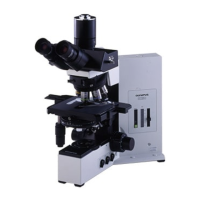
Olympus BX51 - User Manual

Olympus BX51
40 pages
Print Icon
To Next Page IconTo Next Page
Loading...
INSTRUCTIONS
BX51
SYSTEM MICROSCOPE
A X 7 6 5 5
This instruction manual is for the Olympus System Microscopes Models BX51 and BX52. To ensure
the safety, obtain optimum performance and to familiarize yourself fully with the use of this micro-
scope, we recommend that you study this manual thoroughly before operating the microscope.
Retain this instruction manual in an easily accessible place near the work desk for future reference.
This publication is printed on 100% recycled paper

Other manuals for Olympus BX51

Questions and Answers

  • E
    emitchellAug 25, 2025
    How to fix Olympus BX51 when bulb does not light?
    • K
      Kimberly RhodesAug 25, 2025
      If the bulb does not light, it could be due to a few reasons. First, the bulb may be burned out, in which case you should replace it. Second, the power cord might be unplugged; plug the power cord into the power outlet. Finally, if you have a TRF model, the transmitted/reflected light switch might be set to reflected light; set the switch to transmitted light illumination.
  • D
    Donald NealAug 25, 2025
    What to do if the Olympus BX51 image is not clear?
    • J
      Janet RobinsonAug 26, 2025
      Poor visibility can be caused by several factors: * Using a non-UIS objective (use only UIS series objectives). * The condenser being lowered too far (adjust the condenser height position). * The aperture iris diaphragm being stopped down too far (open the aperture iris diaphragm). * The revolving nosepiece not being mounted properly (push the slide dovetail all the way until it is stopped). * The correction collar not being properly adjusted (turn the correction collar to find the best position while focusing). * The front lens of the objective being dirty (clean objective). * Immersion oil not being used with an oil immersion objective (use immersion oil).
  • J
    Jesse SpencerAug 27, 2025
    What to do if my Olympus BX51 field of view is dark?
    • J
      Jordan RichardsAug 27, 2025
      If the bulb is operating but the field of view remains dark, it could be due to the aperture and field iris diaphragms not being opened wide enough (adjust them to proper sizes), the condenser being lowered too much (adjust the condenser height position), or the light path selector knob being in the wrong position (move the knob to the correct position).
  • C
    clarkpennyAug 27, 2025
    How to fix a blurred image on one side of my Olympus BX51?
    • C
      Carrie GrantAug 27, 2025
      A blurred image on one side may be due to the objective not being correctly engaged in the light path (make sure that revolving nosepiece clicks into place correctly), the revolving nosepiece not being correctly mounted (push slide dovetail all the way until it is stopped), the stage not being correctly mounted (re-attach it), or the specimen not being correctly mounted on stage (place specimen correctly on top of stage and secure it with slide holder).
  • D
    Denise NielsenSep 14, 2025
    Why do all the voltage indicator LEDs light up on my Olympus BX51?
    • J
      jenniferphillipsSep 15, 2025
      If all voltage indicator LEDs light up and the voltage cannot be varied with the light intensity adjustment knob, the bulb may not be installed (install bulb), the bulb is burned out (replace bulb), or the lamp socket is not connected (connect lamp socket correctly).
  • L
    Laura PerezSep 12, 2025
    Why does one eye's field of view not match the other on my Olympus Microscope?
    • P
      Patricia MooneySep 12, 2025
      If the field of view of one eye does not match that of the other, the interpupillary distance may be incorrect (adjust interpupillary distance), the diopter adjustment is incorrect (adjust diopter), or different eyepieces are used on the left and right (change one eyepiece to match the other so that both sides are the same type).
  • T
    Tiffany FloresSep 13, 2025
    Why doesn't the brightness change when I turn the light intensity knob on my Olympus BX51 Microscope?
    • C
      Carl JacksonSep 13, 2025
      If the brightness does not change when you turn the light intensity adjustment knob, the light intensity preset button may be set to ON. Press the button to OFF.
  • L
    Lindsay OrtizSep 5, 2025
    What causes dirt in the Olympus BX51 field of view?
    • C
      Connor JohnsonSep 5, 2025
      If you see dirt or dust in the field of view, it's likely due to dirt/dust on the eyepiece. Clean the eyepiece thoroughly.
  • N
    Natasha BridgesSep 3, 2025
    Why is the coarse adjustment knob on my Olympus BX51 Microscope hard to turn?
    • A
      Anna Jacobs DVMSep 3, 2025
      If the coarse adjustment knob is hard to turn, the tension adjustment ring may be tightened excessively (loosen the ring), or you are trying to raise the stage without the coarse adjustment knob while the pre-focusing lever is locked (unlock the pre-focusing lever).
  • S
    susan33Sep 4, 2025
    Why does my Olympus Microscope stage drift down?
    • M
      Mr. Zachary Wang DDSSep 4, 2025
      If the stage drifts down by itself or focus is lost during observation, the tension adjustment ring may be too loose. Try tightening the ring.

Summary

SAFETY PRECAUTIONS

1 NOMENCLATURE

2 TRANSMITTED LIGHT BRIGHTFIELD OBSERVATION PROCEDURE

3 USING THE CONTROLS

3-1 Base

Controls related to the microscope base, including voltage indication, light intensity preset, and filter usage.

3-2 Focusing Block

Adjustments and features related to the focusing mechanism of the microscope.

3-3 Stage

Procedures for placing specimens and adjusting the stage controls.

3-4 Observation Tube

Adjustments and features of the microscope's observation tube and eyepieces.

3-5 Condenser

Procedures for setting up and adjusting the microscope condenser.

3-6 Immersion Objectives

Instructions for using immersion objectives with oil.

3-7 Objectives with Correction Collar

Information on using objectives with a correction collar for cover glass thickness adjustment.

4 TROUBLESHOOTING GUIDE

5 SPECIFICATIONS

6 OPTICAL CHARACTERISTICS (UIS2;UIS Series)

7 ASSEMBLY

7-1 Assembly Diagram

A visual representation of the recommended order for assembling microscope modules.

7-2 Detailed Assembly Procedures

Step-by-step instructions for assembling the microscope and its accessories.

PROPER SELECTION OF THE POWER SUPPLY CORD

Olympus BX51 Specifications

General IconGeneral
TypeUpright microscope
Optical SystemUIS2 (Universal Infinity System)
EyepieceWidefield, 10x (FN 22)
Eyepiece TubeBinocular, Trinocular (various models and inclination angles)
NosepieceRevolving nosepiece (5-position or 6-position)
StageMechanical stage
FocusCoaxial coarse and fine focus knobs
CondenserAbbe condenser
Power Supply100-240V, 50/60Hz
Observation MethodsBrightfield, Phase contrast, Fluorescence, Polarized light, Darkfield, DIC
IlluminationTransmitted light (halogen or LED)

Related product manuals