EasyManua.ls Logo

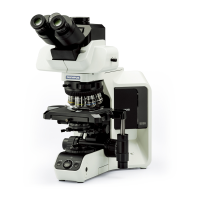
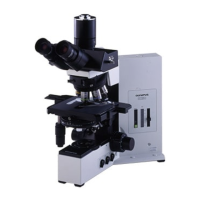
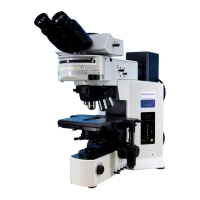
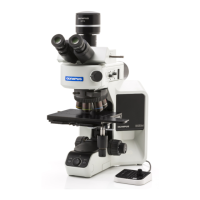
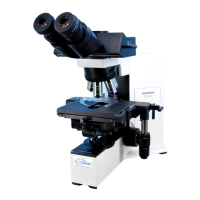
Olympus BX51 - User Manual

Olympus BX51
40 pages
Print Icon
To Next Page IconTo Next Page
Loading...
INSTRUCTIONS
BX51
SYSTEM MICROSCOPE
A X 7 6 5 5
This instruction manual is for the Olympus System Microscopes Models BX51 and BX52. To ensure
the safety, obtain optimum performance and to familiarize yourself fully with the use of this micro-
scope, we recommend that you study this manual thoroughly before operating the microscope.
Retain this instruction manual in an easily accessible place near the work desk for future reference.
This publication is printed on 100% recycled paper

Other manuals for Olympus BX51

Questions and Answers

  • J
    Joshua FrankAug 28, 2025
    Why can't I focus my Olympus Microscope image?
    • O
      omar24Aug 28, 2025
      If the image cannot be focused, it might be because you forgot to reattach the upper stopper screw when adjusting the stage height. Reattach the upper stopper screw.
  • C
    clarkpennyAug 27, 2025
    How to fix a blurred image on one side of my Olympus BX51?
    • C
      Carrie GrantAug 27, 2025
      A blurred image on one side may be due to the objective not being correctly engaged in the light path (make sure that revolving nosepiece clicks into place correctly), the revolving nosepiece not being correctly mounted (push slide dovetail all the way until it is stopped), the stage not being correctly mounted (re-attach it), or the specimen not being correctly mounted on stage (place specimen correctly on top of stage and secure it with slide holder).
  • J
    Jesse SpencerAug 27, 2025
    What to do if my Olympus BX51 field of view is dark?
    • J
      Jordan RichardsAug 27, 2025
      If the bulb is operating but the field of view remains dark, it could be due to the aperture and field iris diaphragms not being opened wide enough (adjust them to proper sizes), the condenser being lowered too much (adjust the condenser height position), or the light path selector knob being in the wrong position (move the knob to the correct position).
  • D
    Donald NealAug 25, 2025
    What to do if the Olympus BX51 image is not clear?
    • J
      Janet RobinsonAug 26, 2025
      Poor visibility can be caused by several factors: * Using a non-UIS objective (use only UIS series objectives). * The condenser being lowered too far (adjust the condenser height position). * The aperture iris diaphragm being stopped down too far (open the aperture iris diaphragm). * The revolving nosepiece not being mounted properly (push the slide dovetail all the way until it is stopped). * The correction collar not being properly adjusted (turn the correction collar to find the best position while focusing). * The front lens of the objective being dirty (clean objective). * Immersion oil not being used with an oil immersion objective (use immersion oil).
  • M
    Mary MendezAug 22, 2025
    Why is my Olympus BX51 bulb not lighting?
    • J
      Justin ValdezAug 22, 2025
      The bulb may not be lighting due to several reasons: the bulb is burned out (replace the bulb), the power cord is unplugged (plug the power cord into the power outlet), or the transmitted/reflected light switch is set to reflected light (for TRF models only, set the switch to transmitted light illumination).
  • A
    Andrea HarrisDec 1, 2025
    Why is my Olympus BX51 Microscope field of view obscured?

    Summary

    SAFETY PRECAUTIONS

    1 NOMENCLATURE

    2 TRANSMITTED LIGHT BRIGHTFIELD OBSERVATION PROCEDURE

    3 USING THE CONTROLS

    3-1 Base

    Controls related to the microscope base, including voltage indication, light intensity preset, and filter usage.

    3-2 Focusing Block

    Adjustments and features related to the focusing mechanism of the microscope.

    3-3 Stage

    Procedures for placing specimens and adjusting the stage controls.

    3-4 Observation Tube

    Adjustments and features of the microscope's observation tube and eyepieces.

    3-5 Condenser

    Procedures for setting up and adjusting the microscope condenser.

    3-6 Immersion Objectives

    Instructions for using immersion objectives with oil.

    3-7 Objectives with Correction Collar

    Information on using objectives with a correction collar for cover glass thickness adjustment.

    4 TROUBLESHOOTING GUIDE

    5 SPECIFICATIONS

    6 OPTICAL CHARACTERISTICS (UIS2;UIS Series)

    7 ASSEMBLY

    7-1 Assembly Diagram

    A visual representation of the recommended order for assembling microscope modules.

    7-2 Detailed Assembly Procedures

    Step-by-step instructions for assembling the microscope and its accessories.

    PROPER SELECTION OF THE POWER SUPPLY CORD

    Olympus BX51 Specifications

    General IconGeneral
    TypeUpright microscope
    Optical SystemUIS2 (Universal Infinity System)
    EyepieceWidefield, 10x (FN 22)
    Eyepiece TubeBinocular, Trinocular (various models and inclination angles)
    NosepieceRevolving nosepiece (5-position or 6-position)
    StageMechanical stage
    FocusCoaxial coarse and fine focus knobs
    CondenserAbbe condenser
    Power Supply100-240V, 50/60Hz
    Observation MethodsBrightfield, Phase contrast, Fluorescence, Polarized light, Darkfield, DIC
    IlluminationTransmitted light (halogen or LED)

    Related product manuals