EasyManua.ls Logo

Olympus BX61 - User Manual

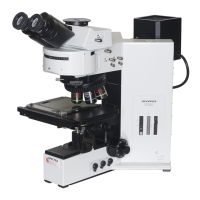
Olympus BX61
40 pages
Print Icon
To Next Page IconTo Next Page
Loading...
INSTRUCTIONS
BX61
MOTORIZED SYSTEM
MICROSCOPES
A X 7 6 1 1
This instruction manual is for the Olympus Motorized System Microscopes Models BX61 and BX62.
To ensure the safety, obtain optimum performance and to familiarize yourself fully with the use of
this microscope, we recommend that you study this manual thoroughly before operating the micro-
scope. Retain this instruction manual in an easily accessible place near the work desk for future
reference.

Questions and Answers

  • B
    brewersharonJul 26, 2025
    Why Olympus BX61 Microscope bulb does not light?
    • W
      warrenmollyJul 26, 2025
      The Olympus Microscope bulb may not light due to several reasons: the power cord of the BX-UCB might be unplugged (insert the power plug firmly into the power outlet); the main switch of the BX-UCB might not be on (set the main switch to ā€œIā€ (ON)); the lamp ON-OFF switch on the base of BX61 might not be on (set the lamp ON-OFF switch to ON); the bulb might be burned out (replace the bulb with a new specified bulb); or the transmitted/reflected light switch is set to reflected light (set the switch to transmitted light illumination).
  • D
    Derrick HudsonAug 10, 2025
    What to do if Olympus BX61 Microscope bulb operates, but field of view remains dark?
    • J
      Joseph HigginsAug 10, 2025
      If the Olympus Microscope bulb operates, but the field of view remains dark, it could be due to the aperture and field iris diaphragms not being opened wide enough (adjust them to proper sizes); the condenser being lowered too much (adjust the condenser height position); or the light path selector knob being set to the position (move the knob to the or position).

Summary

Safety and Usage Guidelines

Cautions, Symbols, and Intended Use

Explains safety symbols, warnings, and the instrument's proper application.

Using the Controls

Base Controls and Indicators

Describes controls and indicators located on the microscope base.

Base Controls: Light Intensity and Filters

Explains indicators and switches on the base, and filter usage.

Focusing Block: Knob and F;C Button

Describes focus knob adjustment and F/C button function.

Observation Tube Adjustment

Steps for interpupillary distance, diopter, and eye shades.

Centering the Condenser

Procedure for aligning the condenser for optimal illumination.

Transmitted Light Observation Procedure

Step-by-Step Brightfield Observation

Outlines the process for brightfield observation.

Using the Controls

Specimen Placement on Stage

Instructions for specimen mounting with different holders.

Troubleshooting Guide

Optical System Problems

Issues with illumination and field of view.

Electrical and Focusing Issues

Problems with power, brightness, and focusing.

Troubleshooting Guide

Assembly

Assembly Diagram and Module Overview

Visual guide to assembling microscope modules.

Assembly

Olympus BX61 Specifications

General IconGeneral
TypeUpright Microscope
Optical SystemInfinity-corrected optical system
Objective LensesPlan Apochromat, and UPlanFL N series
Nosepiece6 or 7-position motorized nosepiece
Illumination12V 100W halogen lamp or LED
StageMechanical stage
FocusingCoarse and fine focusing knobs
Observation MethodsBrightfield, Darkfield, Phase Contrast, DIC, Fluorescence
ControlVia computer software
Camera CompatibilityCompatible with various cameras
CondenserVarious condensers available, including universal condensers, darkfield condensers, phase contrast condensers, and DIC condensers, depending on observation method.
AutomationMotorized nosepiece, motorized condenser, motorized stage, motorized focus drive. Controlled via software.
Software CompatibilitycellSens, MetaMorph, and other third-party software

Related product manuals