EasyManua.ls Logo

Olympus CAMEDIA C-60 Zoom - User Manual

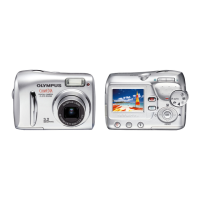
Olympus CAMEDIA C-60 Zoom
205 pages
Print Icon
To Next Page IconTo Next Page
Loading...
CAMERA OPERATION MANUAL
DIGITAL CAMERA
REFERENCE MANUAL
<
Click Here
>
C-60 ZOOM
DIGITAL CAMERA - PC CONNECTION
OPERATION MANUAL
Explanation of digital camera functions and operating instructions.
Explanation of how to download images between your digital camera and PC.

Table of Contents

Questions and Answers

  • S
    Shelly CruzJul 31, 2025
    Why won't my Olympus CAMEDIA C-60 Zoom Digital Camera turn on or respond to button presses?
    • C
      crystalpaulJul 31, 2025
      If your Olympus Digital Camera isn't turning on or the function buttons aren't responding, it could be due to several reasons. First, ensure the lens barrier is open to turn on the power. If that doesn't work, the battery might be exhausted; try charging it. In cold conditions, the battery's function may be temporarily impaired; warm it in your pocket. Also, check if the camera is in sleep mode, and if so, press the shutter button or zoom lever. Finally, the camera won't operate when connected to a PC or printer.
  • M
    Mark NguyenAug 7, 2025
    Why does my Olympus CAMEDIA C-60 Zoom Digital Camera reset settings every time I turn it off?
    • C
      Cynthia CarpenterAug 8, 2025
      If your Olympus Digital Camera settings revert to factory defaults each time you turn it off, check if ALL RESET is set to ON in the MODE MENU. If it is, set ALL RESET to OFF to retain your settings.
  • A
    Ann IbarraAug 15, 2025
    What to do if my Olympus Digital Camera doesn't take a picture when I press the shutter button?
    • B
      Brandon CummingsAug 15, 2025
      If your Olympus Digital Camera isn't taking pictures when you press the shutter button, several factors could be at play. Ensure the lens barrier is open. A depleted battery can also prevent image capture, so charge it. If the flash is charging, wait for the orange lamp to stop blinking before pressing the shutter again. A full memory card will also halt picture-taking; erase unwanted images or insert a new card, remembering to download important images first. Also, if the battery runs out of power during shooting or while the images are being written to the card, you should charge the battery and wait until the card access lamp turns off when flashing. Finally, wait until there is room in the memory gauge.
  • R
    Randy WellsAug 22, 2025
    Why is the date wrong on my Olympus CAMEDIA C-60 Zoom photos?
    • S
      Steven WhiteAug 22, 2025
      If the date recorded with your Olympus Digital Camera's image data is incorrect, it's likely because the date/time wasn't initially set, as the clock adjustment isn't factory-preset. Also, if the camera is left without a battery for about a day, the date/time settings will be canceled, so you'll need to set them again.

Summary

Monitor Indications

Indications during Shooting

Displays status indicators for camera operation during shooting.

Indications during Still Picture Playback

Shows indicators for still picture playback status on the monitor.

Indications during Movie Playback

Displays indicators for movie playback status on the camera monitor.

Shooting Basics

Full-auto Shooting Mode

Easy to use automatic mode for general photography.

Portrait Shooting Mode

Suitable for shooting a portrait-style image with blurred background.

Night-Scene Shooting Mode

Suitable for shooting outdoor scenes in evening or at night.

Selecting the Metering Area

Center-weighted Metering

Measures brightness over a wide area, emphasizing the center.

Spot Metering

Meters within the AF target mark for precise exposure.

Record Mode Options

Resolution Settings

The number of pixels used when saving an image.

Compression Settings

Image data compression; higher compression means less clarity.

Computer Display Picture Size

How picture size varies based on computer monitor settings.

ISO Sensitivity Settings

AUTO ISO

Sensitivity automatically adjusted according to light and subject brightness.

Manual ISO Settings (64-400)

Manual ISO settings for different lighting conditions.

White Balance Settings

AUTO White Balance

Automatic white balance adjustment for natural colors.

Sunlight White Balance

For natural colors under a clear sky.

Overcast White Balance

For natural colors under a cloudy sky.

Tungsten White Balance

For natural colors under tungsten lighting.

Fluorescent White Balance

For natural colors under fluorescent lighting.

Olympus CAMEDIA C-60 Zoom Specifications

General IconGeneral
Image SensorCCD
Sensor TypeCCD
Optical Zoom3x
Digital Zoom4x
ISO Range50 - 400
DisplayLCD
Screen Size1.8 inches
Storage MediaxD-Picture Card
Camera TypeCompact
Effective Pixels6.0 MP
LensOlympus Lens
Maximum Aperturef/2.8-4.8
ISO SensitivityAuto, 100, 200, 400
Shutter Speed16 sec
LCD Monitor1.8 inches
Included Memory32 MB
BatteryLi-ion Battery
Optical Sensor Resolution6.1 Megapixels

Related product manuals