4
Setting timer recording [Timer Rec]
82
EN
Setting timer recording [Timer Rec]
2 Press the `OK button to exit the
selection screen.
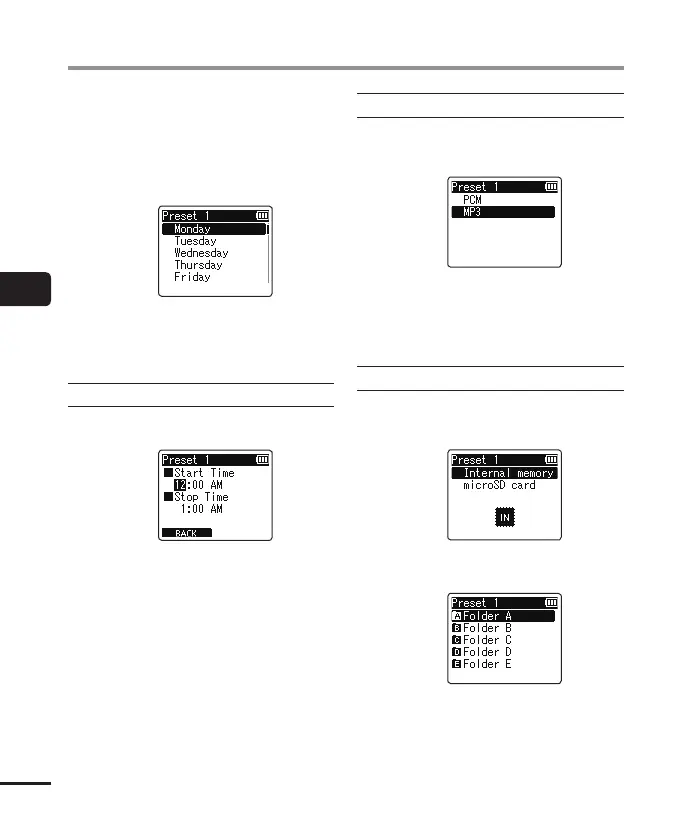
*1 If you select [Every Week] and then
press the `OK button, a screen for
selecting the day of the week to
perform the reservation appears.
Press the + or – button to select
the day on which to perform the
reservation every week and then
press the `OK button.
When [
Time
] was selected
1 Press the + or – button to change
the number.
2 Press the 9 button to move the
cursor.
3 Repeat steps 1 and 2 to set the
time.
4 Press the `OK button to exit the
selection screen.
When [
Rec Mode
] was selected
1 Press the + or – button to select
[PCM] or [MP3], then press the `OK
button.
2 Press the + or – button to select the
recording rate.
3 Press the `OK button to exit the
selection screen.
When [
Folder
] was selected
1 Press the + or – button to select the
media to save the recording in, then
press the `OK button.
2 Press the + or – button to select the
folder to save the recording in.
3 Press the `OK button to exit the
selection screen.



 To Next Page