EasyManua.ls Logo

Olympus DP71 - User Manual

Olympus DP71
32 pages
Print Icon
To Next Page IconTo Next Page
Loading...
INSTRUCTIONS
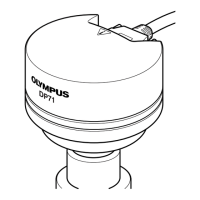
DP71
MICROSCOPE DIGITAL CAMERA
This instruction manual is for the Olympus Microscope Digital Camera Model DP71. To ensure the
safety, obtain optimum performance and familiarize yourself fully with the use of this camera, we
recommend that you study this manual thoroughly before operating the camera.
For image operations including recording, editing and saving, please refer to the Online Help for
the DP-BSW Basic Software.
Retain this instruction manual in an easily accessible place near the work desk for future reference.
A X 7 5 3 7
This publication is printed on 100% recycled paper

Questions and Answers

  • J
    Jody JamesAug 14, 2025
    Why is my Olympus DP71 Digital Camera picture too bright?
    • D
      Drew MorrisAug 14, 2025
      If your Olympus Digital Camera picture is too bright, there could be several reasons. First, check if the exposure correction is set in the positive direction and return it to 0. Then, move the metering area to the area where you want to obtain optimum exposure. Also, cancel AE lock if it's active with a longer exposure time. Reset the input highlight level adjustment and adjust the optimum level again. Finally, reduce the microscope illumination intensity or engage an ND filter to reduce brightness.
  • A
    Alyssa RobinsonAug 18, 2025
    What to do if live image is not displayed on Olympus Digital Camera?
    • A
      Ashley EdwardsAug 18, 2025
      If the live image is not displayed on your Olympus Digital Camera, first ensure that the camera and computer are connected properly using the interface cable. Then, verify that the microscope illumination is on, correctly adjusted, and set to the camera light path. Lastly, check that the ISO speed, exposure mode, exposure time, and level are set properly.
  • E
    Erica WrightAug 21, 2025
    Why is the live image not displayed on my Olympus Microscope?
    • C
      Colton JohnsonAug 21, 2025
      If the live image is not displayed on your Olympus Microscope, there could be several reasons: 1. The camera and computer might not be properly connected. Ensure that you turn off the computer and properly connect the camera and PCI interface board using the interface cable. 2. The microscope illumination might be off, the microscope is not set to the camera light path, or the illumination or specimen focusing is adjusted improperly. Turn on the microscope illumination, adjust the lighting and focusing correctly, and select the camera light path. 3. The ISO speed or exposure time might be set improperly. Set the ISO speed, exposure mode, exposure time, and level properly.
  • A
    Alexander BlairAug 25, 2025
    What to do if still images cannot be recorded on Olympus Microscope?
    • J
      Jason McintoshAug 25, 2025
      There are several reasons why still images cannot be recorded using the Olympus Microscope: 1. The camera and computer are connected improperly. To fix this, turn off the computer and properly connect the camera and PCI interface board using the interface cable. 2. The DP Controller is processing recording. Wait until the recording processing completes before starting recording of the next image. In certain cases, it may be required to press the Cancel button of the progress bar and record the image again. 3. The DP Manager is processing file save, etc. Wait until the processing completes before starting recording of the next image. 4. The computer memory is insufficient. Close the image being displayed on the DP Manager or close other software before retrying recording.
  • G
    Gary HubbardAug 28, 2025
    How to fix a picture that is too bright on an Olympus Microscope?
    • E
      Elizabeth WallAug 28, 2025
      If the picture from your Olympus Microscope is too bright, consider the following possible causes and solutions: * Exposure correction is set in the + direction. Return the exposure correction value to 0 and set the desired exposure correction value. * The metering area is set to a dark area outside the region of interest. Move the metering area to the area where you want to obtain optimum exposure. * AE lock, which was set when the exposure time was longer than the currently required exposure time, is active. Cancel AE lock. * The input highlight level adjustment is too low. Reset the current level adjustment and adjust the optimum level again. * The microscope illumination is too bright. Reduce the microscope illumination intensity or engage an ND filter to reduce brightness.
  • J
    Jeanne AllenAug 31, 2025
    What to do if Olympus Microscope software will not start up?
    • K
      Kelly Sawyer DDSAug 31, 2025
      If the software for your Olympus Microscope isn't starting, here's what you can check: 1. The camera and computer are connected improperly. Turn off the computer and connect the camera and PCI interface board properly using the interface cable. 2. The PCI interface board is inserted into the computer's PCI slot improperly. Turn off the computer, unplug its power cord and insert the PCI interface board into the computer's PCI slot. 3. The device driver is installed improperly. Install the device driver.
  • B
    breannahallSep 3, 2025
    Why won't the computer start when using my Olympus Microscope?
    • L
      Lisa TaylorSep 3, 2025
      If the computer isn't starting up, it might be because the PCI interface board is not fully inserted into the computer's PCI slot. To fix this, turn off the computer, unplug the power cord, and then securely insert the PCI interface board into the computer's PCI slot.
  • C
    Christopher WallaceSep 6, 2025
    What to do if still images cannot be recorded on Olympus DP71?
    • L
      Larry ConnerSep 7, 2025
      If still images cannot be recorded with your Olympus Digital Camera, it could be due to a few reasons. Ensure the camera and computer are properly connected using the interface cable. Wait until the DP Controller completes recording. Similarly, wait for the DP Manager to finish file saving. If the computer memory is insufficient, close any unnecessary images or software before retrying.
  • M
    Michelle ColemanSep 10, 2025
    Why will my Olympus Digital Camera software not start?
    • J
      johnsonjoshuaSep 10, 2025
      If the software for your Olympus Digital Camera will not start, there are a few potential causes. Ensure the camera and computer are connected properly using the interface cable. Also, check that the PCI interface board is correctly inserted into the computer's PCI slot. If the device driver is installed improperly, reinstall it.

Summary

Important Information and Safety Precautions

Safety Precautions

Essential safety guidelines and warnings for users to prevent injury or damage.

Computer and Software Considerations

Recommended Computer Specifications

Hardware Installation Guide

Installing the PCI Interface Board

Step-by-step instructions for installing the PCI interface board into the computer.

Software Installation Procedures

Installing the Device Driver

Procedures for installing the necessary device driver for the camera.

Image Recording Procedure

Brightfield Observation Recording

Detailed steps for capturing images using brightfield microscopy.

Fluorescence Observation Recording

Detailed steps for capturing images using fluorescence microscopy.

Displayed Windows Overview

External Triggering Operations

DP71 Camera Specifications

DP71 Technical Specifications

Detailed technical specifications for the DP71 microscope digital camera.

Troubleshooting Common Issues

Problem Resolution Guide

A guide to diagnose and resolve common issues encountered with the camera system.

Software Uninstallation Guide

Olympus DP71 Specifications

General IconGeneral
BrandOlympus
ModelDP71
CategoryDigital Camera
LanguageEnglish

Related product manuals