
 Need help?
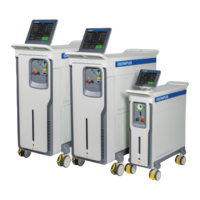
Do you have a question about the Olympus HysteroFlow and is the answer not in the manual?
Select a nominal flow value between 30 and 500 ml/min.
Select a deficit threshold value between 200 and 2500 ml.
Select a volume between 1 and 5.
Select a bag size between 0 and 5 liters.
View and change Language, Sensor Test, Factory Defaults, Demo Mode, Brightness.
 General
| Category | Medical Equipment |
|---|---|
| Application | Hysteroscopy |
| Type | Fluid Management System |
| Product | HysteroFlow |
| Flow Rate Range | 0-500 ml/min |
| Power Supply | 100-240 VAC, 50/60 Hz |




 To Next Page