Chapter 5 Operation
95
VIDEO SYSTEM OTV-SI
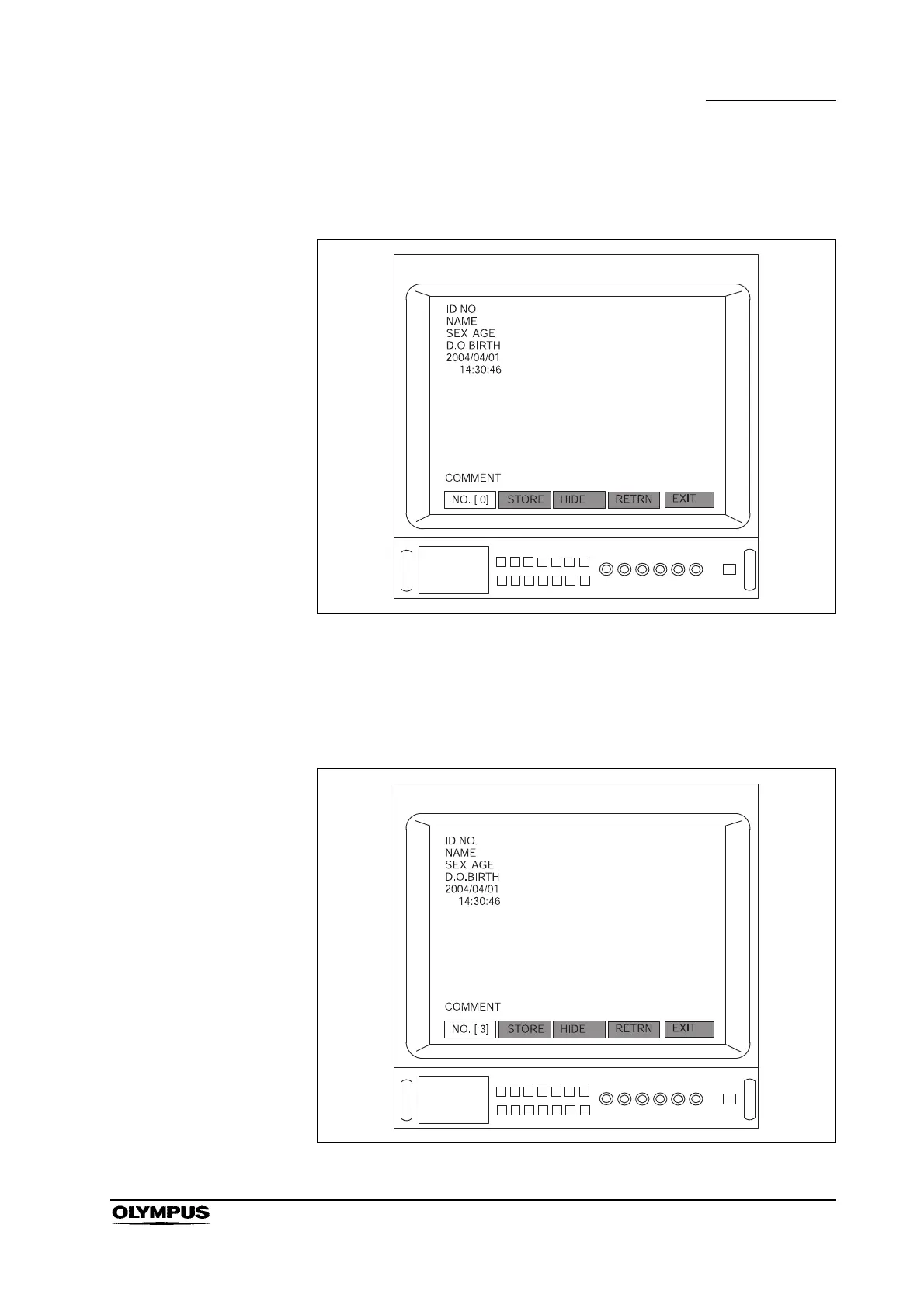
5. Press the remote control switch for execution,or the “Enter”, “ ” or “ ” key
on the keyboard to display the menu bar shown in Figure 5.49.
Figure 5.49
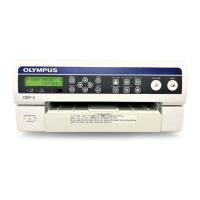
6. Press the remote control switch for execution, the “Enter”, “ ” or “ ” key
on the keyboard and select a patient number for saving the entry. The
patient numbers 0 – 9 are available (for example, “NO.[ 3]”) (see Figure
5.50).
Figure 5.50


 To Next Page