Chapter 5 Operation
131
VIDEO SYSTEM OTV-SI
4. Press the remote control switch for selection, the “” or “” key on the
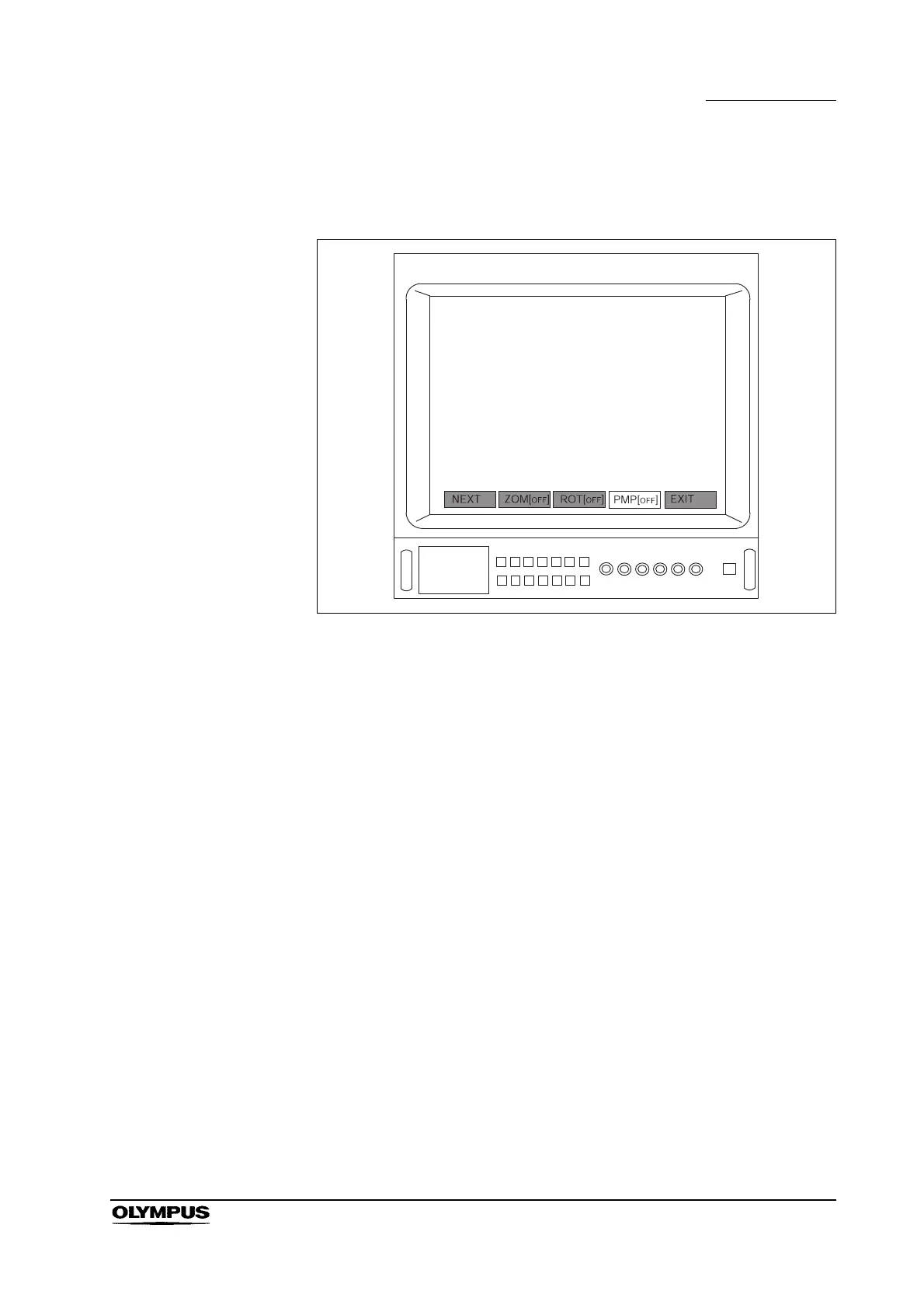
keyboard and select “PMP[
OFF]” (see Figure 5.84).
Figure 5.84
5. Press the remote control switch for execution, the “Enter”, “ ” or “ ” key
on the keyboard to turn air feed ON and OFF.
6. Feed air and water following the instructions given in the videoscope’s
instruction manual.
Using the remote control switch that is assigned to
“PMP[ ]”
1. Assign the “PMP[ ]” function to one of the remote control switches on the
videoscope following the instructions given in Section 5.9, “Remote control
switches”.
2. Press the remote control switch for “PMP[ ]” to turn air feed ON and OFF.
3. Feed air and water following the instructions given in the videoscope’s
instruction manual.


 To Next Page