66
Chapter 5 Operation
VIDEO SYSTEM OTV-SI
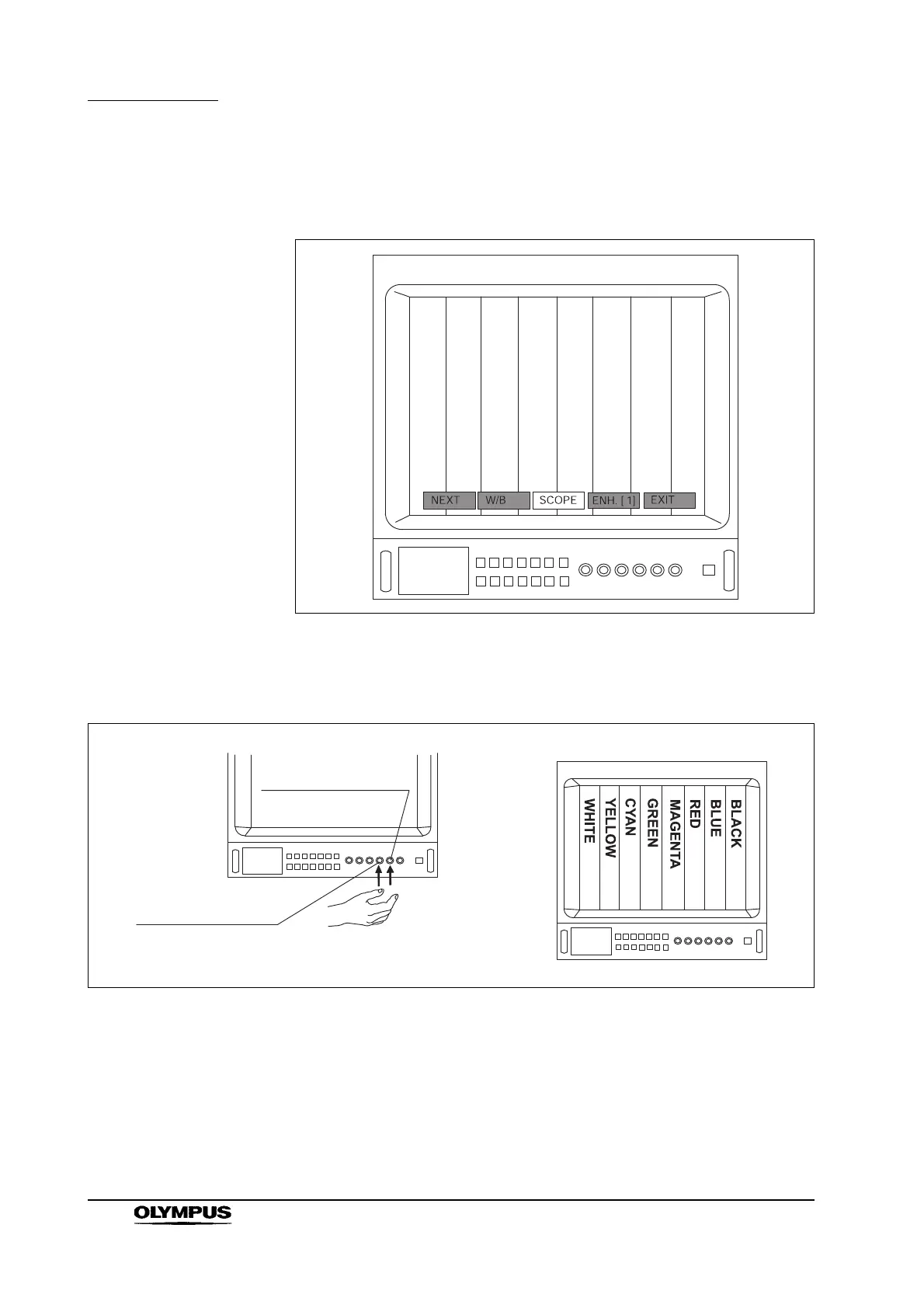
5. Press the remote control switch for execution, the “Enter”, “ ” or “ ” key
on the keyboard to display the color bar (see Figure 5.19).
Figure 5.19
6. Following the instruction manual for the video monitor, adjust its color tone
so that the colors in the color-bar image appear as shown in Figure 5.20.
Figure 5.20
7. After completing the color adjustment of the video monitor, confirm that
“SCOPE” is highlighted and press the remote control switch for execution,
the “Enter”, “ ”, “ ”, “Esc”, “F3”, “F5”, “F6”, “F7” or “F9” through “F12” key
on the keyboard so that the color-bar image disappears.
Phase adjustment
control
(OEV143/203
control panel)
Chroma adjustment
control



 To Next Page