92
Chapter 5 Operation
VIDEO SYSTEM OTV-SI
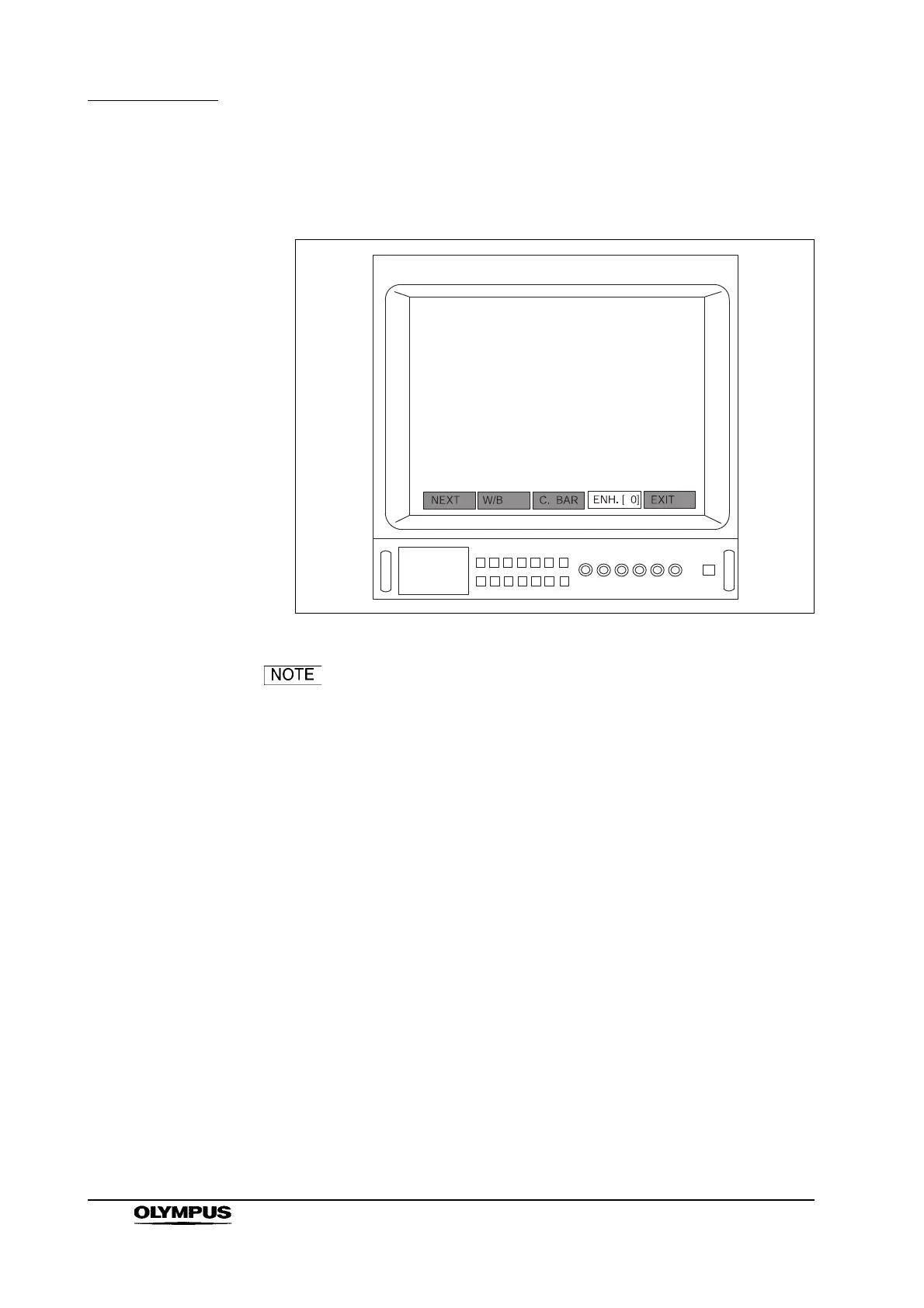
4. Press the remote control switch for selection, the “” or “” key on the
keyboard and select “ENH. [ 0]” (see Figure 5.46).
Figure 5.46
Depending upon this instrument settings, the menus shown
in Figures 5.45 and 5.46 may differ from those displayed on
the video monitor.
5. Press the remote control switch for execution, the “Enter”, “ ” or “ ” key
on the keyboard to cycle the image enhancement level.
Using the remote control switch that is assigned to
“ENH. [ ]”
1. Assign the “ENH. [ ]” function to one of the remote control switches on the
videoscope or camera head following the instructions given in Section 5.9,
“Remote control switches”.
2. Press the remote control switch that is assigned to “ENH. [ ]”. Every time
the remote control switch is pressed, the image enhancement level is
cycled.



 To Next Page