VIEWFINDER DISPLAY FOR AUTOMATIC EXPOSURE
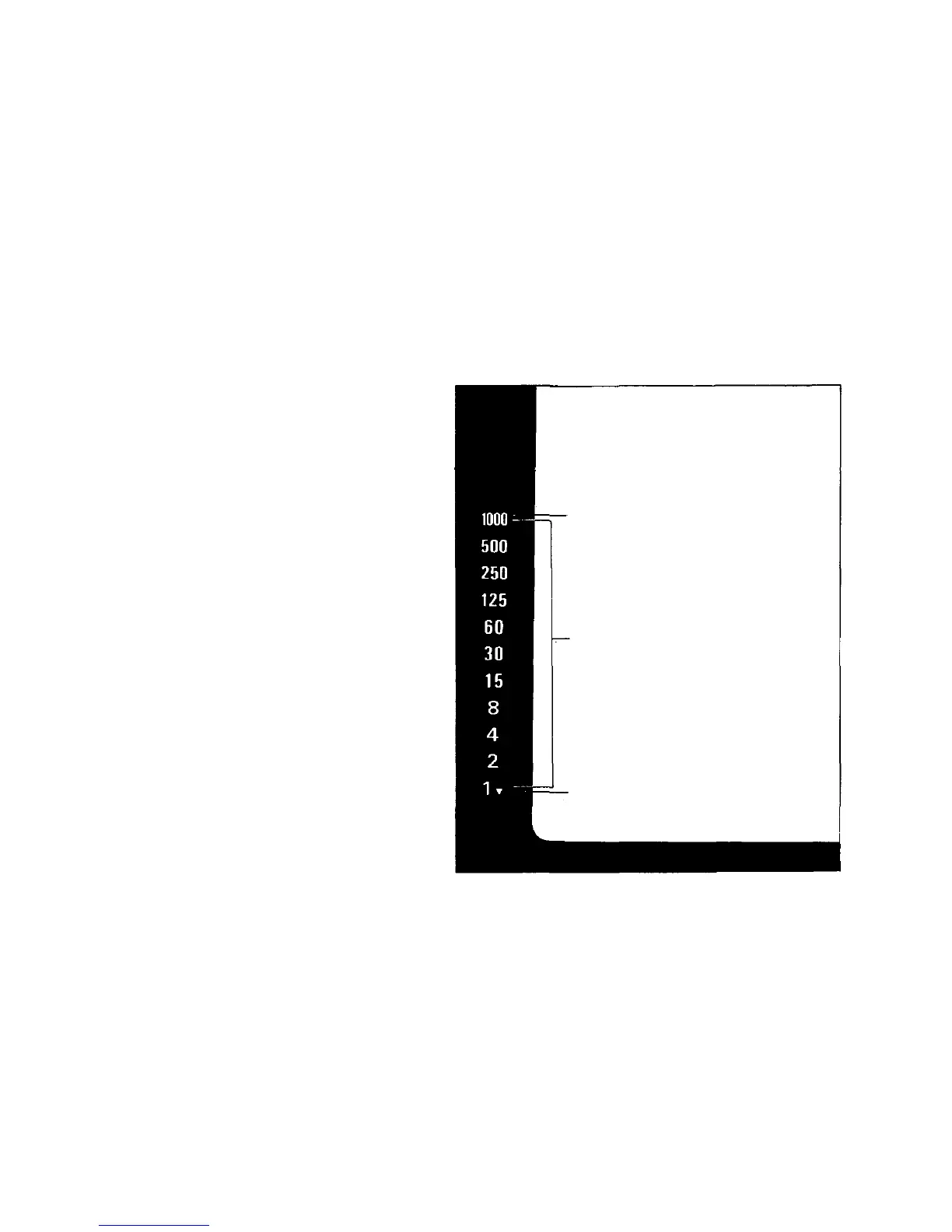
If you press the shutter release button lightly while
looking through the viewfinder, you will see the
automatic shutter speed in the left side of the
frame.
However,
if the
"1000"
blinks,
it
means
overexposure
and you
will
have
to
close
down
the
aperture.
If the
"1000"
does
not
disappear
even
when
the
lens is set to its minimum aperture, the subject is
outside the range of automatic exposure control.
In
this
case
use an ND
(neutral
density)
filter
or
shoot with film having a lower ISO number.
Blinks to warn lens aperture must
be stopped down to avoid over-
exposure.
Shutter speed indications. Appro-
priate figure lights up.
Shutter speed of 1 sec. or slower.
48


 To Next Page