SELECTING THE EXPOSURE MODE - AUTO (Aperture Preferred) -
Auto Exposures
This is an aperture preferred auto mode in which
the shutter speed is set automatically by the camera
to give the correct exposure for the aperture which
the photographer has set after considering the kind
of picture desired. Settings are simple. First set the
Mode Selector Dial to AUTO. Then set the desired
aperture on the aperture ring. In this mode you
have a creative freedom to select desired depth of
field and other effects, for the kind of results it is
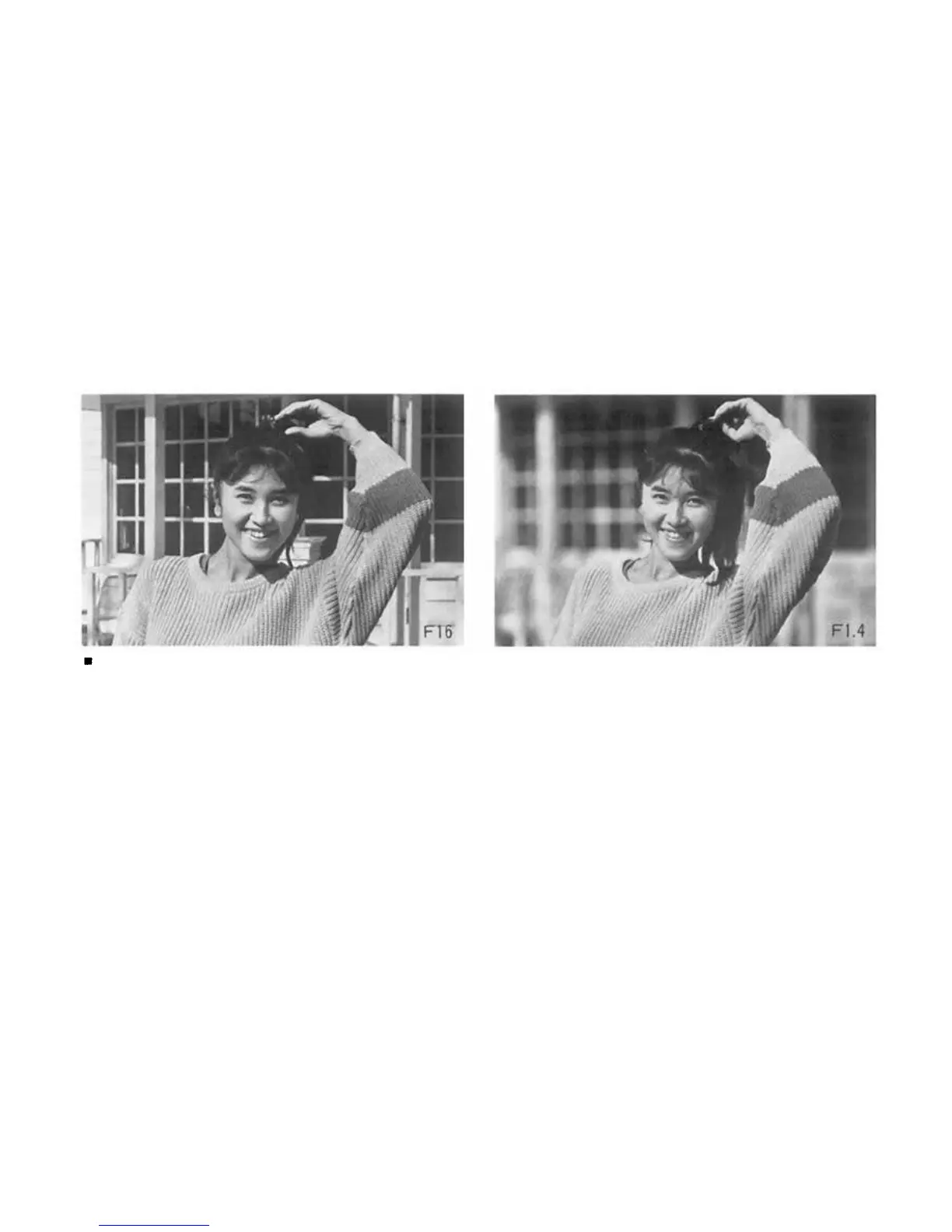
hard to obtain in Program Mode. For example, if
you want to eliminate the background in a portrait
shot, open up the lens aperture as far as you can.
When you want the background to appear sharply
too, close the aperture down. In this way you can
precisely adjust the lens depth of field for just the
effect you want. Although this mode is basically
aperture preferred, you can also use it as a shutter
speed preferred mode by adjusting the lens aperture
to get the shutter speed you require in the view-
finder display. Used in this way it is also highly
suitable for getting the effects you want with mov-
ing subjects.
44


 To Next Page