DX ISO AUTO Film Speed Setting
Film speed information is recorded in the digital
pattern imprinted on the cassette of DX type film.
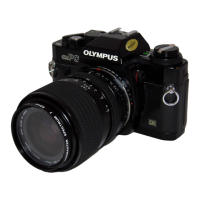
The OM-PC reads this information through the
electrical contacts located at six positions in the
film chamber, and conveys it to the camera's
computer. On reading this information, the film
speed is automatically set on the camera. In other
words, when you turn the OM-PC film speed dial
to the DX ISO AUTO SET position, whatever the
film speed it is automatically set on the camera.
There is no risk of getting a mistaken setting when
you change to a different film speed ... a common
disaster in the past! When using the DX ISO AUTO
setting, first make sure that you are using DX
film. Also note that if there is any damage to the
digital pattern on the film cassette, this could re-
sult in a mistaken film speed setting.
ISO Manual Setting
The OM-PC also allows manual setting of the film
speed in exactly the same way as previous cameras.
Also use this mode at times when you wish to set
an exposure compensation on the dial.
Exposure compensation
Whether it is in the programmed exposure mode,
automatic exposure mode, or manual mode, the
OM-PC permits exposure compensation with the
exposure compensation dial. (Remember, exposure
compensation is not possible in the film speed
auto-set mode.) For example, if the background is
brighter than the subject (backlighting), turn and
set the dial to the (+) side. This will provide more
light for the subject.
As you turn the dial, the sign will blink in the
viewfinder and the displayed shutter speed will
shift depending on the amount of compensation.
The dial can also be set
at the intermediate click
positions providing
accurate 1/3 stop
exposure com-
pensations.
+ 2 Stops
+ 1 Stop
0
– 1 Stop
-2 Stops
52


 To Next Page