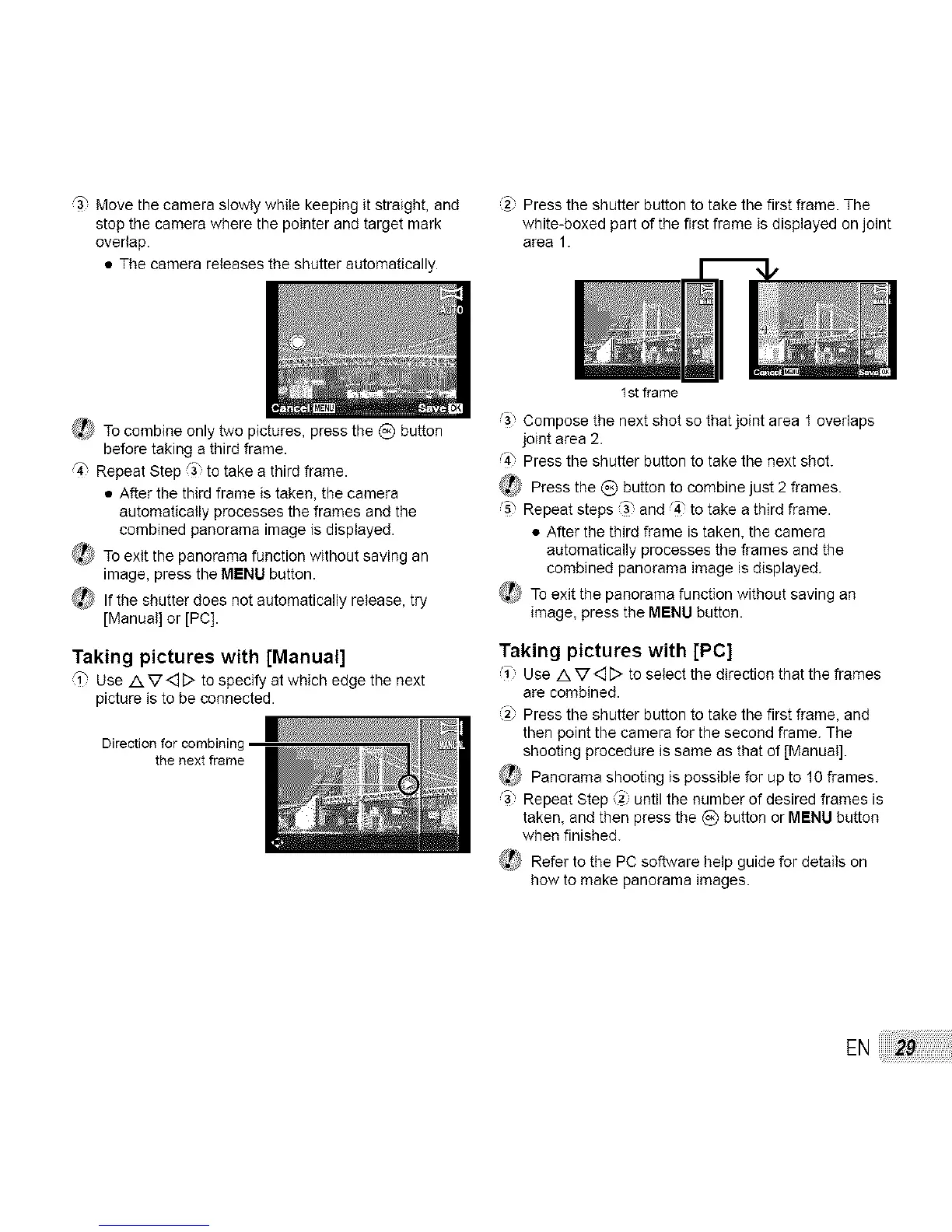
r3_ Move the camera slowly while keeping it straight, and
stop the camera where the pointer and target mark
overlap.
• The camera releases the shutter automatically.
,2_ Press the shutter button to take the first frame. The
white-boxed part of the first frame is displayed on joint
area 1.
_,_ To combine only two pictures, press the _) button
before taking a third flame.
q_ Repeat Step _3 to take a third frame.
• After the third frame is taken, the camera
automatically processes the frames and the
combined panorama image is displayed.
@_To exit the panorama function without saving an
image, press the MENU button.
_ If the shutter does not automatically release, try
[Manual] or [PC].
Taking pictures with [Manual]
'i" Use A V<_[> to specify at which edge the next
picture is to be connected.
Direction for combining
the next frame
1 st frame
Compose the next shot so that joint area 1 overlaps
joint area 2.
4" Press the shutter button to take the next shot.
_ Press the _) button to combine just 2 frames.
s" Repeat steps "3 and 4" to take a third frame.
• After the third frame is taken, the camera
automatically processes the frames and the
combined panorama image is displayed.
_ To exit the panorama function without saving an
image, press the MENU button.
Taking pictures with [PC]
1" Use Av<D to select tile direction that tile frames
are combined.
(2_Press the shutter button to take the first frame, and
then point the camera for the second flame. The
shooting procedure is same as that of [Manual].
_) Panorama shooting is possible for up to 10 frames.
_) Repeat Step (2) until the number of desired frames is
taken, and then press the _) button or MENU button
when finished.
_ Refer to the PC so.are help guide for details on
how to make panorama images.
EN


 To Next Page