Restoring data in the camera
[Reset Database]
_ (Sett!ngs Menu 3) 1_ Reset Database
_ Playback will become available by performing [Reset
Database) when the Photo surfing function is not
activated properly. However, data such as collections
and other groups created with the ib (PC software) is
deleted from the database in the camera.
Import the data back into the camera from a
computer to playback the data created with the ib
(PC software).
Registering the settings for Beauty Fix
[Beauty Settings]
......._ (Settings Menu 3)_Beauty Settings
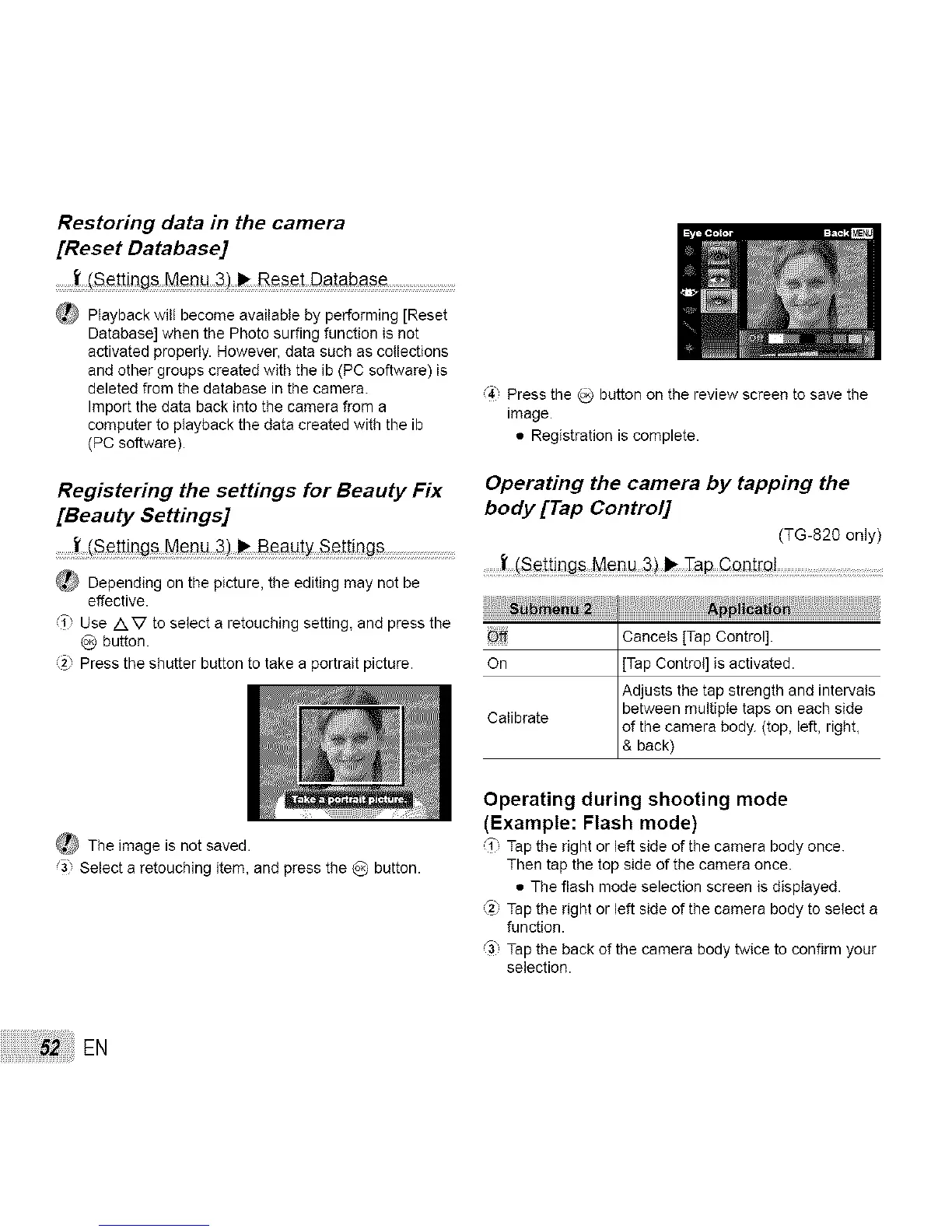
(_) Depending on the picture, the editing may not be
effective.
(T Use /XV to select a retouching setting, and press the
O button.
(2} Press the shutter button to take a portrait picture.
_ The image is not saved.
,'3 Select a retouching item, and press the O button.
,_4,Press the _ button on the review screen to save the
image.
• Registration is complete.
Operating the camera by tapping the
body [Tap Control]
(TG-820 only)
........I'
Off Cancels {Tap Control].
On [Tap Control] is activated.
Adjusts the tap strength end intervals
between multipte taps on each side
Calibrate of the camera body. (top, left, right,
& back)
Operating during shooting mode
(Example: Flash mode)
_1"Tap the right or left side of the camera body once.
Then tap the top side of the camera once.
• The flash mode selection screen is displayed.
(_) Tap the right or left side of the camera body to select a
function.
_3 Tap the back of the camera body twice to confirm your
selection.
EN


 To Next Page