ENTERING OPTIONS
Press and hold the FOLDER/MENU button for more
than 1 second in the Stop mode to enter the Options
mode.
In the Options mode, each time you press the
FOLDER/MENU button the displayed setting item
changes in the following order:
To exit from the Options mode, press any button except
the FOLDER/MENU,
If no buttons are pressed for three minutes during
Options mode, the Options mode will be canceled.
buttons.
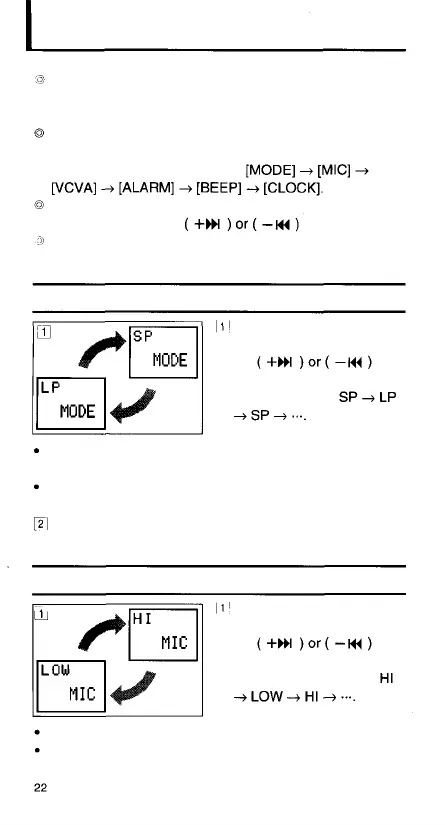
Recording Mode (MODE) Setting
In the Options mode,
display [MODE] and press
the
button to switch the
recording mode:
SP: Standard Playback mode (recording time approx. 33
minutes)
LP: Long Playback mode (recording time approx. 90
minutes)
Press the FOLDER/MENU button to go to the next
setting item.
Microphone Sensitivity (MIC) Setting
In the Options mode,
display [MIC] and press
the
button to switch the
microphone sensitivity:
HI: High Sensitivity mode recommended.
LOW: Low Sensitivity mode. Use this mode when there is
a lot of background noise.



 To Next Page