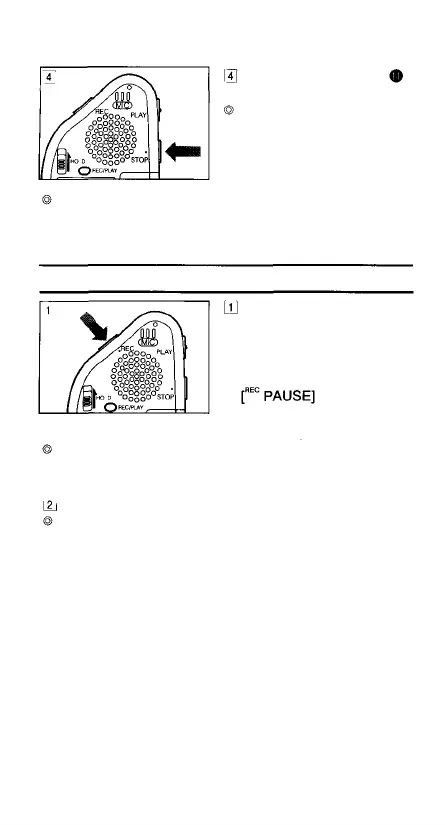
Press the STOP button
to stop recording.
When available recording
time falls below 1 minute,
the red LED indicator
starts blinking.
Additional recording is not possible when [FULL] is
shown on the LCD. To continue recording, first erase
unnecessary messages (see page 13)
Recording-Pause (REC PAUSE)
Press the REC button
once during recording to
enter recording-pause
mode.
During recording-pause,
is shown on
the LCD and the red LED
indicator goes out.
The Stop mode is automatically engaged if the recorder
is left in the recording-pause mode for 30 minutes or the
STOP button is pressed during recording-pause mode.
Press the REC button again to resume recording.
Using the recording-pause mode allows you to continue
recording in the same message.
8



 To Next Page