EasyManua.ls Logo

Olympus VANOX-T - Page 33

Olympus VANOX-T
41 pages
Print Icon
To Next Page IconTo Next Page
To Previous Page IconTo Previous Page
Loading...
ND
(3
OLYMPUS
|
_
MNOXT
1
Fig.
46
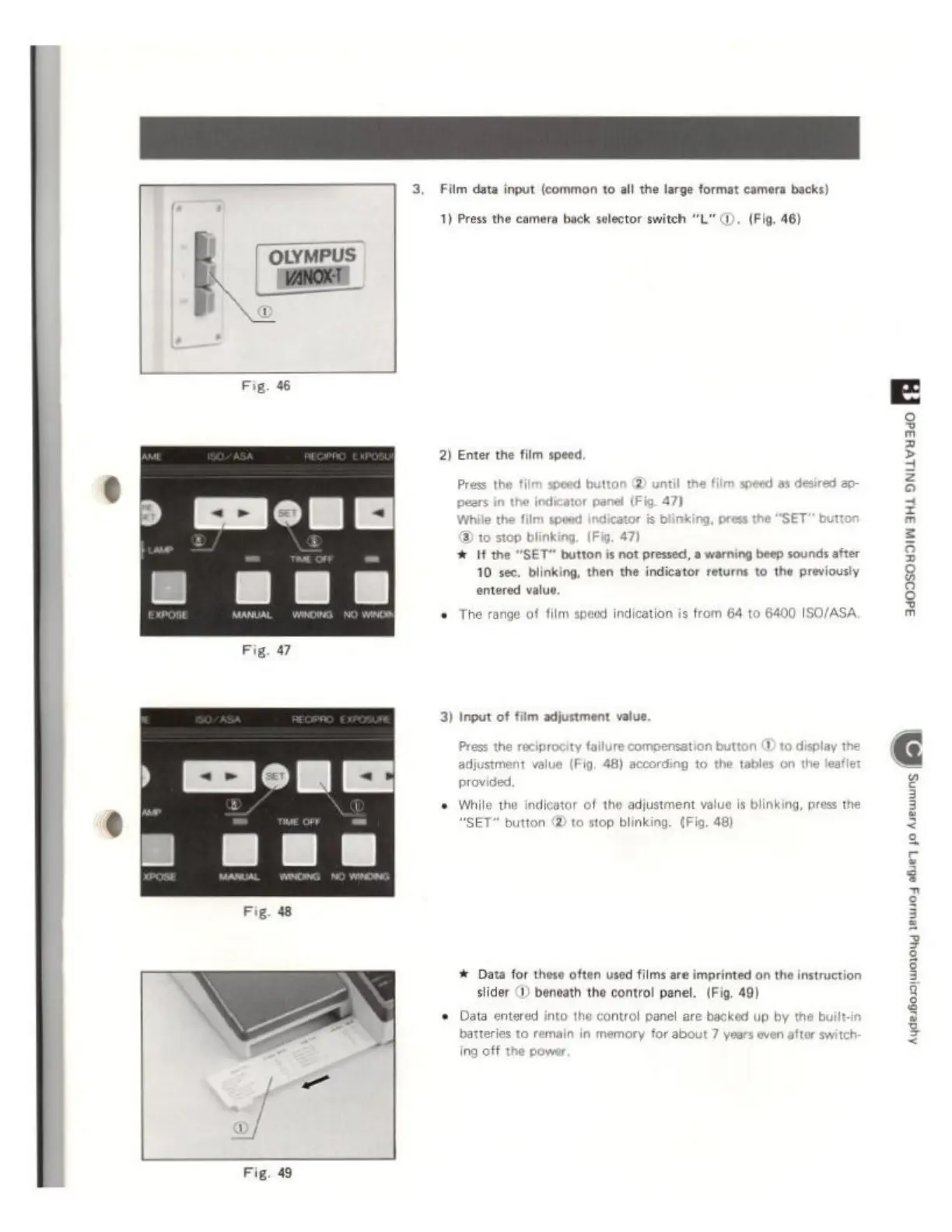
Film
data
input
(common
to
all
the large
format
camera
backs)
1)
Press the
camera
back
selector
switch
“L"
@,
(Fig,
46)
2)
Enter
the
film
speed.
Press
the
fi
3)
t0
stop
blinking.
(Fig.
47)
*
If
the
"SET"
button
is
not
pressed,
a
warning
beep
sounds
after
10
see.
blinking,
then
the
indicator
returns
to
the
previously
entered
value.
+
The
rango
of film
spe
on
is
from
64
to
6400
ISO/ASA.
3)
Input
of
film
adjustment
value.
Press
the
reciprocity
failure
compensation
button
(D to
display
Y
adjustment
value
(Fig.
48)
according
to
the
tables
on
the
leafle
provided.
©
While
the
indicator
of
the
adjustment
value
is
blinking,
press
the
'SET
button
@
to stop
blinking
#
Data
for
these
often
used
films are
imprinted
on
the
instruction
slider
(D)
beneath
the
control
panel.
(Fig,
49)
into
the
control
panel
are
backed
up
by
the
bui
main
in
memory
for
about
7
years
even
after
switch:
+
Data
enter
i
3