1
Setup
10
EN
Setup
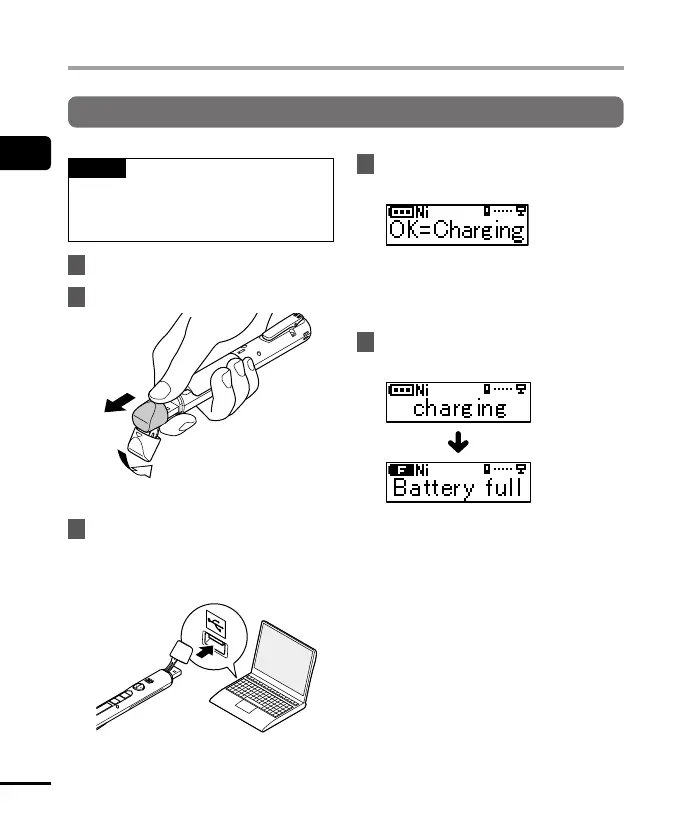
Charging the battery by connecting to a PC’s USB connector
NOTE
• Before charging the battery, insert the
rechargeable battery provided and set
[Battery] to [Ni-MH].
1
Start the PC.
2
Remove the USB connector cover.
1
2
Slide open the USB connector cover using the
pad of your finger.
3
After making sure the voice
recorder is stopped, connect the
USB connector to a USB port on a
PC.
4
Press the
OK
button to start
charging.
• Press the OK button while this
message is blinking.
• The LED indicator light lights while
charging.
5
Charging has finished when
[
Battery full
] appears.


 To Next Page