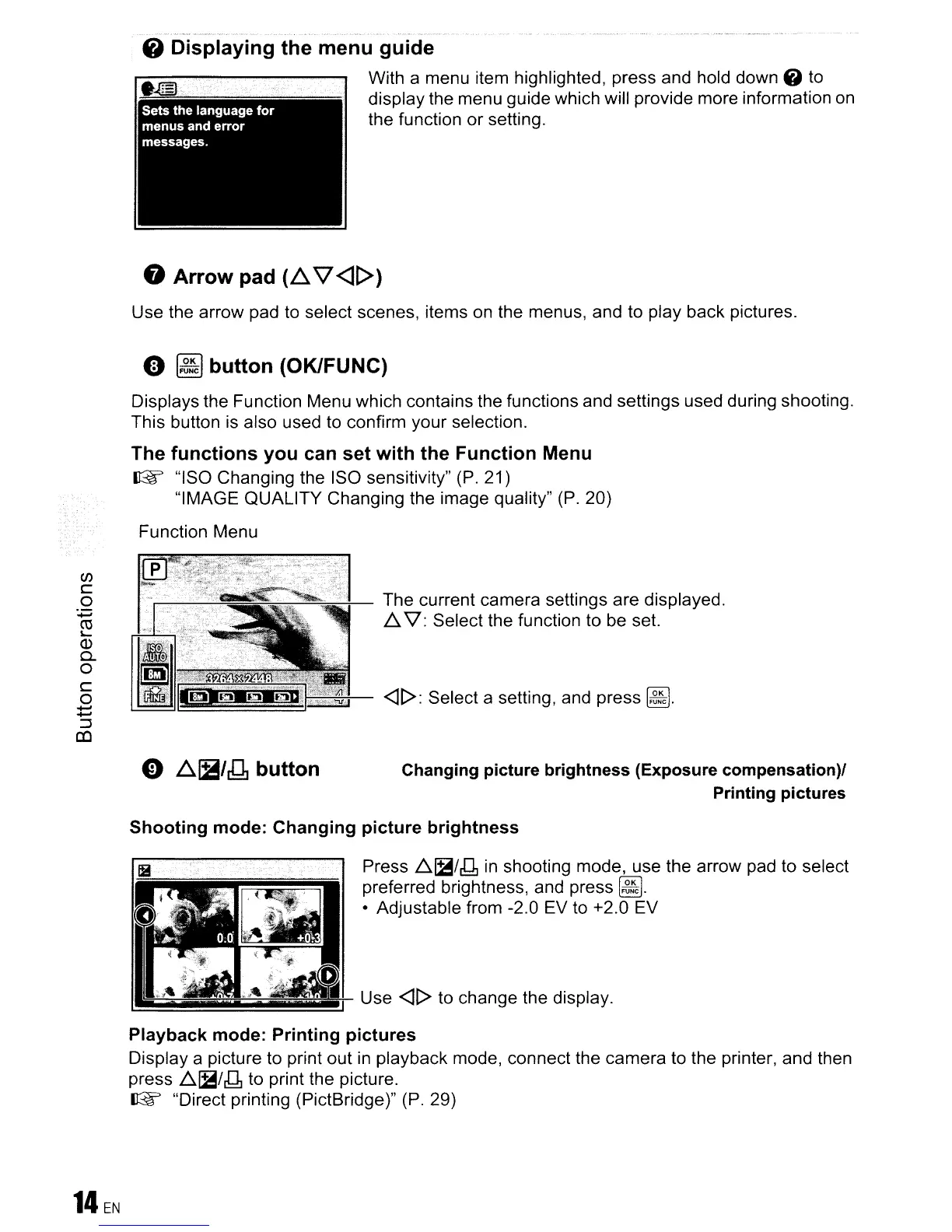
8 Displaying the menu guide
With a menu item highlighted, press and hold down 6 to
display the menu guide which will provide more information
on
the function or setting.
8 Arrow pad (.6..\7<][»
Use the arrow pad to select scenes, items
on
the menus, and to play back pictures.
o
~
button (OKIFUNC)
Displays the Function Menu which contains the functions and settings used during shooting.
This button
is
also used to confirm your selection.
The
functions you can
set
with the Function Menu
IBF
"ISO Changing the ISO sensitivity" (P. 21)
"IMAGE QUALITY Changing the image quality"
(P.
20)
Function Menu
(/)
c
o
.....
ro
~
CD
0..
o
C
o
......
......
::J
CO
o
.6..~/J1
button
The current camera settings are displayed.
~
'\l: Select the function to
be
set.
<11>:
Select a setting, and press
~.
Changing picture brightness (Exposure compensation)1
Printing pictures
14EN
Shooting mode: Changing picture brightness
Press
~~/g
in
shooting mode, use the arrow pad to select
preferred brightness, and press
~.
• Adjustable from -2.0 EV to +2.0 EV
~E+-
Use
<11>
to change the display.
=======.J
Playback mode: Printing pictures
Display a picture to print out
in
playback mode, connect the camera to the printer, and then
press
.6.~/g
to print the picture.
IBF
"Direct printing (PictBridge)" (P. 29)









 To Next Page