OFF
ION
~
(movie)
Recording
movies
with
or
without
sound
When [ON] (sound is recorded) is selected, the optical zoom
cannot be used during movie recording. Only the digital zoom can
be used.
PANORAMA
Creating a
panoramic
picture
Panorama shooting lets you create a panoramic picture, using the OLYMPUS Master
software on the provided CD-ROM. An Olympus xD-Picture Card
is
required for panorama
shooting.
-
-
-II>
~-
- -
I
I
I
I
...
I I I
Connects pictures from left to right
t>:
The next picture
is
connected at the right
edge.
<I:
The next picture
is
connected at the left
edge.
Connects pictures from bottom to top
6.: The next picture is
connected at the top.
\l:
The next picture is
connected at the
bottom.
CIJ
C
o
:;:::;
ro
l...
(])
0.
o
::J
C
(])
~
22
EN
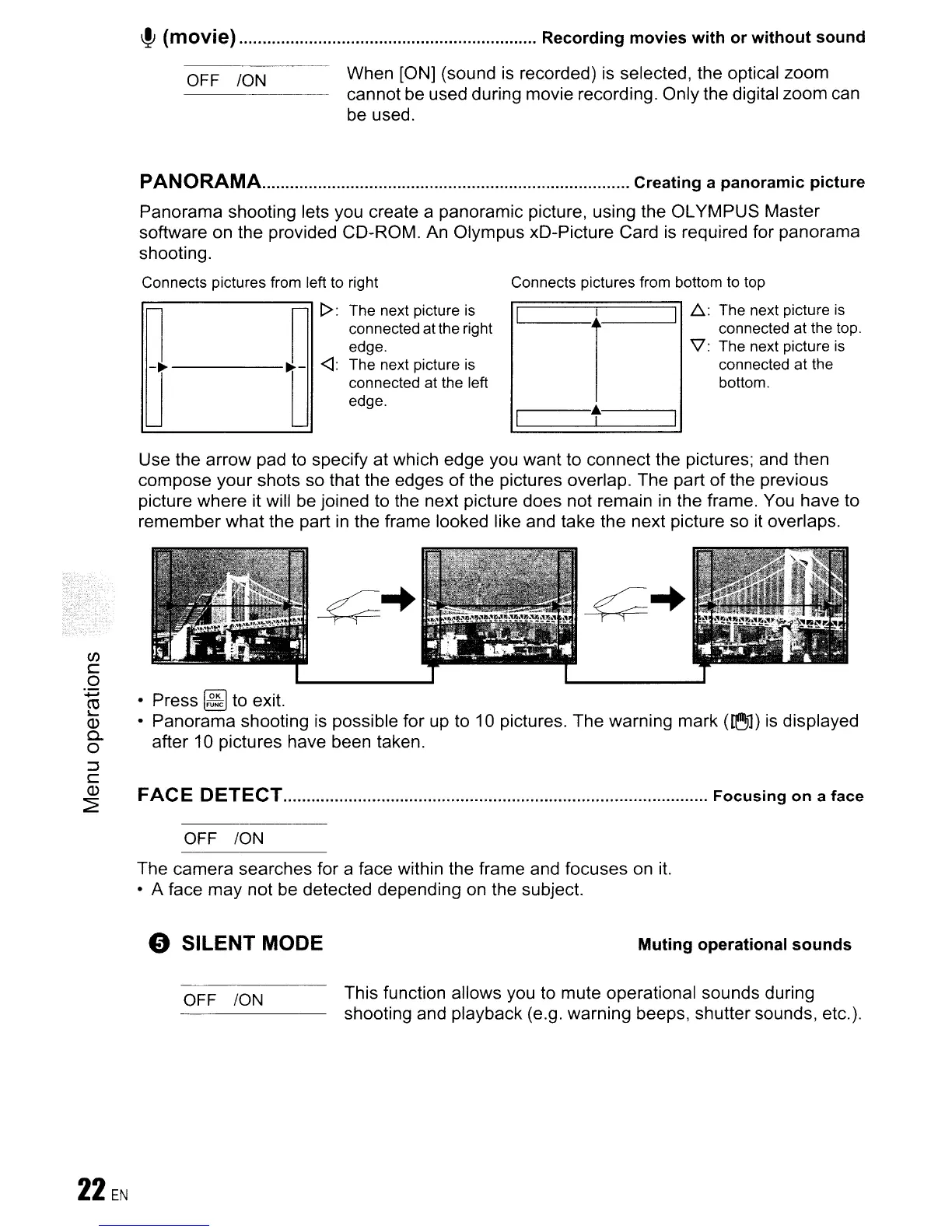
Use the arrow pad to specify at which edge you want to connect the pictures; and then
compose your shots so that the edges of the pictures overlap. The part
of
the previous
picture where it will
be
joined to the next picture does not remain
in
the frame. You have to
remember what the part
in
the frame looked like and take the next picture so it overlaps.
• Press
~
to exit.
• Panorama shooting
is
possible for up to 10 pictures. The warning mark
(~1)
is
displayed
after 10 pictures have been taken.
FACE DETECT
Focusing
on
a face
OFF
ION
The camera searches for a face within the frame and focuses on
it.
• A face may not
be
detected depending on the subject.
o SILENT MODE
Muting
operational
sounds
OFF
ION This function allows you to mute operational sounds during
shooting and playback (e.g. warning beeps, shutter sounds, etc.).









 To Next Page