D Note
• Use a
computer
with a pre-installed operating system.
Operations
are
not
guaranteed on
home-built
computers or
computers
with an updated operating system.
• Operations are not guaranteed
when
using an added
USB
or
IEEE
1394
(FireWire) port.
•
To
install the software, you
must
log on
as
a
user
with administrators' privileges.
•
If
you are using Macintosh, be sure to remove the media (drag &
drop
onto the trash icon)
before performing the following operations. Failure to
do
so could result in unstable
computer
operation and the need to reboot.
•
Disconnect
the cable connecting the camera to
the
computer
• Turn
off
the camera
•
Open
the camera's battery/card
compartment
cover
For how to install the OLYMPUS Master software, refer to the installation guide I
included
in
the CD-ROM. I
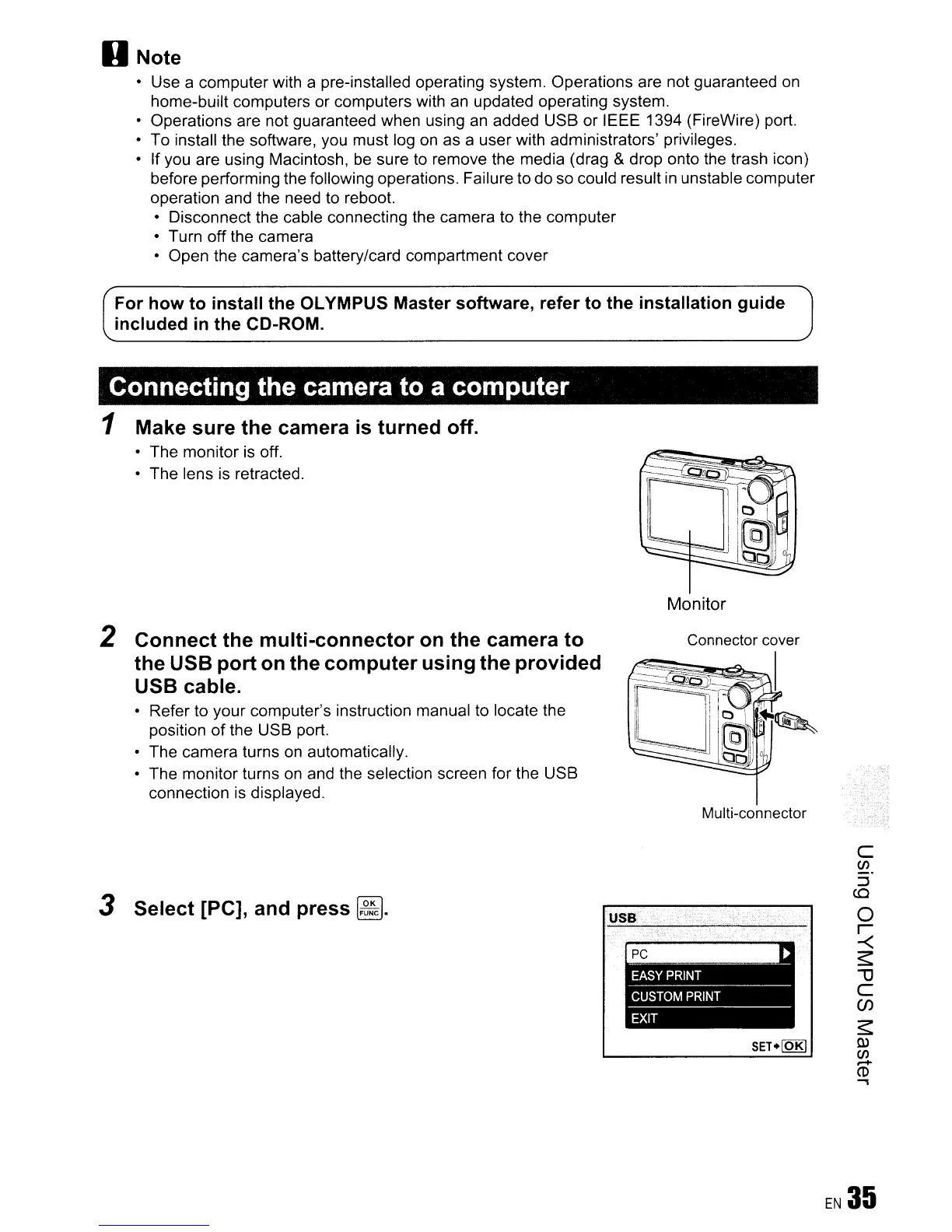
Connecting the camera to a computer
1 Make sure the camera
is
turned off.
• The
monitor
is off.
•
The
lens is retracted.
Monitor
2 Connect the multi-connector
on
the camera to
the USB port
on
the computer using the provided
USB cable.
•
Refer
to
your
computer's
instruction manual to locate the
position
of
the
USB port.
• The
camera
turns on automatically.
• The
monitor
turns on and the selection screen for the
USB
connection is displayed.
3 Select [PC], and press
~.
Multi-connector
USB
SET+loKI
c
CJ)
::J
CO
o
r
-<
~
""0
C
(f)
~
tu
CJ)
~
CD
.,









 To Next Page