Playback mode menu [E]
.'2
0'1,'2
I"'.
~.:.~:
f)'2l:~t
A
o "
~
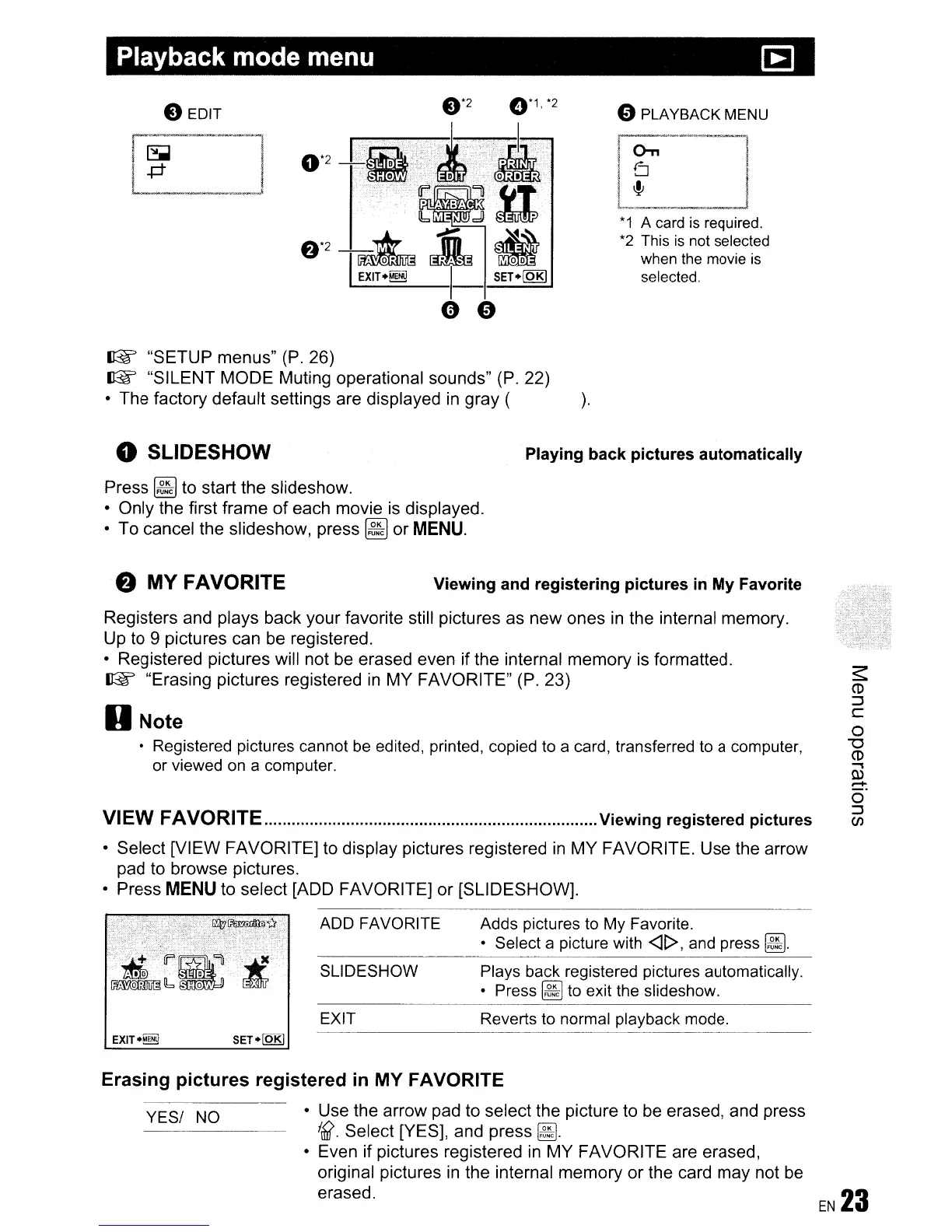
"SETUP menus"
(P.
26)
~
"SILENT MODE Muting operational sounds" (P. 22)
• The factory default settings are displayed
in
gray (
).
" PLAYBACK MENU
*1
A card
is
required.
*2
This
is
not selected
when the movie
is
selected.
o SLiDESHOW
Press
~
to start the slideshow.
• Only the first frame
of
each movie is displayed.
• To cancel the slideshow, press
~
or
MENU.
Playing back pictures automatically
VIEW FAVORITE
Viewing
registered pictures
• Select [VIEW FAVORITE] to display pictures registered
in
MY FAVORITE. Use the arrow
pad to browse pictures.
• Press
MENU
to select [ADD FAVORITE]
or
[SLIDESHOW].
Registers and plays back your favorite still pictures as new ones
in
the internal memory.
Up to
9 pictures can be registered.
• Registered pictures will not be erased even if the internal memory is formatted.
~
"Erasing pictures registered
in
MY FAVORITE" (P. 23)
D Note
• Registered pictures cannot
be
edited, printed, copied
to
a card, transferred
to
a computer,
or viewed
on
a computer.
f)
MY FAVORITE
Viewing and registering pictures
in
My
Favorite
ADD FAVORITE
SLiDESHOW
EXIT
Adds pictures
to
My
Favorite.
• Select a picture with
<It>,
and
press
~.
Plays back registered pictures automatically.
• Press
~
to
exit
the
slideshow.
Reverts
to
normal playback mode.
SET·lQRJ
Erasing pictures registered
in
MY FAVORITE
YES/
NO
• Use the arrow pad to select the picture to be erased, and press
Ittl{.
Select [YES], and press
~
.
• Even if pictures registered
in
MY FAVORITE are erased,
original pictures
in
the internal memory
or
the card may not
be
erased.









 To Next Page