e
IQl/f~
button
Increasing the brightness
of
the
monitor
(Backlight boost)1
Erasing
pictures
IPI
increasing
the
b'rightness'ofthe'mo'n-itor{Backii~iht"boost)-""""
The monitor lights brighter when
IPI
is pressed
in
shooting mode. If there
is
no operation for
10
seconds,
it
dims back to the original brightness.
• When [BRIGHT] is selected
in
[~9J],
the monitor brightness does not change.
")BE'rasi
n
g"'p
ictu-res"-"'--''''-'''-'''-
-.-
..
-------
.....
-
..
-
.....
----
..
-
..
-.--
..
--
......
--.-
.......
00'_,-,
-''''
In
playback mode, select the picture you want to erase, and press
iii?
• Once erased, pictures cannot
be
restored. Check each picture before erasing to avoid
accidentally erasing pictures you want
to
keep.
~
"Con
Protecting pictures"
(P.
24)
(0
Zoom
lever
Zooming while shooting/Close-up playback
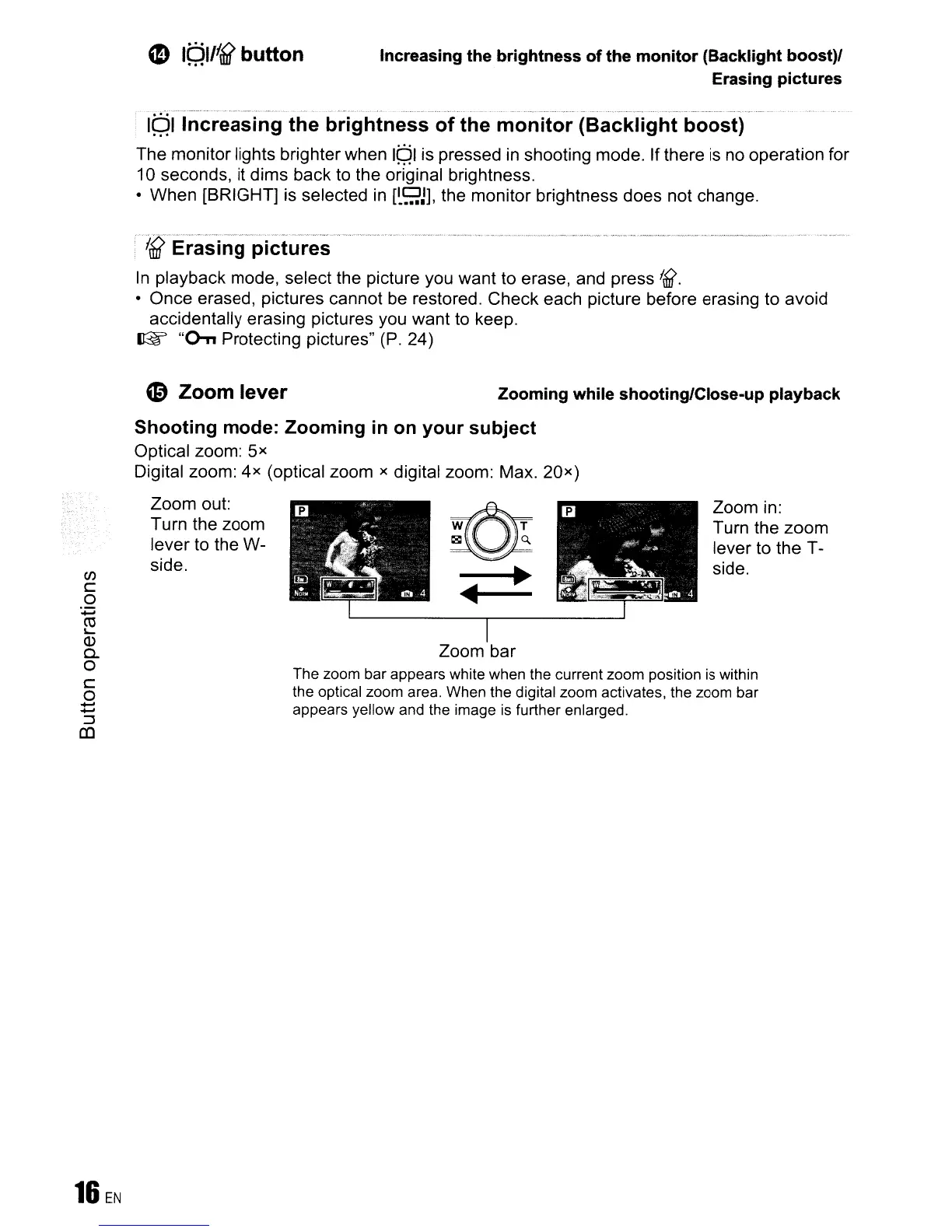
The zoom bar appears white when the current zoom position
is
within
the optical zoom area. When the digital zoom activates, the zoom bar
appears yellow and the image
is
further enlarged.
~
-~~
....
~-
I
Zoom bar
Zoom in:
Turn the zoom
lever to the T-
side.
Shooting
mode:
Zooming
in on
your
subject
Optical zoom:
5x
Digital zoom:
4x
(optical zoom x digital zoom: Max. 20
x
)
Zoom out:
Turn the zoom
lever
to
the W-
side.
C/)
c
o
:0=;
~
(])
0-
o
C
o
~
::J
(0









 To Next Page