Take a picture
a.
Hold the camera.
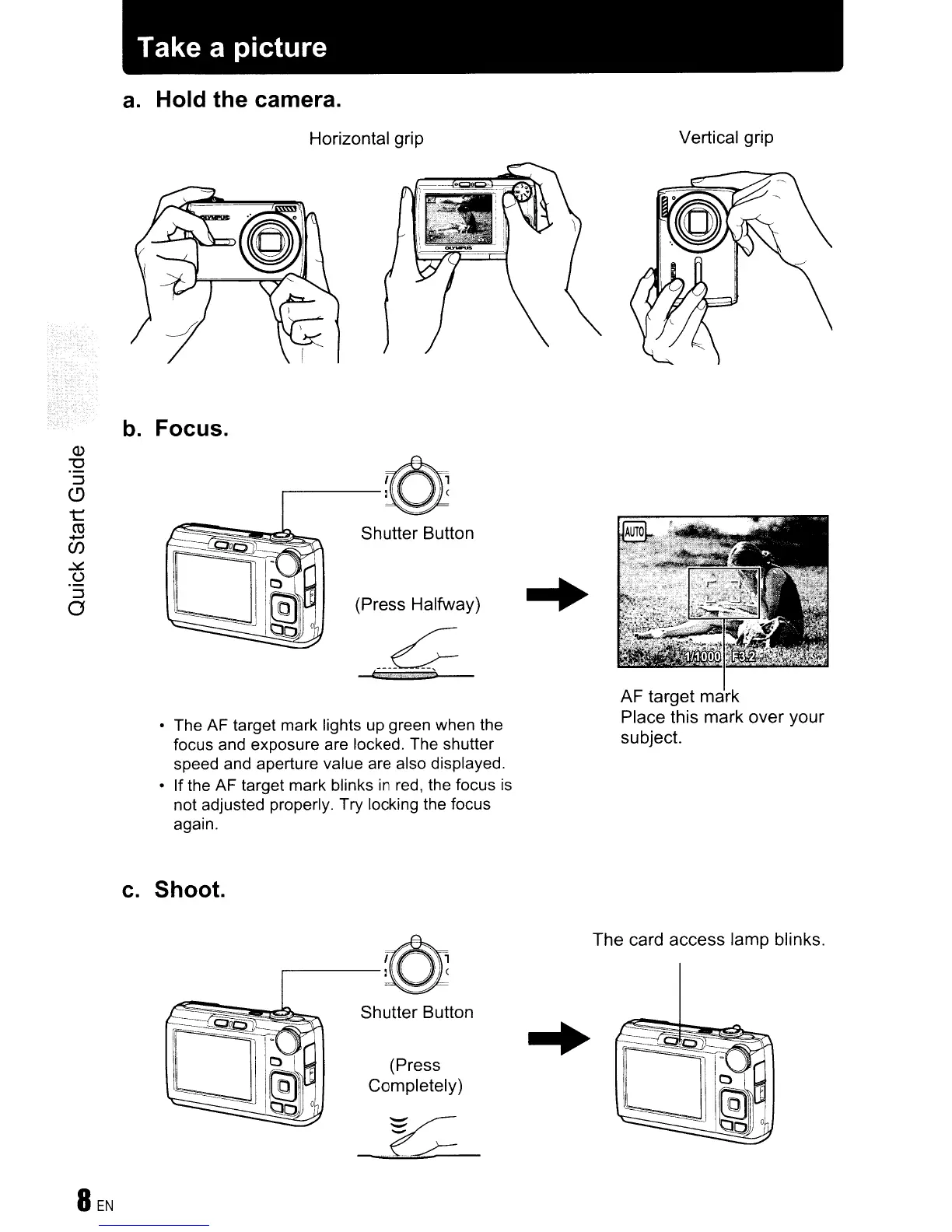
Horizontal grip
Vertical grip
b.
Focus.
Shutter Button
(Press Halfway)
• The AF target mark lights up green when the
focus and exposure are locked. The shutter
speed and aperture value are also displayed.
• If the AF target mark blinks
in
red, the focus
is
not adjusted properly. Try locking the focus
again.
AF target mark
Place this mark over your
subject.
c.
Shoot.
The card access lamp blinks.
..
(Press
Completely)
Shutter Button









 To Next Page