FM TRANSMITTER
TR EM 1000 HE DIG PLUS COMPACT
Technical Manual 1v2 November 2019 27
2.2.3 RF output power
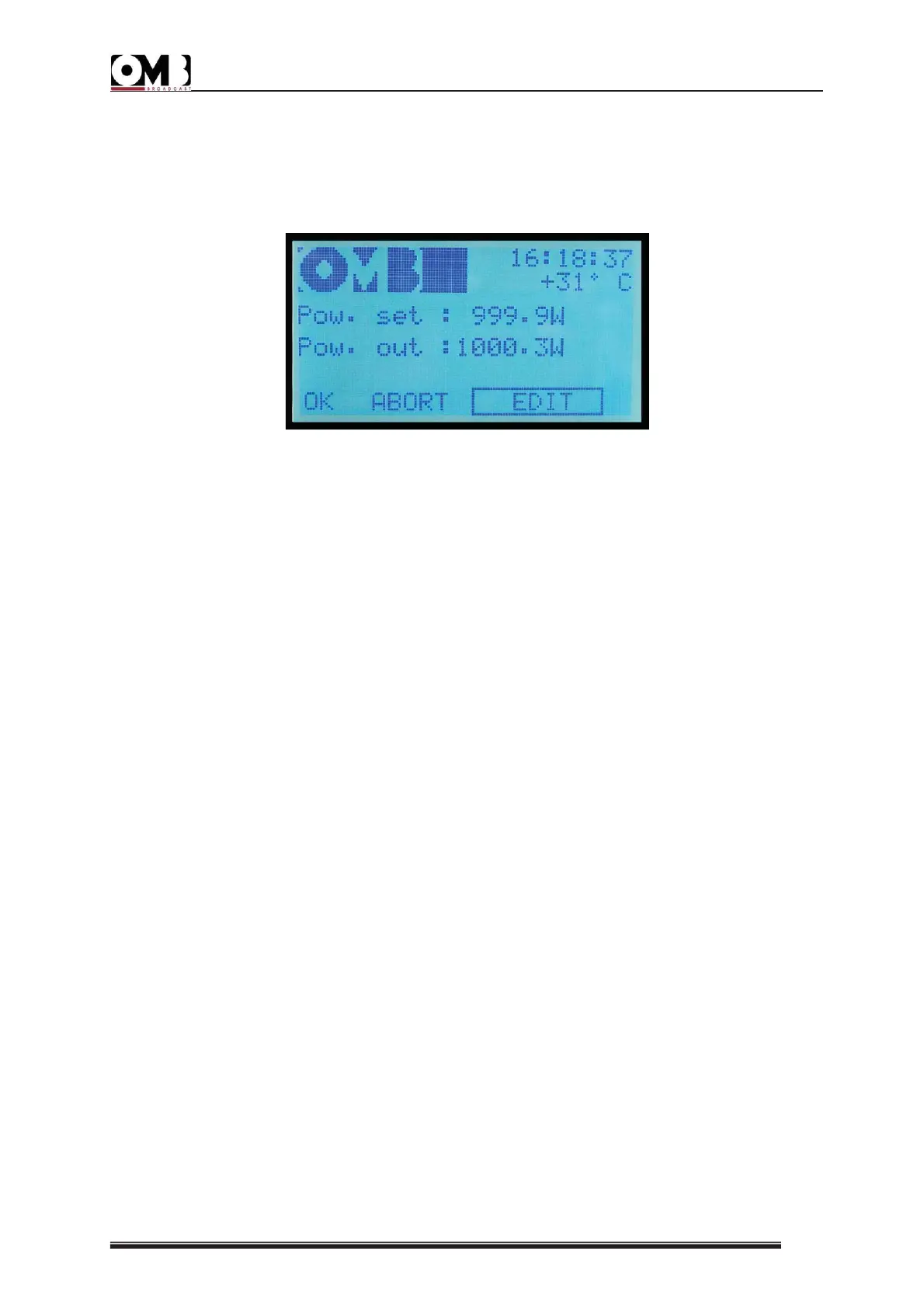
13) Turn the knob until the POWER sub-menu is selected, then press to confirm. The power
adjustment screen will appear:
14) Ensure that the EDIT option is selected; otherwise, turn the knob to select it, then press to
confirm.
15) A value will be indicated after Pow. Set:
16) Turn the knob until the desired power is set, then press the knob to confirm.
17) Okay will be highlighted OK. Three choices are now available:
- If the parameters set are correct – skip directly to step 18) to confirm the settings.
- If the parameters set are all incorrect – cancel all settings by turning the knob until ABORT is
highlighted, then skip to step 18).
- If a slight adjustment to the parameters is required – turn the knob until EDIT is highlighted,
then return to step 15).
18) Press the knob to confirm. You will return to the page indicated in step 3).
- If the device is currently in operation (green ON LED lit up), the Pow. out: indicator will show
the power currently supplied.
Otherwise, with the device on stand-by (yellow ON LED lit up), the indicator will remain at
0.0W.
2.2.4 Modulation sensitivity
19) Turn the knob until the MPX SENS. sub-menu is selected, then press the knob to confirm.
20) The modulation sensitivity adjustment screen will appear:


 To Next Page
 Loading...