FM TRANSMITTER
TR EM 1000 HE DIG PLUS COMPACT
Technical Manual 1v2 November 2019 36
5) Where required, use the knob according to the instructions provided in each of the
following descriptions of the individual sub-menus.
6) To go back to the previous level (and exit the current menu/sub-menu), press the ESCAPE
button.
7) Where necessary, repeat the previous step multiple times until you return to the main
screen, indicated in step 1.
Access to the VIEW and/or SETUP menus may be password protected. If so, you may need to
enter a previously assigned password at step 2.
2.3.4 Additional commands in the SETUP and VIEW menus
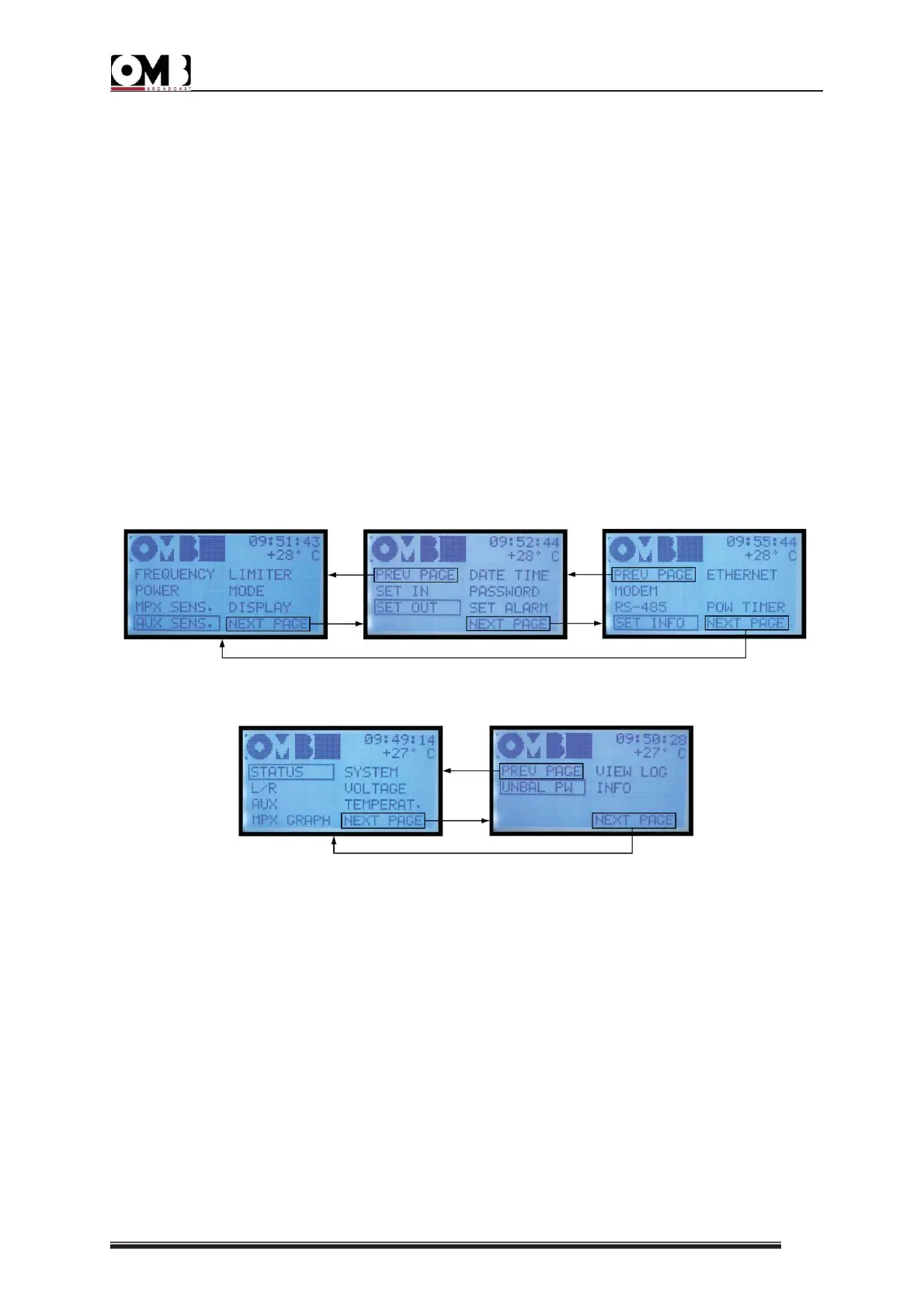
- NEXT PAGE and PREV PAGE
The SETUP and VIEW menus are composed of multiple pages; as such, you can access the
next page by selecting the NEXT PAGE sub-menu, and the previous page by selecting PREV.
PAGE.
SETUP MENU
VIEW MENU
- EDIT, ABORT, and ESCAPE
Once you’ve entered one of the sub-menus in the SETUP menu, turning the knob allows you
to select three commands that appear at the bottom of the screen:
• EDIT - used to access a setting and modify parameters.
• ABORT – used in the same manner as pressing the ESCAPE button, and thus to exit the
screen and return to the previous navigation level without saving any settings made in that
sub-menu.
• OK – confirms settings made in a sub-menu.


 To Next Page