FM TRANSMITTER
TR EM 1000 HE DIG PLUS COMPACT
Technical Manual 1v2 November 2019 52
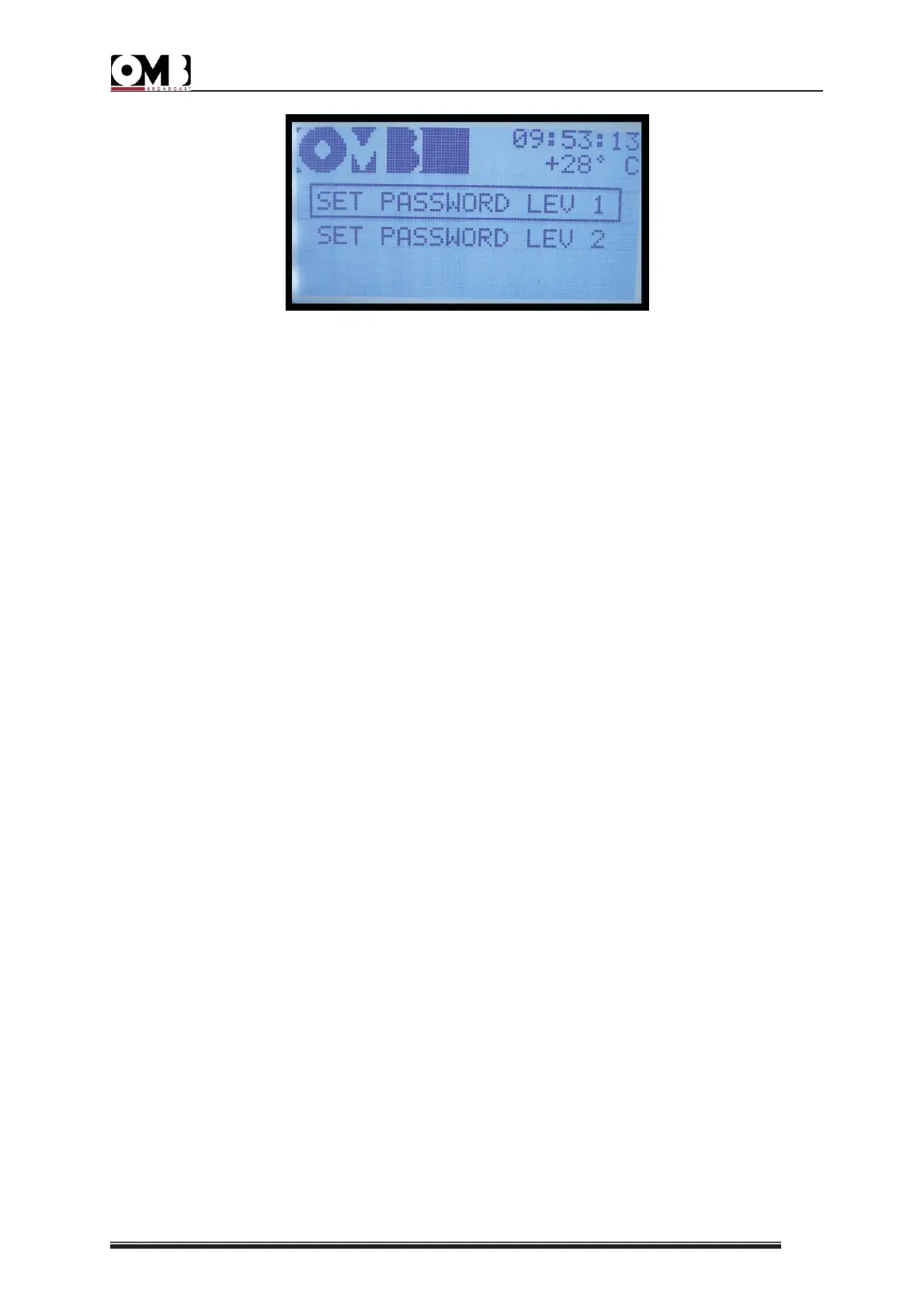
• SET PASSWORD LEV 1
• SET PASSWORD LEV 2
• In order to gain confidence with the password settings menu and with its operation, we
recommend that the password be set as 0 0 0 0 (four zeros) the first time.
LEVEL 1 PASSWORD
To protect both main menus, activate/set the LEV 1 password as follows:
1) Select SET PASSWORD LEV 1 with the knob, then press to confirm.
2) Using the knob, select EDIT and press to confirm. OFF (password deactivated) will be
selected. Turn the knob to select ON, then press to confirm. The first character in the
password will be highlighted.
3) Turn the knob to select the first character, then press to confirm. The second character in
the password will be highlighted.
4) Turn the knob to select the second character, then press to confirm. The third character in
the password will be highlighted.
5) Turn the knob to select the third character, then press to confirm. The fourth character in
the password will be highlighted.
6) Turn the knob to select the fourth character, then press to confirm. The first character in
the Confirm line will be highlighted; repeat the same password on this line in order avoid
errors in setting the password.
7) Set the four characters on the Confirm line as explained in steps 3) to 6).
8) Using the knob, select OK to save the settings, EDIT to make further changes, or ABORT to
exit without saving the new settings, then press the knob to confirm.
9) Store the password in a safe place.
If the four characters in the CONFIRM line do not correspond to the ones entered in the first
line, a Wrong password message will appear. Press the knob to delete the screen and return
to step 2).
Once a level 1 password is activated, each time someone attempts to access the SETUP menu,
they will receive an Insert PASSWORD message asking for the password to be entered. Access
to the VIEW menu is timed, and the password will only be requested if the VIEW menu is not
used for a given period of time.


 To Next Page