Schedule
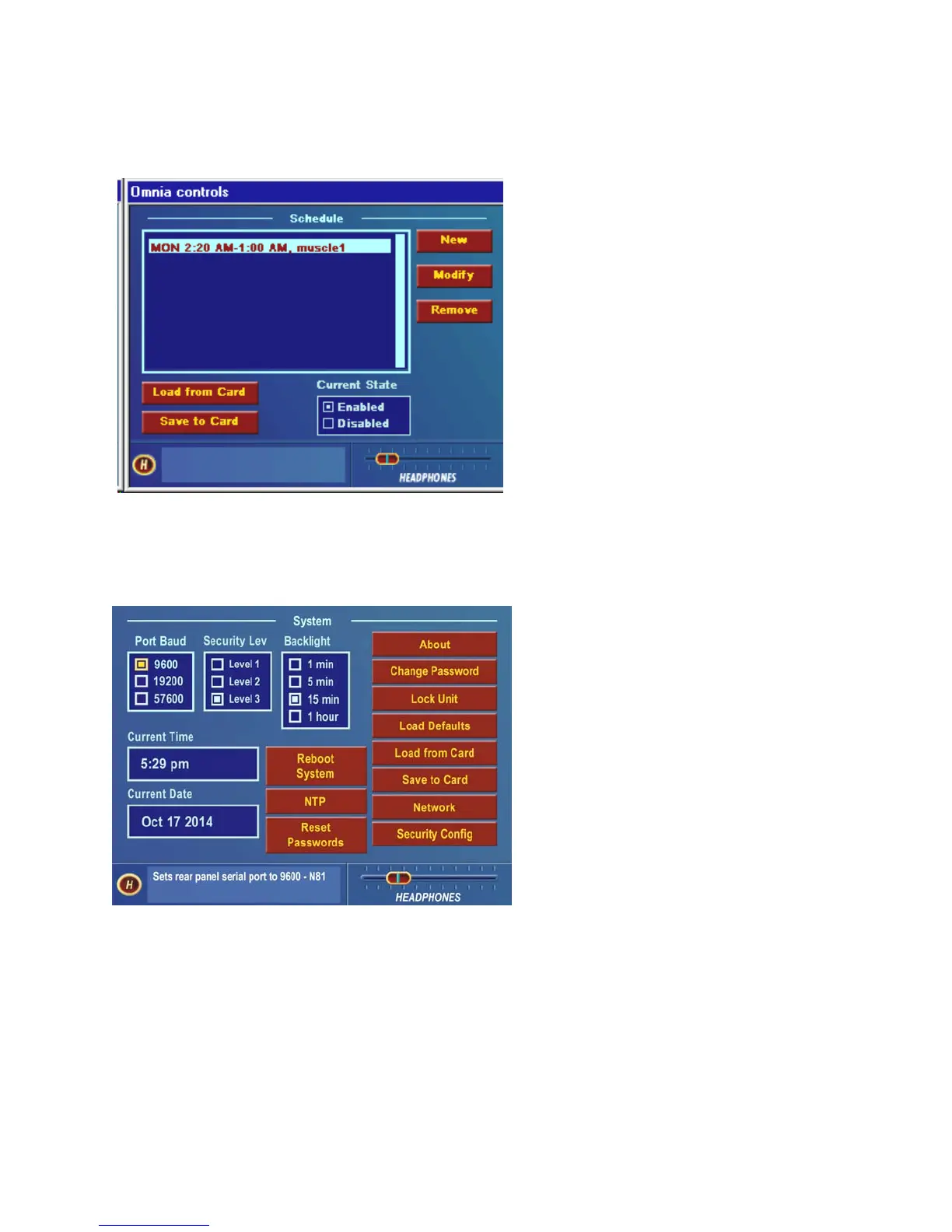
The Omnia-6 can automatically load presets from
the PC Card by date and/or time. The Schedule
submenu allows the user to enable or disable the
Daypart Scheduler function, as well as to create,
modify, save and recall custom preset changing
schedules.
In order for presets to change during a schedule, the
Preset checkbox in the New or Modify schedule
dialog box must be selected. Leave it unselected
when you will be using the trigger script function
and click on the Scripts button instead to edit the
trigger scripts. See Pages 43-44 for full details.
Schedule Submenu
System
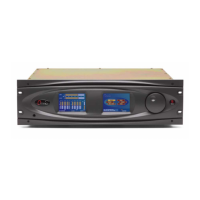
Numerous maintenance and utility functions are
found in this submenu. System data is saved here,
and various Security options are available to
prevent tampering by unauthorized personnel.
There are also controls for setting the serial RS-
232 communications baud rate, TCP/IP
networking parameters, the date, time, and the
Screen Saver backlight off timeout interval. See
Pages 44-47 for full details on all the settings in
the System Menu.
System Submenu
An important selection under this submenu, Save to Card, makes a copy of the Omnia-6EX system configuration,
and stores it on the rear-panel PC Card. If a power failure should occur, the unit restarts using the last saved
operational settings. This means all Input, Output, Encode and System Menu settings are restored, as well as the
previously running processing settings (preset). If the system is not backed up and saved to the PC Card, then the
system restores itself to the last known saved set of parameters (which will be the factory defaults if you don’t use
Save to Card!). For this reason, Omnia suggests that you backup the system using the System/Save to Card function
after any custom parameter editing has been completed.
Omnia-6ex Use and Operation Manual – V: 1.10
33


 To Next Page