•
7
Operation
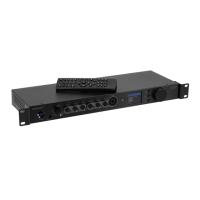
7.1 Preamplifier
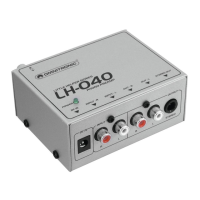
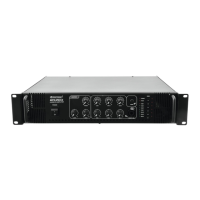
(1) Prior to switching on, set the LEVEL control to the left stop position to avoid a possible switching-on
noise.
(2) Then switch on the unit with the power switch. The blue power indicator lights up.
(3) Use the INPUT SELECT switch to select signal source and adjust the desired volume with the LEVEL
control. Adjust the sound with the LOW and HIGH controls.
(4) Mix the microphone signal to the master signal with the MIC LEVEL control and adjust the desired sound
with the LOW and HIGH controls.
(5) After operation, switch off the unit with the power switch. The power indicator goes off.
7.2 Internet radio
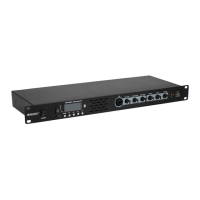
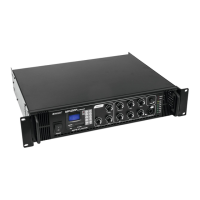
(1) Turning the rotary knob TUNE/SELECT will adjust the radio volume and select functions or change
settings/values in the menu. Pressing the rotary knob will confirm a selection or a setting.
(2) The BACK ◄ button will take you a step back in many functions or settings and the FORWARD ►
button will take you a step forward.
(3) The MENU button opens the Internet radio's main menu.
(4) Use the remote control’s arrow buttons ◄
,
►, ▲, ▼ to navigate in the menu. The OK buttons confirms a
selection or a setting.
(5) The MODE button switches through the different operating modes. When you press this button, the
device switches to the respective next operating mode.
(6) Using the remote control, you can adjust the radio volume with the buttons. The button mutes
the sound.
(7) To turn stand-by mode on or off, press the button.
▪ The display shows the date and time in stand-by mode.
7.3 Navigating through the menu
(1) Press the button to enter the Internet radio’s main menu.
(2) Use the rotary knob or the arrow buttons on the remote control to navigate in the menu
(3) To select a function or confirm a menu item, press the rotary knob or the OK buttons on the remote
control.
Mode Function
My Favourite You can store and call up to 99 radio stations here
Internet Radio Search for Internet radio stations based on various criteria from Skytune's offer
Media Centre Access your UPnP- or DLNA-compatible media server
DAB Radio Searching and receiving DAB radio stations
FM Radio Searching and receiving FM radio stations
Bluetooth Music playback from a Bluetooth device
Alarm Activating/setting the alarm function
Sleep Timer Activating/setting the sleep timer
Configuration Access important device settings (networks, menu language, etc.)
Note: Please be aware that individual configuration points or their translations can change with software
updates.
,
,



 To Next Page