•
Direct management via browser
(1) Enter the Internet radio’s IP address in the address line of your Internet browser.
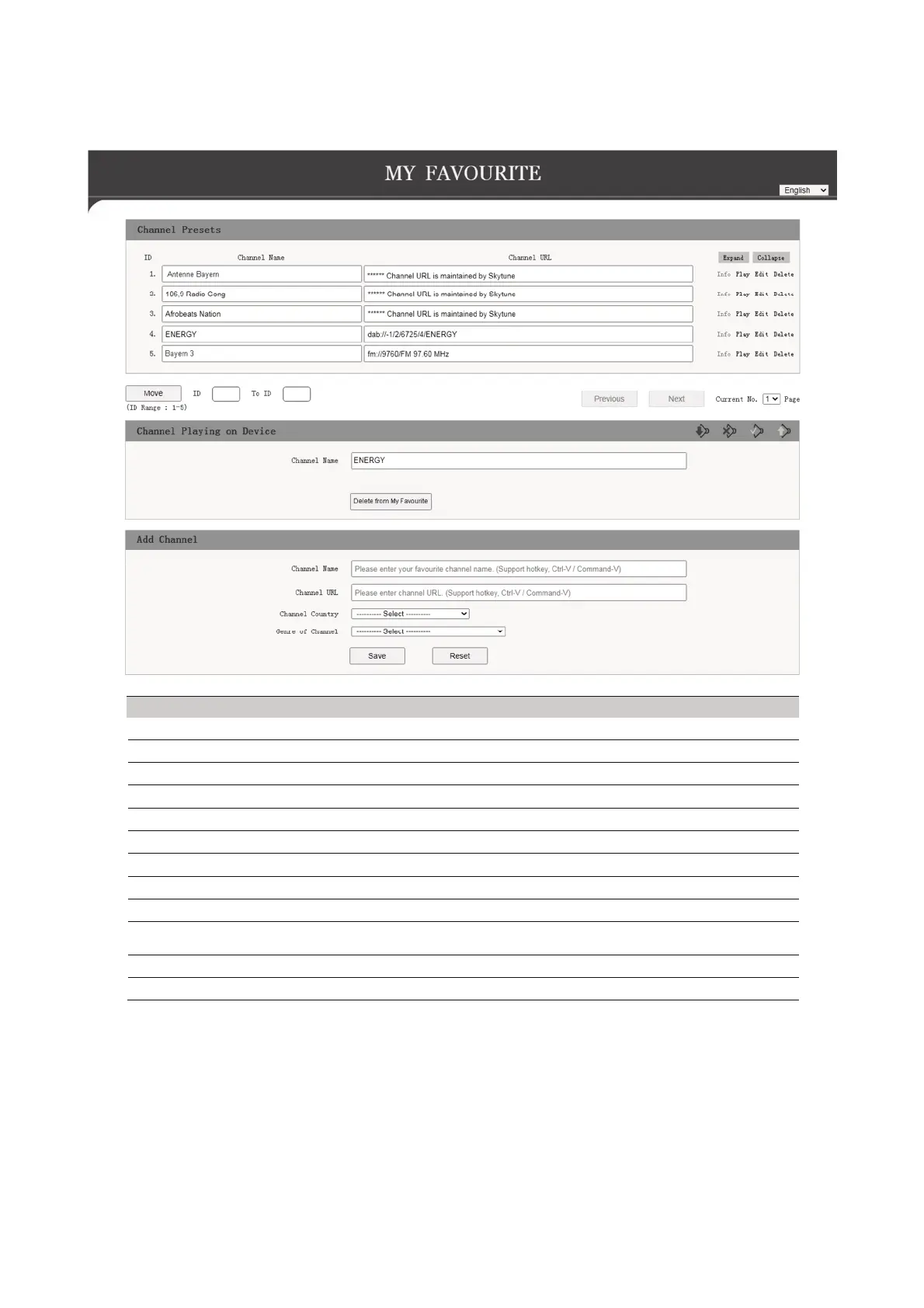
(2) The overview of the saved favorites list will appear:
Display Function
ID Number in the list
Channel Name Name of station
Channel URL Address of the audio stream or DAB or FM data
Play To play the respective station
Edit To edit the displayed information of the respective station
Delete To delete the respective station from the list
Move To move the in the list
Channel Playing On Device Station currently playing
Delete from My Favourite To delete current station from favourites
Add Channel
Enter the station name and the corresponding URL (address of the audio
stream) to add a station to the list
Save To save the newly added station
Reset To discard the information



 To Next Page