6. Monitors
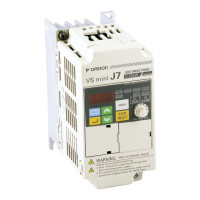
The Vs mini J7 allows you to monitor various conditions, such as output current and status of multi-
function inputs.
This monitoring is performed via the “U” parameters.
Key Secuence Indicator Display example Explanation
Power On
Press the Mode Key repeatedly until the MNTR indicator
is lit. U01 will be displayed.
Use the Increment or Decrement Key to select the monitor
item to be displayed..
Press the Enter Key so that the data of the selected
monitor item will be displayed.
The monitor number display will appear again by
pressing the mode key.
Constant No. Name Description
U01 Frequency Reference
(FREF)
Hz Frequency reference can be moitored. (Same as FREF)
U02 Output frequency
(FOUT)
Hz Output frequency can be monitored. (Same as FOUT)
U03 Output Current
(IOUT)
A Output current can be monitored. (Same as IOUT)
U04 Output Voltage V Output voltage can be monitored
U05 DC Voltage V Main circuit DC voltage can be monitored
U06 Input Terminal Status -- Input terminal status of control circuit terminals can be monitored
U07 Output Terminal Status -- Output terminal status of control circuit terminals can be monitored
U09 Fault History -- Last four fault history is displayed
U10 Software No. -- Software No. can be checked
U15 Data Reception Error -- Contents of MEMOBUS communication data reception error can be
checked. (contents of transmission register No. 003DH are the same)






 To Next Page