EasyManua.ls Logo

Omron CK3E Series - User Manual

Omron CK3E Series
114 pages
Print Icon
To Next Page IconTo Next Page
Loading...
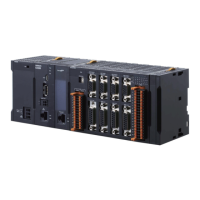
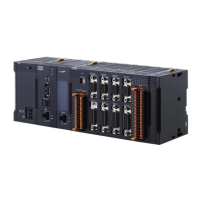
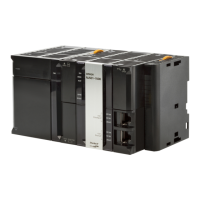
CK3E-series
Programmable Multi-Axis Controller
Hardware
User’s Manual
I610-E1-04
CK3E-110
Programmable Multi-Axis Controller

Table of Contents

Other manuals for Omron CK3E Series

Questions and Answers

  • J
    Jasmine OrtizAug 21, 2025
    How to fix a power supply error on an Omron CK3E?
    • M
      martinnicholasAug 21, 2025
      If the Omron Controller shows a power supply error, first ensure the unit is properly powered by checking if the power is turned on, the power cable is correctly wired and undamaged. Also, verify that the input power voltage is within the permissible range and the power supply capacity is sufficient and not failing. If the error persists after these checks, the Programmable Multi-Axis Controller might need replacement.
  • T
    Tyler WallerSep 4, 2025
    What to do if EtherCAT communications do not start on Omron Servo Drives?
    • C
      Crystal ThomasSep 4, 2025
      If EtherCAT communications do not start, several factors could be at play. First, verify that ECAT[0].Enable is set to 1 by running the ECAT[0].Enable=1 command from the Terminal pane. Also, ensure that the EtherCAT network configuration in the Controller matches the physical network configuration. Check that the Ethernet cable is correctly connected. Finally, examine the ECAT[0].error value for any error indications.
  • L
    Leonard MartinezSep 2, 2025
    How to fix synchronization error on Omron Servo Drives slave?
    • M
      Madison MendezSep 2, 2025
      A synchronization error at a slave can occur if the distribution clock is not set correctly. Also, the servo task processing time exceeding the set period can be the cause. Review the program or servo frequency to adjust it, so that the servo task processing time does not exceed the period.
  • K
    Kurt ChristianSep 1, 2025
    What to do if the link is not established for Omron Servo Drives?
    • M
      Mark WilliamsSep 1, 2025
      If the link isn't established, the Ethernet cable may be broken or incorrect; replace it if necessary. Also, check the connectors on the Ethernet cable for disconnections or faults and reconnect them securely. Another potential cause is a failure within a slave in the EtherCAT network configuration; in this case, replace the faulty slave.
  • M
    Michelle HamiltonAug 30, 2025
    Why are my Omron Servo Drives EtherCAT communications not starting?
    • K
      Kara GilesAug 30, 2025
      EtherCAT communications might not start due to several reasons. First, ensure that ECAT[0].Enable is set to 1 via the Terminal tab. Another reason might be a discrepancy between the EtherCAT network configuration in the Controller and the actual physical network setup. Also, inspect the Ethernet cable for any breaks or disconnections at any slave in the network and connect the Ethernet cable correctly. Finally, if the ECAT[0].error value is not 0, it indicates that some errors have occurred; check the ECAT[0].error value to identify and address them.
  • M
    melanie19Aug 29, 2025
    How to troubleshoot link not established on Omron CK3E Controller?
    • A
      Angelica MirandaAug 29, 2025
      If the Ethernet cable is broken or the specified cable was not used, replace the cable. Also, reconnect the connector and make sure it is mated correctly. If a slave within the EtherCAT network configuration failed, replace the slave.
  • D
    Dana LeeAug 27, 2025
    Why does a synchronization error occur at a slave on Omron CK3E Controller?
    • T
      Travis MurrayAug 27, 2025
      A synchronization error at a slave on your Omron Controller can occur if the distribution clock is incorrectly set. Review the settings. Also, if the servo task processing time exceeds the set period, review the program or servo frequency to adjust it so the processing time does not exceed the period.
  • C
    cantujacobAug 26, 2025
    How to troubleshoot 'link is not established' on Omron Controller?
    • C
      Christine GonzalesAug 27, 2025
      If the link is not established on your Omron Controller, the Ethernet cable might be broken or not the specified type. Replace the cable if necessary. Also, check if a connector on the Ethernet cable used for EtherCAT communications is disconnected or faulty; reconnect it securely. A failed slave within the EtherCAT network can also cause this issue; consider replacing the slave.
  • A
    Andrew MartinAug 25, 2025
    What to do if EtherCAT communications do not start on Omron CK3E Controller?
    • O
      Oscar NelsonAug 25, 2025
      If EtherCAT communications don't start on your Omron Controller, first, use the Terminal pane to run the command ECAT[0].Enable=1. Also, verify that the EtherCAT network configuration in the Controller matches the physical network configuration. Check that the Ethernet cable is correctly connected. Finally, examine the ECAT[0].error value for any error indications.
  • V
    Vincent ChapmanAug 23, 2025
    What to do if I see a watchdog timer error on my Omron CK3E?
    • S
      Suzanne CalhounAug 23, 2025
      If the Omron Controller displays a watchdog timer error, check for noise intrusion in the FG, power supply, and communication lines, and apply appropriate countermeasures. If a momentary power interruption occurred, ensure a stable power supply with the rated voltage and frequency. If the issue persists, the Motion Controller may need to be replaced.

Omron CK3E Series Specifications

General IconGeneral
ModelCK3E Series
Operating SystemProprietary
Power Supply24 VDC
Mounting TypeDIN Rail
Input Voltage24 VDC
CPU TypeRISC
Programming LanguageLadder Logic
Communication PortsEthernet, USB, RS-232/485
Output TypeRelay, Transistor
Storage Temperature-25 to 75 °C
Humidity10 to 90% RH (non-condensing)
Vibration Resistance10 to 57 Hz, 0.075 mm amplitude
Shock Resistance147 m/s2

Related product manuals