EasyManua.ls Logo

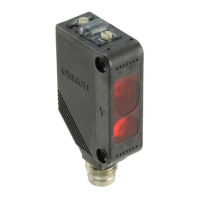
Omron E3Z-LS - PNP Output

Omron E3Z-LS
12 pages
Print Icon
To Next Page IconTo Next Page
To Previous Page IconTo Previous Page
Loading...
6
E3Z-LSE3Z-LS
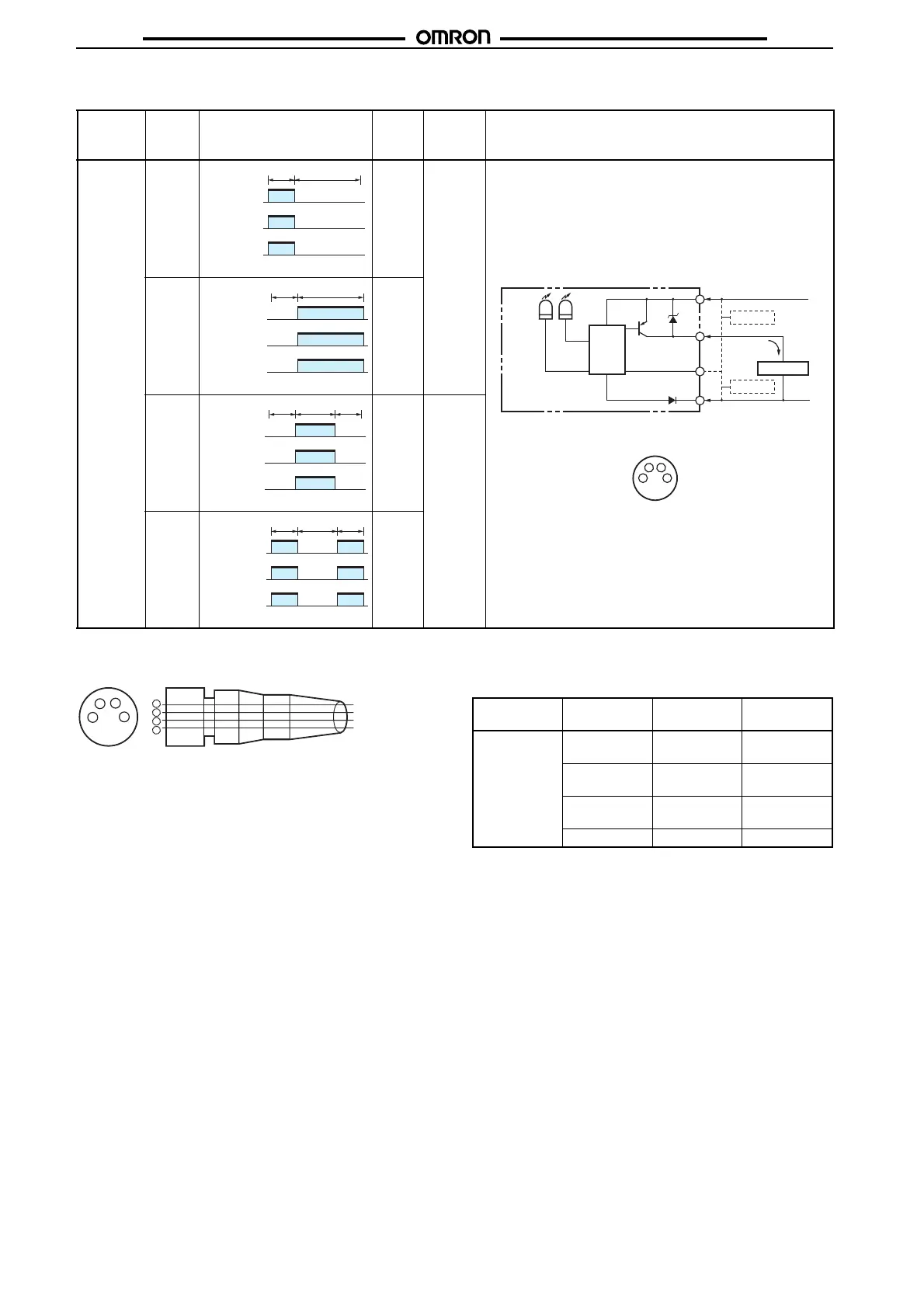
PNP Output
Connectors (Sensor I/O Connectors)
Model Output
transis-
tor sta-
tus
Timing chart Mode
selec-
tion
switch
BGS/FGS
selection
method
Output circuit
E3Z-LS81
E3Z-LS86
Light ON L side
(L/ON)
BGS:
Either
leave the
pink wire
(2) open or
connect it
to the blue
wire (3).
Dark ON D side
(D/ON)
Light ON L side
(L/ON)
FGS:
Connect
the pink
wire (2) to
the brown
wire (1).
Dark ON D side
(D/ON)
ON
OFF
ON
OFF
ON
OFF
NEAR FAR
Operation
indicator
(orange)
Output
transistor
Load (e.g.,
relay)
(Between blue and black)
4
1
2
4
3
1
2
3
0 V
Z
D
Operation
indicator
(orange)
Stability
indicator
(green)
Main
circuit
(Control
output)
100 mA
max.
FGS
12 to 24 VDC
BGS
Connector Pin Arrangement
Brown
Pink
Black
Blue
Load (relay)
ON
OFF
ON
OFF
ON
OFF
NEAR FAR
Operation
indicator
(orange)
Output
transistor
Load (e.g.,
relay)
(Between blue and black)
ON
OFF
ON
OFF
ON
OFF
NEAR FAR
VERY FAR
Operation
indicator
(orange)
Output
transistor
Load (e.g.,
relay)
(Between blue and black)
ON
OFF
ON
OFF
ON
OFF
NEAR FAR
VERY FAR
Operation
indicator
(orange)
Output
transistor
Load (e.g.,
relay)
(Between blue and black)
2
4
1
3
1
2
3
4
XS3F-M421-402-A
XS3F-M421-405-A
XS3F-M422-402-A
XS3F-M422-405-A
Cable core wire
jacket color
Brown
White
Blue
Black
Class Wire jacket
color
Connector
pin No.
Application
For DC Brown A Power supply
(+V)
White B BGS/FGS se-
lection
Blue C Power supply
(0 V)
Black D Output

Related product manuals