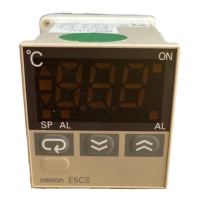
Temperature Controllers E5CSZ 7
1. Sensor Type Specification
Select the number on the temperature range switch to change
the temperature range.
Multi-input (Thermocouple/Platinum
Resistance Thermometer) Models
• Using Thermocouple Sensors, Control Mode Switch 5: OFF
• The control range is
−20°C to +20°C of the input temperature
range.
Note: 1. The input indication range is the range that can be displayed for
the control range (
−99 to 1999). If the input is within the control
range but exceeds the display range (
−99 to 1999), values
below
−99 will be displayed as “[[[“ and values above 1,999
will be displayed as “]]].”
2. If unit is changed to 1 degree when the SP and alarm value for
the temperature range are displayed in 0.1-units from 0.0 to
199.9 or 0.0 to 99.9, the values will be multiplied by 10 (e.g., 0.5
becomes 5). If the unit is changed in the reverse direction, the
values will be divided by 10. After changing the range, set the
SP and alarm value again.
• Using Platinum Resistance Thermometers,
Control Mode Switch 5: ON
• The control range is
−20°C to +20°C of the input temperature
range.
Note: 1. The input indication range is the range that can be displayed for
the control range (
−99 to 1999). If the input is within the control
range but exceeds the display range (
−99 to 1999), values
below
−99 will be displayed as “[[[“ and values above 1,999
will be displayed as “]]].”
2. If unit is changed to 1 degree when the SP and alarm value for
the temperature range are displayed in 0.1-units from 0.0 to
199.9 or 0.0 to 99.9, the values will be multiplied by 10 (e.g., 0.5
becomes 5). If the unit is changed in the reverse direction, the
values will be divided by 10. After changing the range, set the
SP and alarm value again.
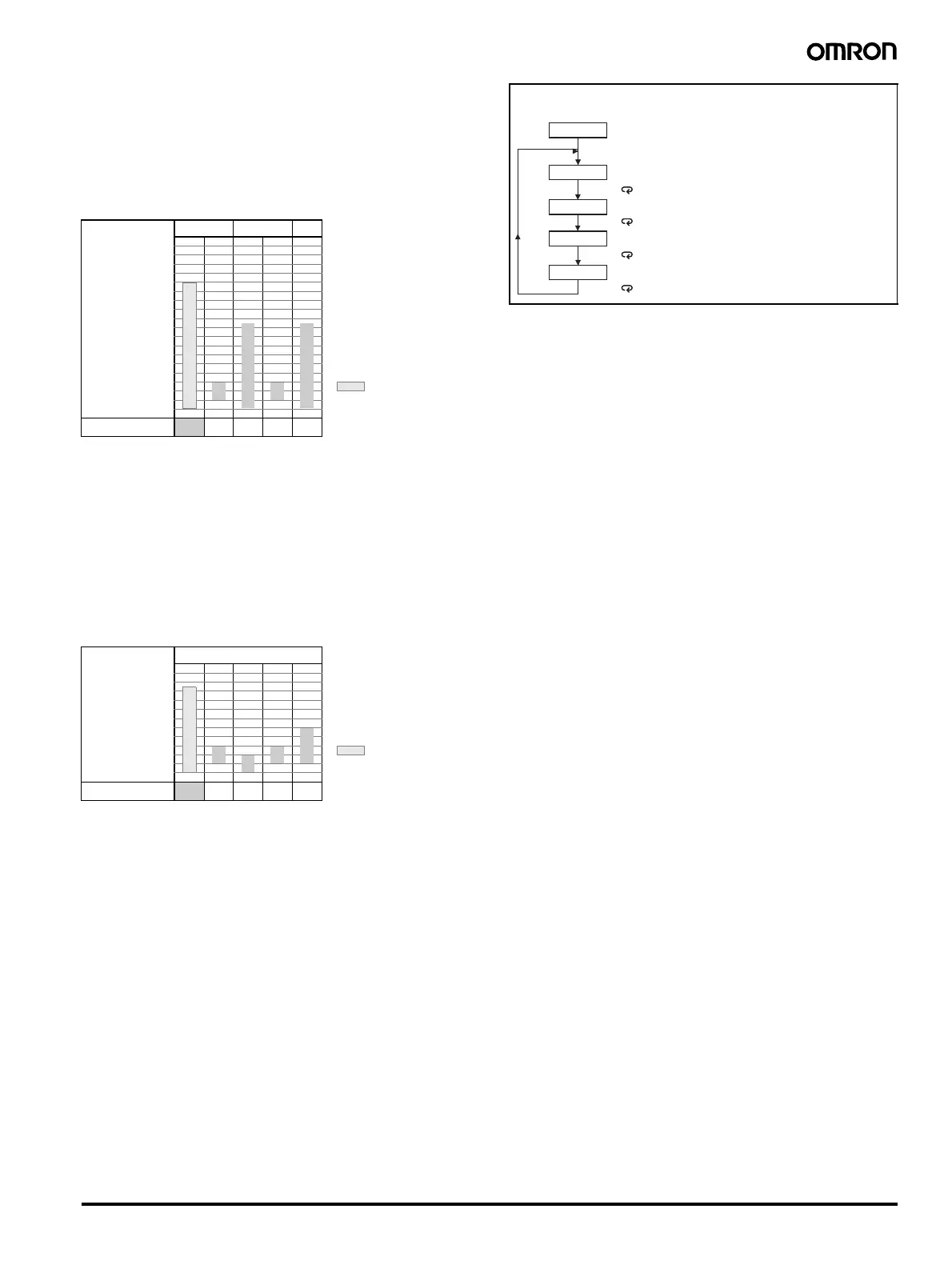
Input K J L
SP
range
1,700
1,600
1,500
1,400
1,300
1,200
1,100
1,000
900
800
700
600
500
400
300
200
100
0
−100
1,300
850 850
199.9 199.9
0.0 0.0
−99 −99 −99
Setting number 01234
Input Pt100
SP
range
1,000
900
800
700
600
500
400
300
200
100
0
−100
850
400
199.9 200
99
0.0 0 0
−99 −99
Setting number
01234
The shaded value indicates the
default setting status.
Do not set the temperature range switch
to between No. 5 and No. 9.
The shaded value indicates the
default setting status.
Do not set the temperature range switch
to between No. 5 and No. 9.
Mode Key Display Order
• If the SP falls outside the temperature
range when the temperature range is
changed, the SP will be displayed first.
The SP will be changed automatically
either to the minimum value or the
maximum value, whichever is nearest.
• If the alarm value falls outside the
temperature range when the
temperature range is changed, the
alarm value will be displayed first. The
alarm value will be changed
automatically to the maximum value in
the new temperature range.
PV
SP
Alarm value 1
Input shift value
Power ON
Press the Key.
Press the Key.
Press the Key.
Press the Key.


 To Next Page